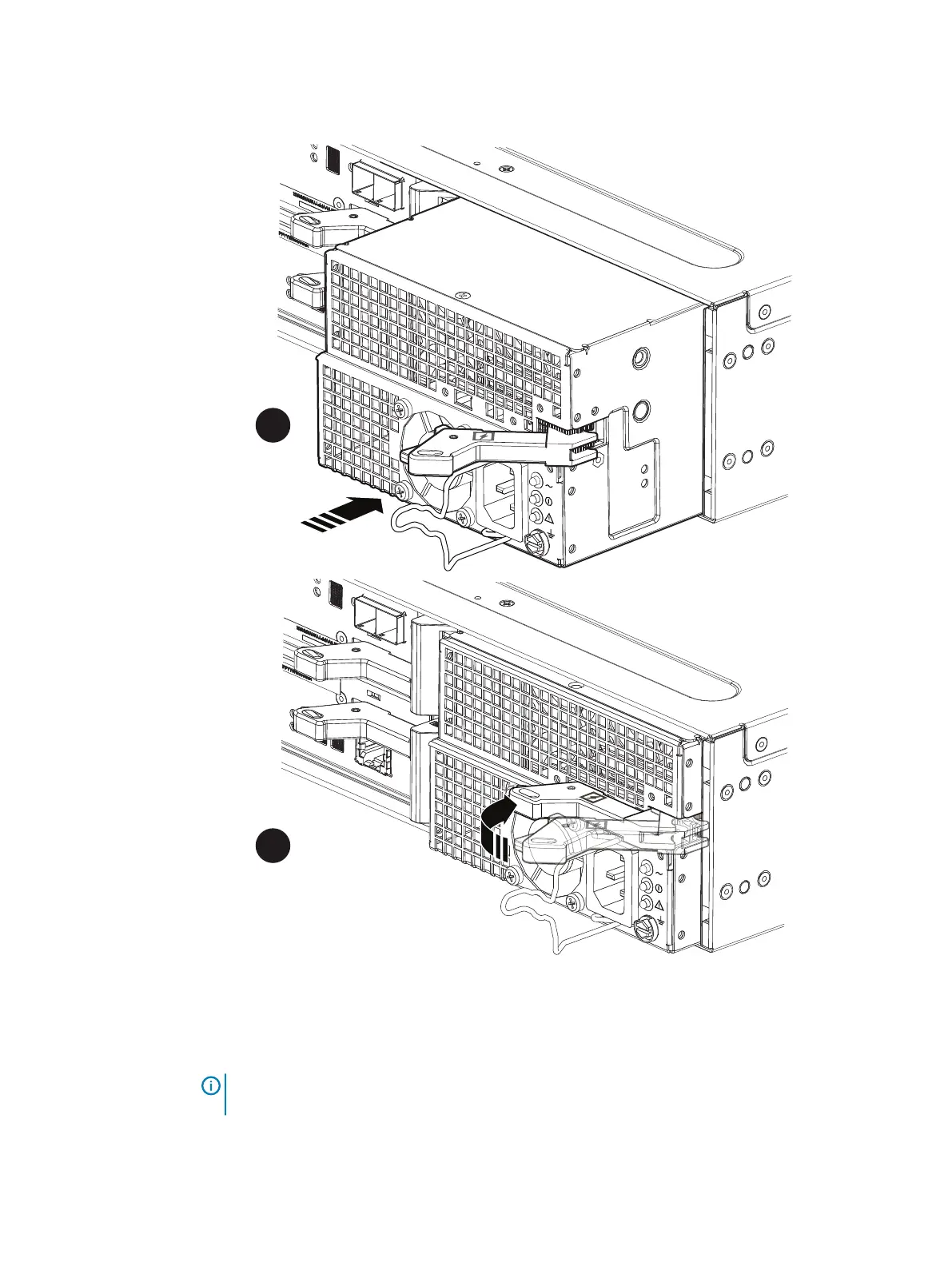
Figure 28 Installing a power/cooling module
Removing an LCC
About this task
NOTICE The LCC comes completely out of the DAE chassis. In addition to holding the latches,
be prepared to support the LCC to avoid dropping it.
Procedure
1. Locate the orange handle buttons on the LCC handles.
Replacing a 25-Slot Disk-Array Enclosure
40 Dell EMC FS25 SSD Shelf Guide Field Replacement Unit Guide




 To Next Page