Back to Contents Page
Radio Switch Board
Dell™Latitude™E4200ServiceManual
Removing the Radio Switch Board
Replacing the Radio Switch Board
The radio switch board (RSB) acts as a hub for multiple antennae/cable connections. A component of this hub is a specially designed cable that acts as a relay
from the RSB to the wireless local area network (WLAN) card.
Removing the Radio Switch Board
1. Follow the procedures in Before Working on Your Computer.
2. Remove the service panel (see Removing the Service Panel).
3. Remove the WLAN/WiMax card (see Removing the WLAN/WiMax Card).
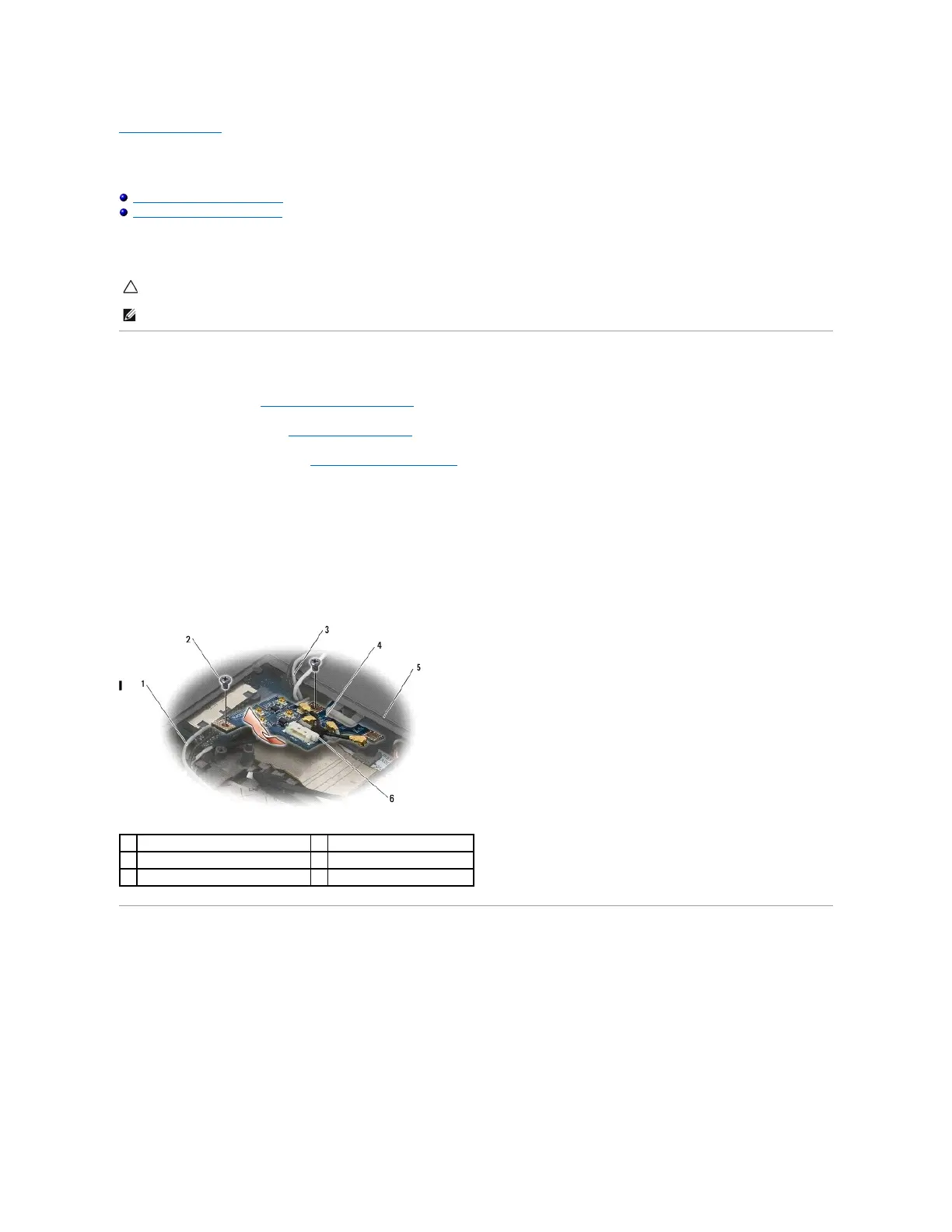
4. Disconnect the cables from the radio switch board.
DisconnectthetwoLatitudeON™cardcables(grayandblack),andthetwoantennacables(grayandblack).
5. Disconnect the power cable from the radio switch board.
6. Remove the two M2 x 3-mm screws.
7. Lift the front edge of the radio switch board up and towards the front of the computer to remove it from the base assembly.
Replacing the Radio Switch Board
1. If your computer does not have a WWAN card installed, make sure that the WWAN cables are routed in the cable holders in the base assembly.
2. Lower the back edge of the radio switch board down and towards the back of the computer into the base assembly. Make sure that no other cables
other than the WWAN cables are under the radio switch board when lowering it into place.
3. Replace the two M2 x 3-mm screws.
4. Connect the cables to the radio switch board.
Connect the antenna cables to the connectors on the back left side of the board, connecting the gray cable to the connector marked with a "G" and the
black cable to the connector marked with a "B".

















 To Next Page