36
Low-Voltage Differential Signaling
(LVDS) Camera Cable
Removing the LVDS Camera Cable
1. Follow the procedures in Before Working On Your Computer.
2. Remove the battery.
3. Remove the back panel.
4. Remove the hard drive.
5. Remove the base cover.
6. Remove the display assembly.
7. Remove the hinge assembly.
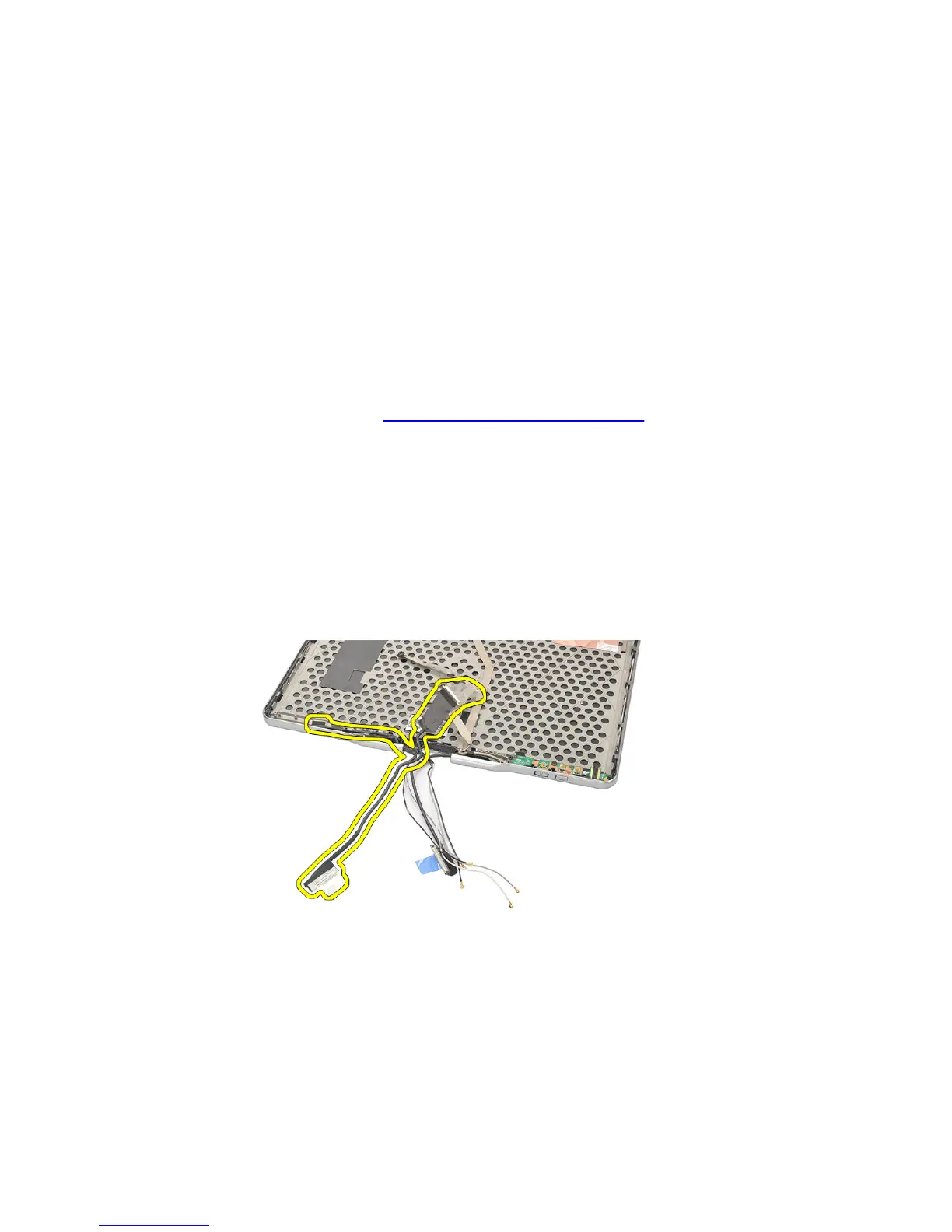
8. Remove the LVDS cable from the display back cover.
Installing the LVDS Cable
1. Attach the LVDS cable to the display back cover.
2. Replace the hinge assembly.
3. Replace the display bezel.
129














 To Next Page