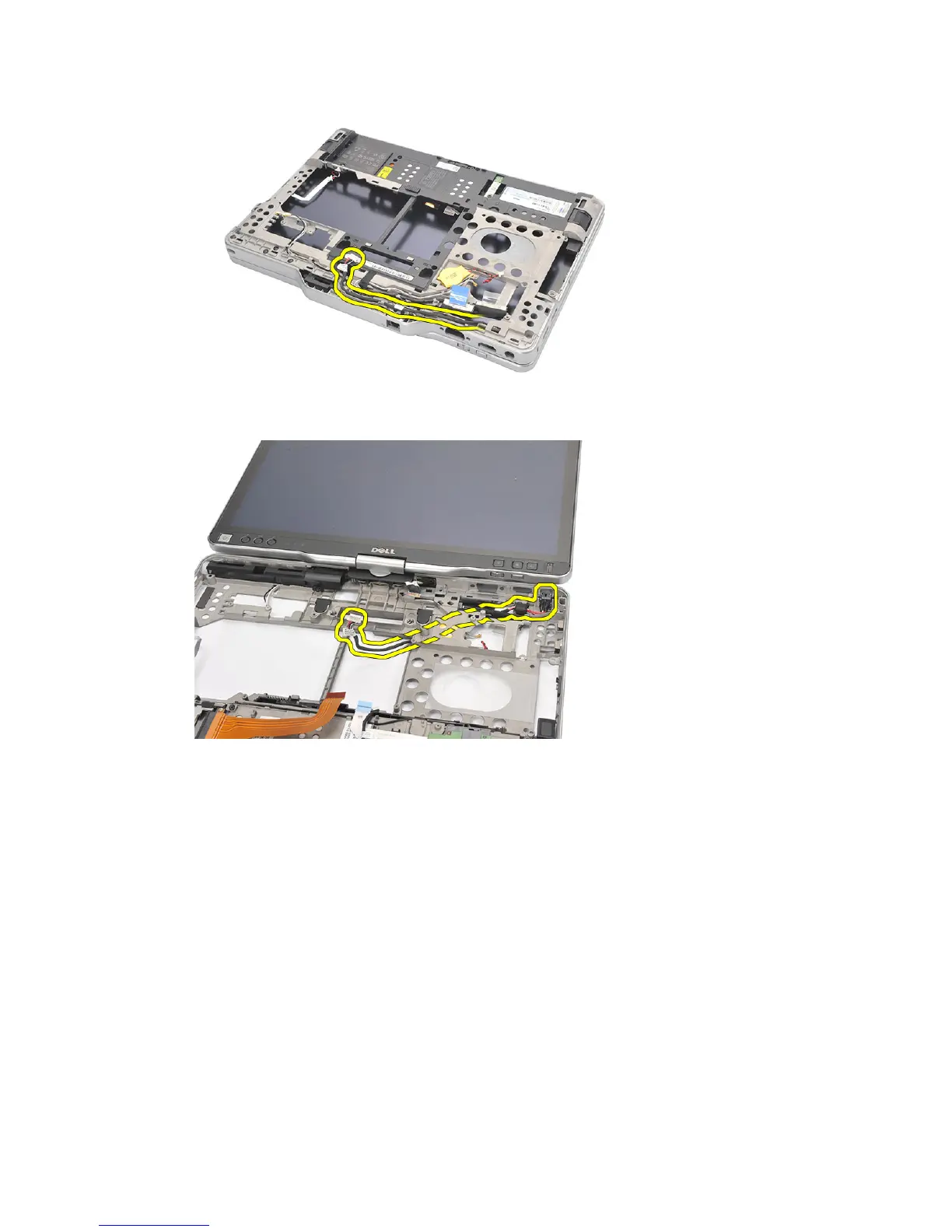
17. Unthread the power connector cable from the routing channel.
18. Lift and remove the power connector from the computer.
Installing the Power Connector
1. Route the power connector cables and insert the power connector in the slot.
2. Replace the system board.
3. Replace the palmrest.
4. Replace the WLAN switch board.
5. Replace the processor.
6. Replace the heat sink.
7. Replace the base cover.
8. Replace the WWAN card.
9. Replace the WLAN card.
10. Replace the memory.
98














 To Next Page