184 Mini Tower Computer Parts
9
Replace the bezel (see "Replacing the Bezel" on page 166).
10
Check all cable connections, and fold cables out of the way to avoid
blocking airflow between the fan and cooling vents.
11
Replace the computer cover (see "Replacing the Computer Cover" on
page 207).
NOTICE: To connect a network cable, first plug the cable into the network device
and then plug it into the computer.
12
Connect your computer and devices to their electrical outlets, and turn
them on.
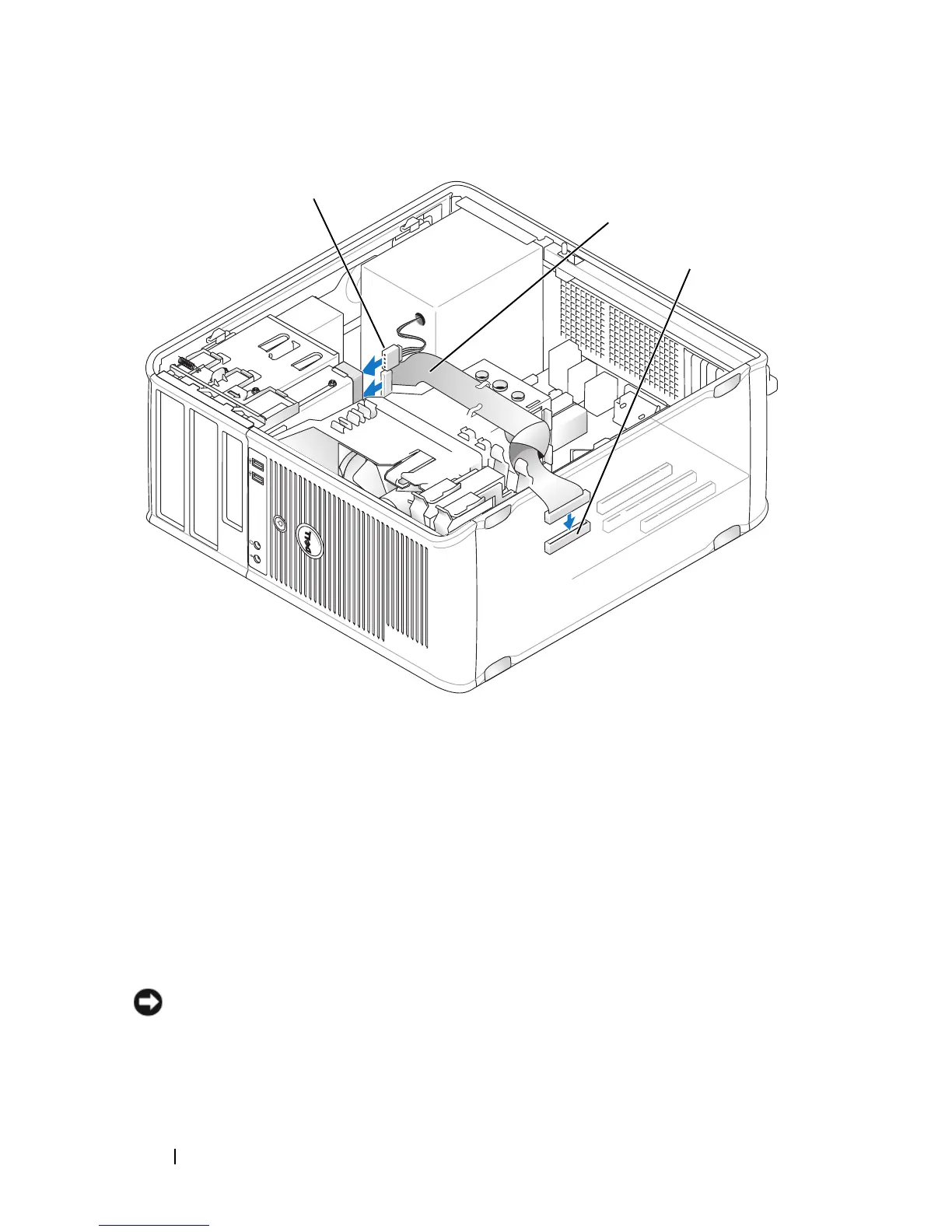
1 power cable 2 floppy-drive cable
3 floppy-drive connector (FLOPPY)
1
2
3














 To Next Page