Mini Tower Computer Parts 183
7
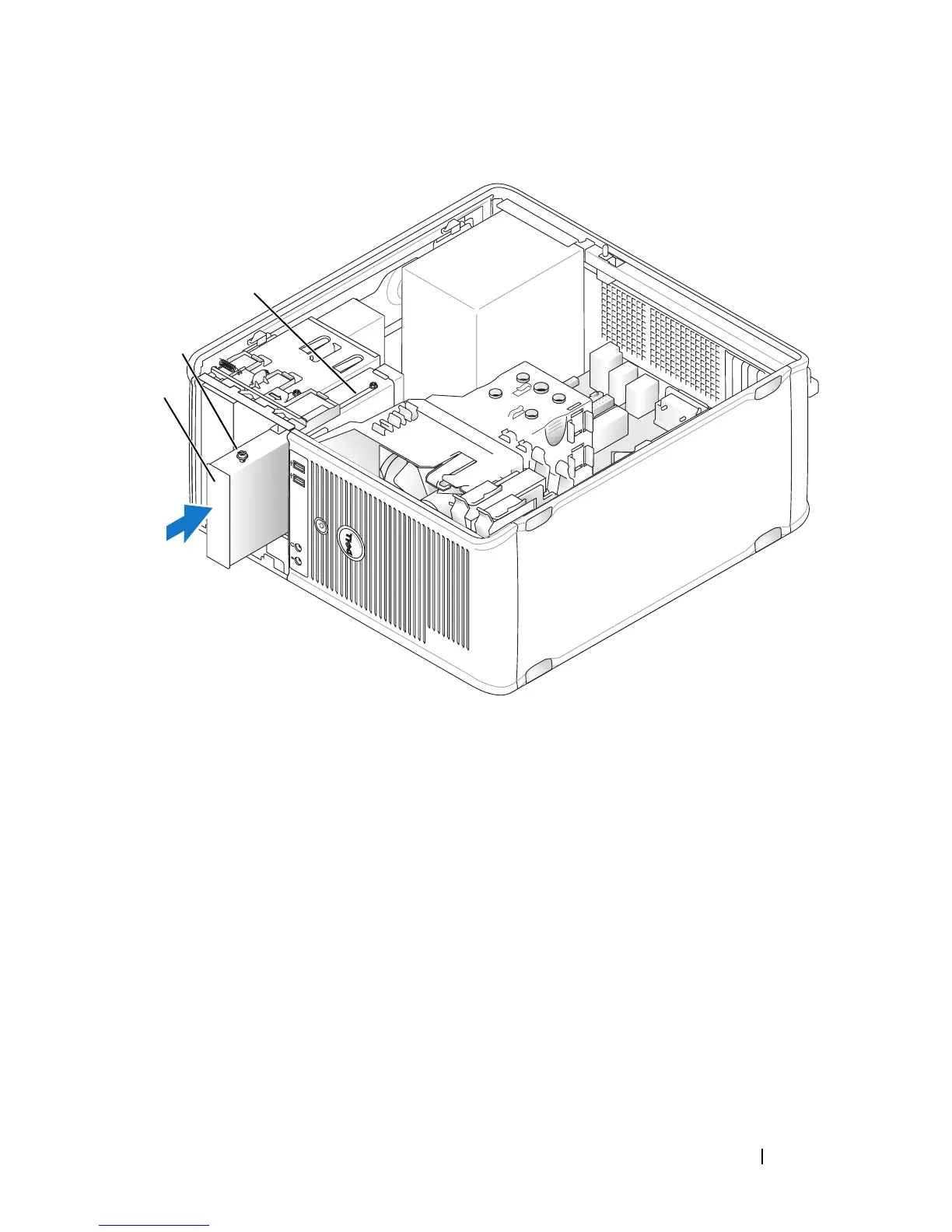
Attach the power and data cables to the floppy drive.
8
Connect the other end of the data cable to the connector labeled
"FLOPPY" on the system board (see "System Board Components" on
page 150) and route the cable through the clip on the shroud.
1 floppy drive 2 shoulder screws (4)
3 shoulder screw slots (2)
1
2
3














 To Next Page