Desktop Computer Parts 221
NOTE: See the documentation that came with the card for information on
configuring the card, making internal connections, or customizing it for your
computer.
CAUTION: Some network adapters automatically start the computer when they
are connected to a network. To guard against electrical shock, be sure to unplug
your computer from its electrical outlet before installing any cards.
7
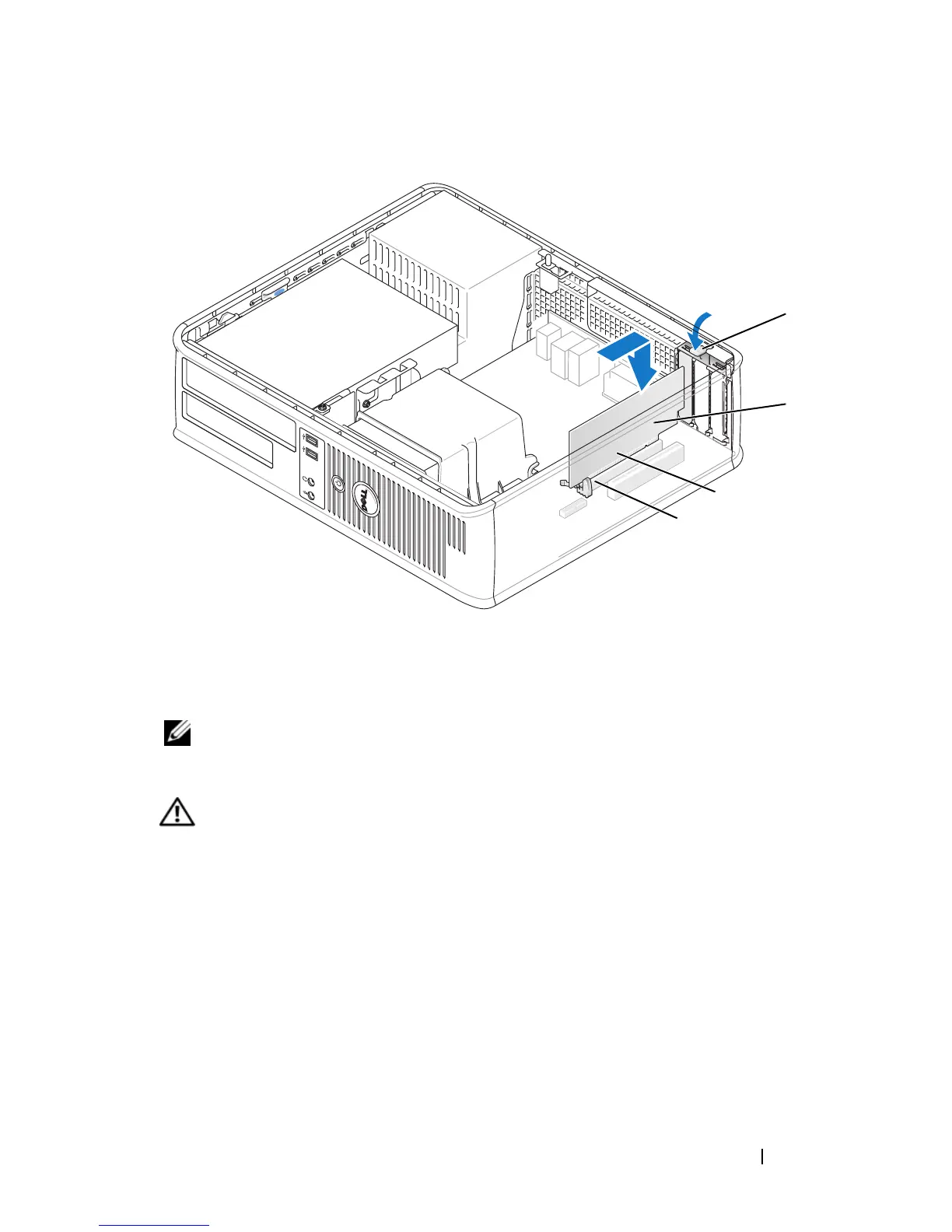
Place the card in the connector and press down firmly. Ensure that the card
is fully seated in the slot.
1 release tab 2 card
3 card-edge pins 4 card connector
1
3
4
2














 To Next Page