Desktop Computer Parts 231
page 209).
3
Check the documentation for the drive to verify that it is configured for
your computer.
4
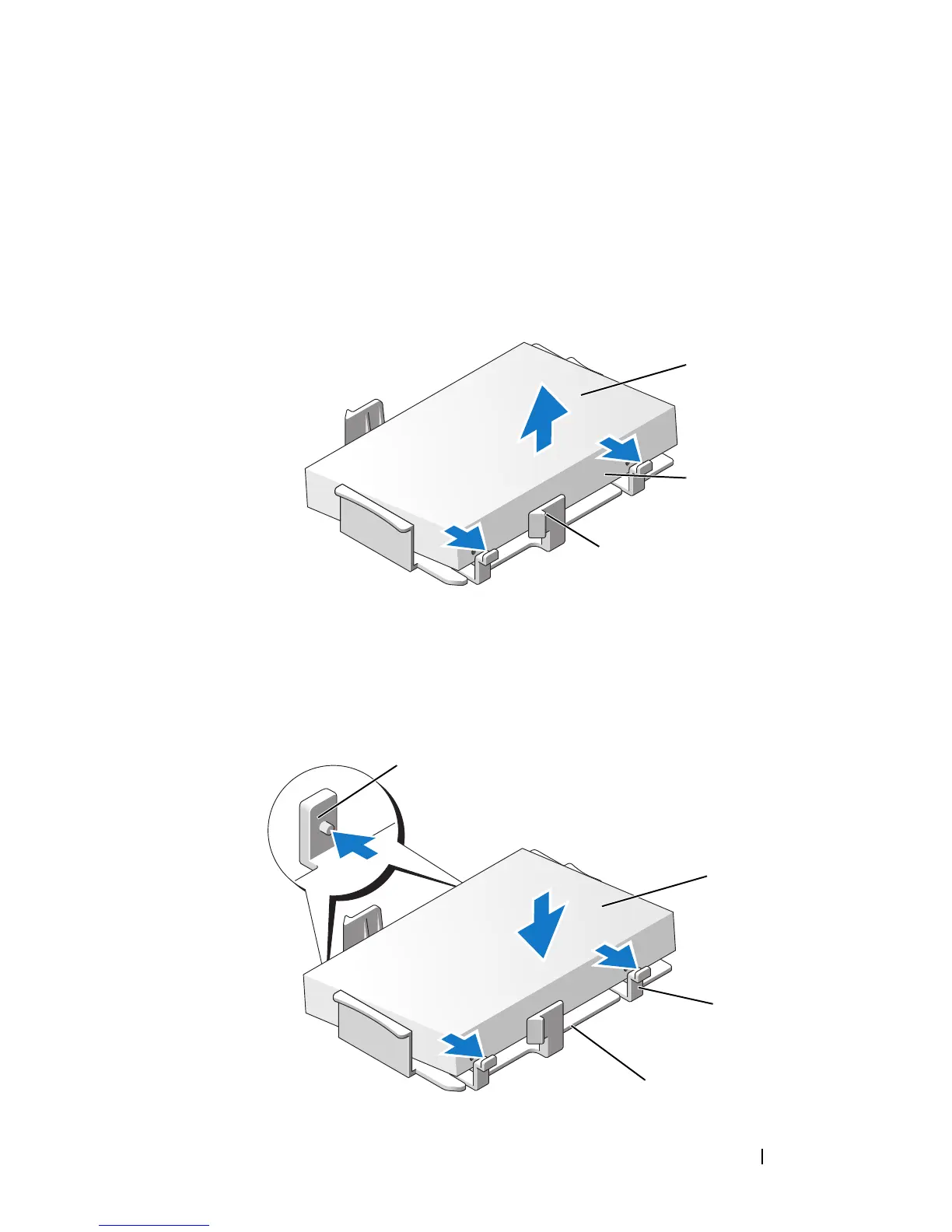
If your replacement hard drive does not have the plastic hard-drive bracket
attached, remove the bracket from the existing drive by unsnapping it
from the drive, using the two release tabs.
5
Attach the bracket to the new drive by snapping it onto the drive.
1 hard drive 2 release tabs (2)
3 plastic hard-drive bracket
1
2
3
1
2
3
4














 To Next Page