232 Desktop Computer Parts
6
Connect the power and data cables to the drive.
7
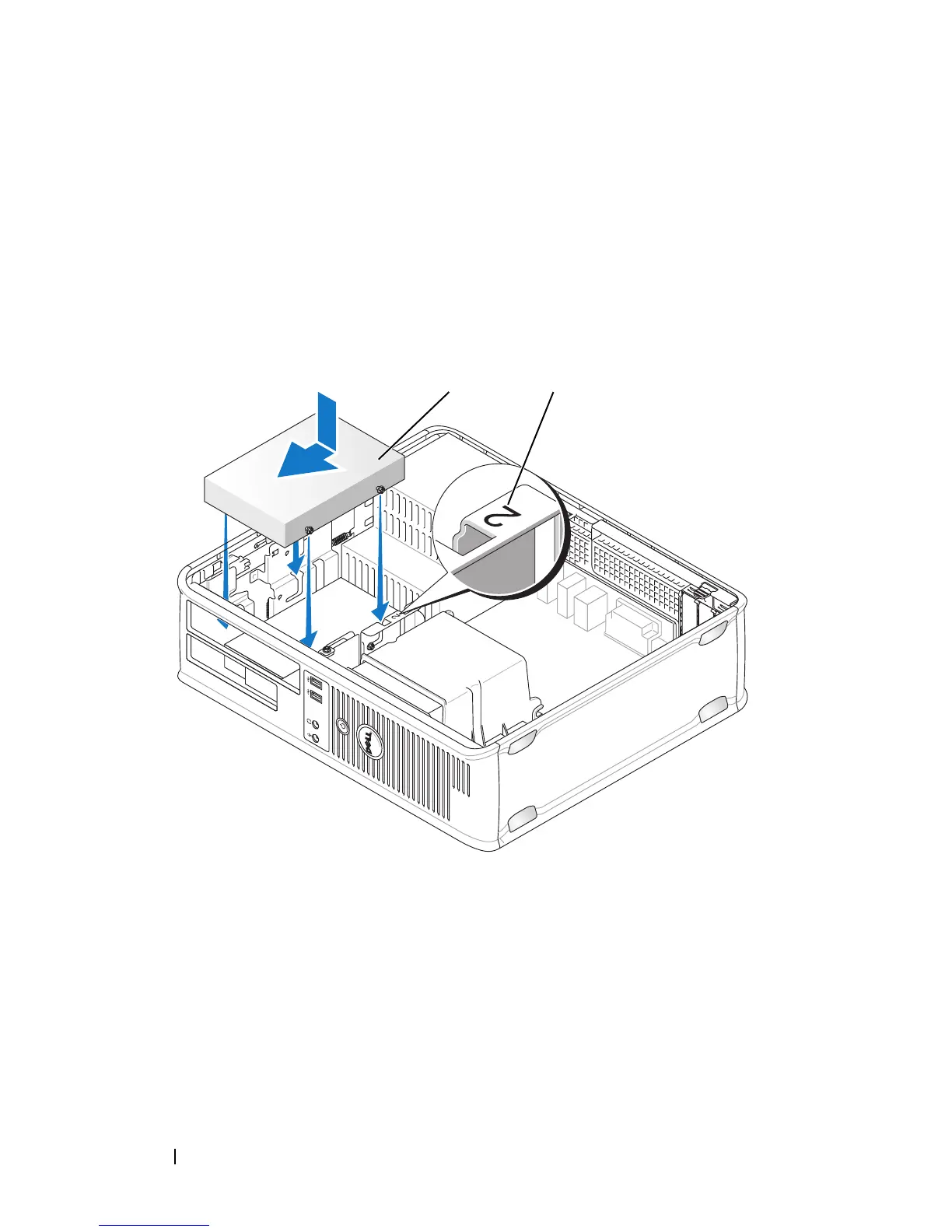
Locate the correct slot for the drive, and slide the drive into the bay until it
clicks into place.
8
Replace the floppy drive and optical drive.
9
Connect the data cable to the system board.
10
Check all cables to be certain that they are properly connected and firmly
seated.
11
Replace the computer cover (see "Replacing the Computer Cover" on
1 securing tabs (2) 2 drive
3 release tabs (2) 4 plastic hard-drive bracket
1 hard drive 2 slot verification number
1 2














 To Next Page