Secure Digital (SD) Card 2
Removing The Secure Digital (SD) Card
1. Follow the procedures in
Before Working On Your Computer
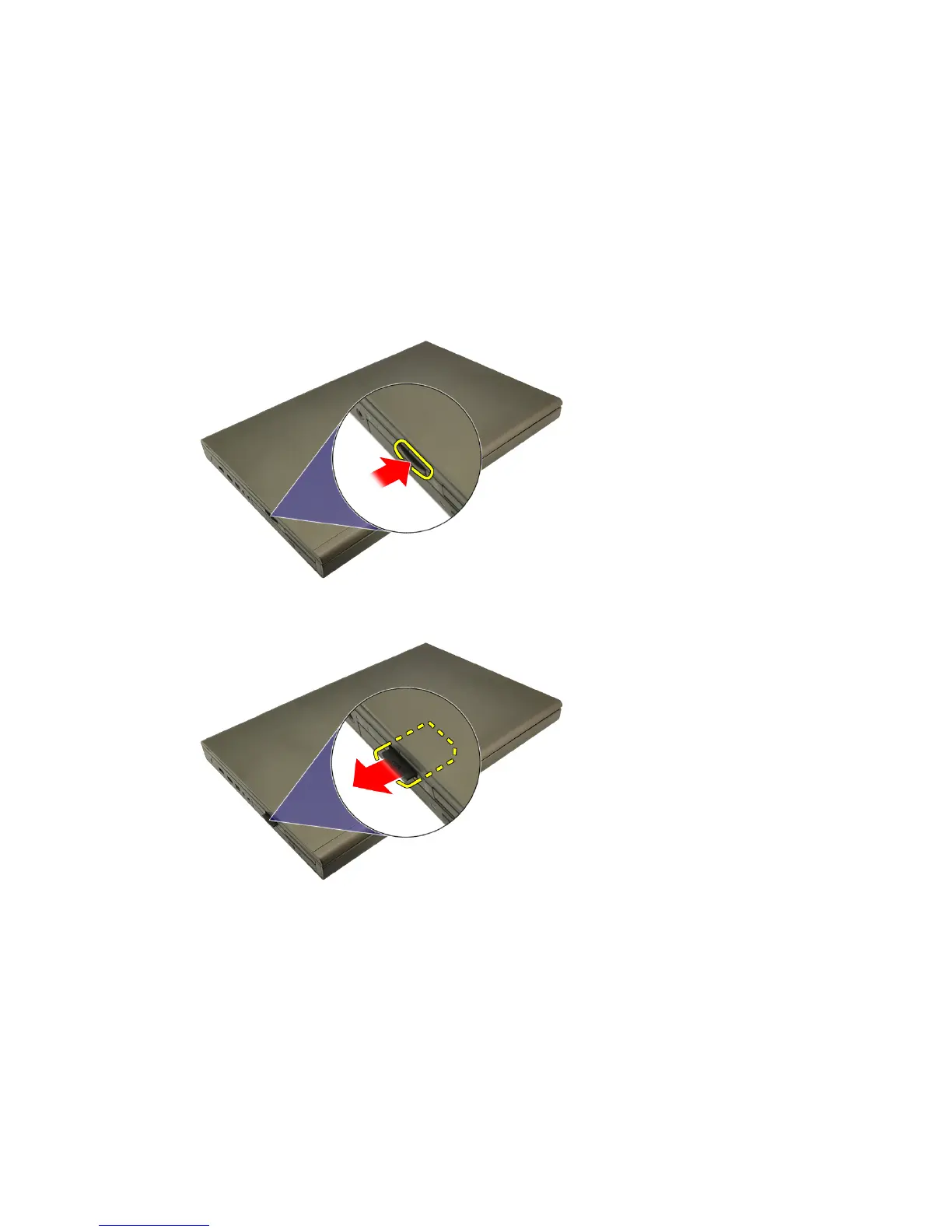
2. Press in the Secure Digital (SD) memory card to release it.
3. Slide the SD memory card out of the computer.
Installing The Secure Digital (SD) Card
1. Locate the Secure Digital (SD) memory card compartment on the left side of
the chassis.
2. Push the SD memory card into the compartment until it is fully engaged
with a click sound.
13















 To Next Page