Primary Hard Drive 11
Removing The Primary Hard Drive
1. Follow the procedures in
Before Working On Your Computer
.
2. Remove the
battery
.
3. Remove the
base cover
.
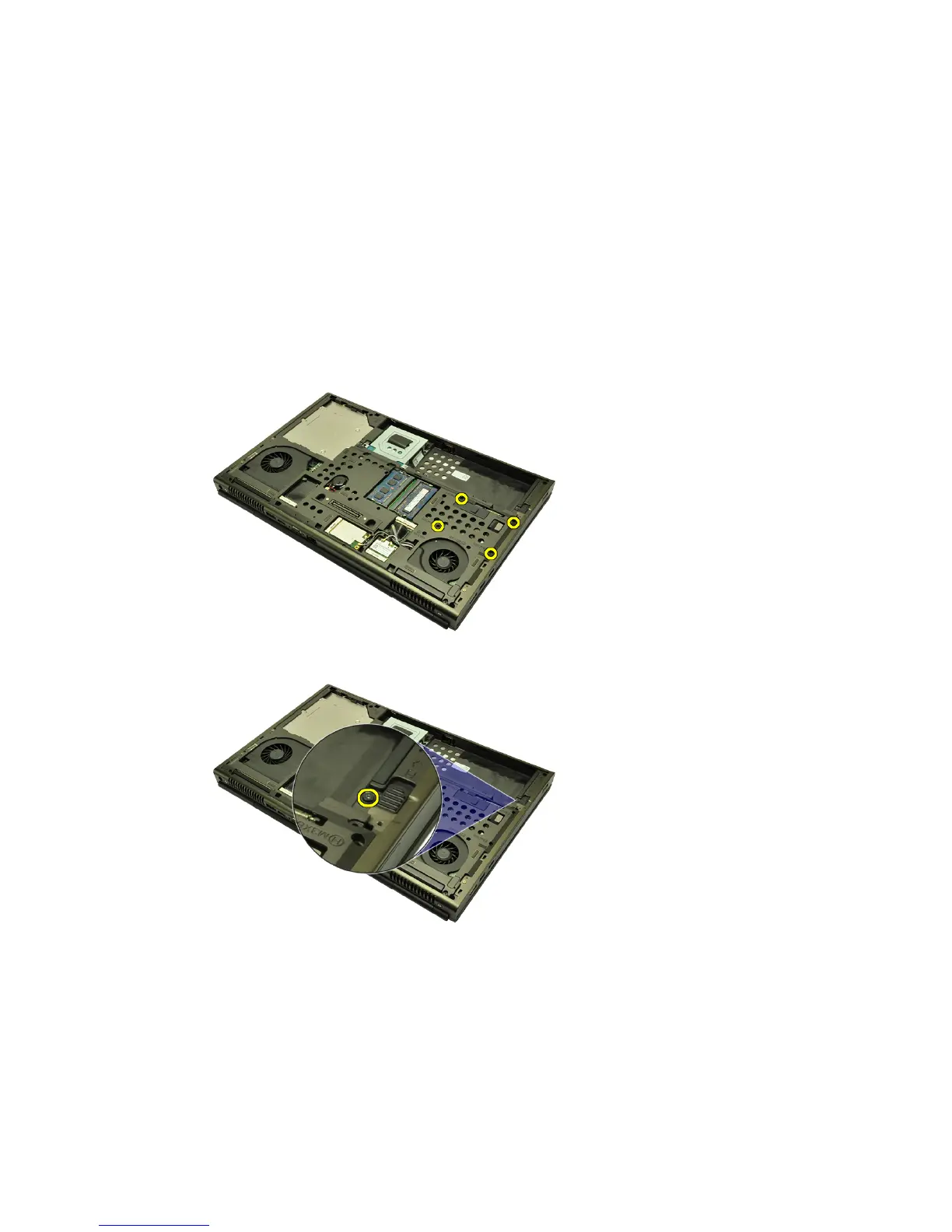
4. Remove the screws securing the hard drive bracket in place.
5. Remove the screw securing the hard drive latch in place.
6. Slide the hard drive release latch into the unlock position.
33















 To Next Page