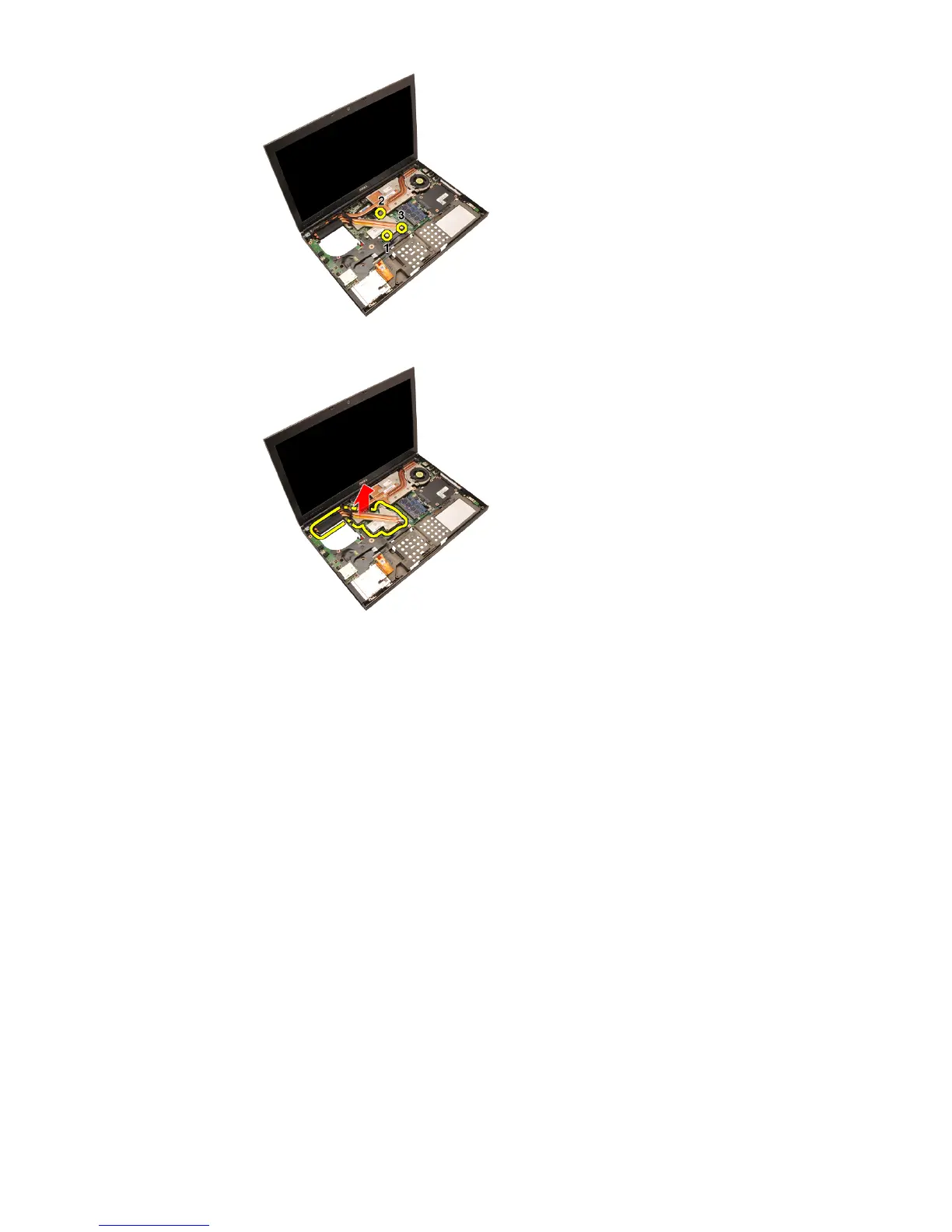
13. Lift up the CPU heatsink and remove from the computer.
Installing The CPU Heatsink
1. Locate the heatsink compartment on the computer.
2. Tighten the captive screws (1 > 2 > 3). Ensure the heatsink is properly
aligned and seated over the processor.
3. Install the
palm rest
4. Install the
CPU fan
5. Install the
secondary hard drive
6. Install the
primary hard drive
7. Install the
optical drive;
8. Install the
keyboard
.
9. Install the
keyboard trim
.
10. Install the
base cover
11. Install the
battery
.
12. Follow the procedures in
After Working Inside Your Computer
.
58















 To Next Page