Chapter 4 EIP Builder
4-3
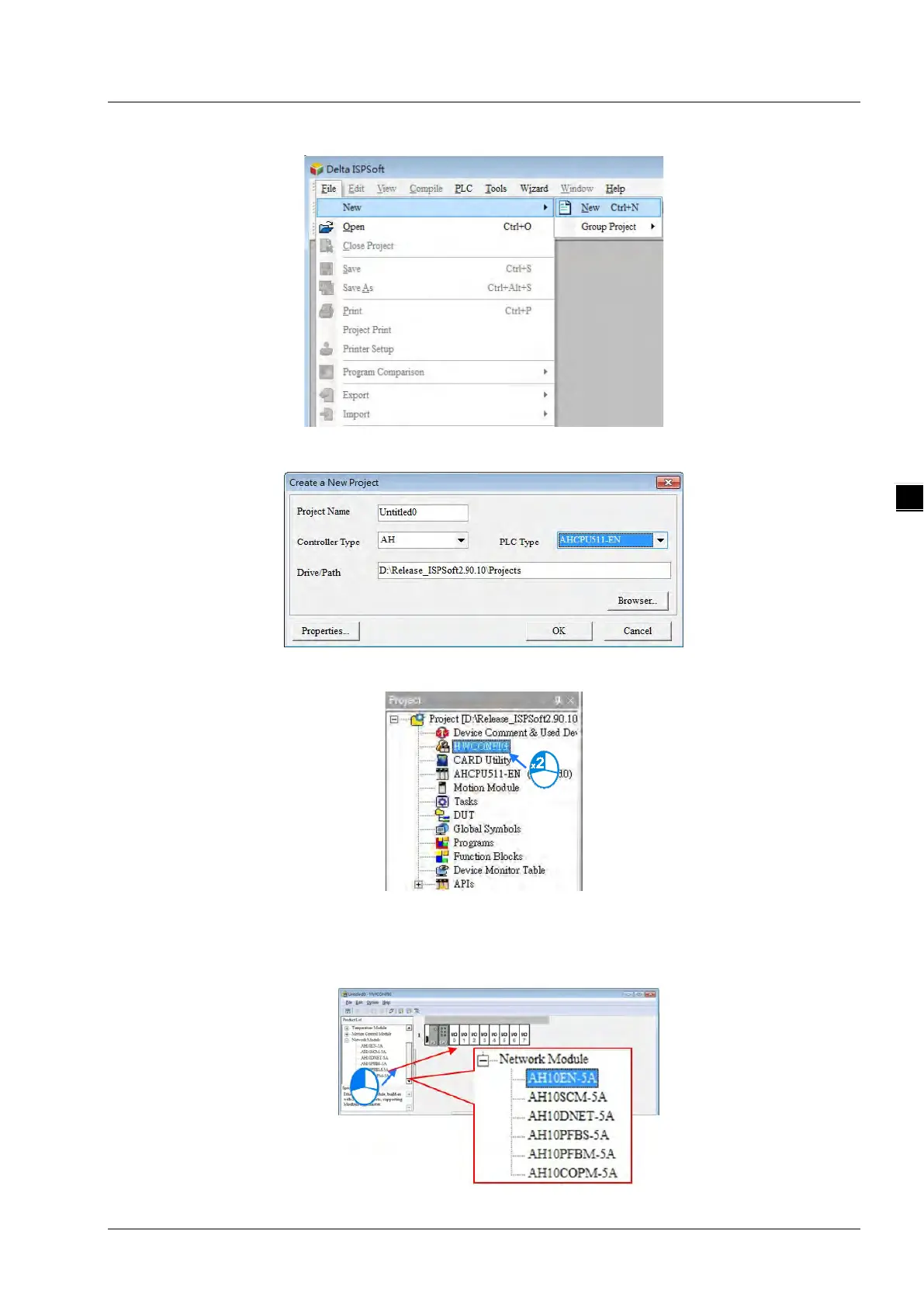
2. Create a new project: Click File > New and you will see the Create a New Project window.
3. Select a PLC: Select a PLC product that supports the EIP builder in the Create a New Project window.
4. Open the HWCONFIG: Double click the HWCONFIG option under the Project.
5. Create an EIP module (AH10EN-5A):
Select the AH10EN-5A from the Network Module in the Product List.
Drag the selected AH10EN-5A to the CPU’s main backplane.



 To Next Page
 Loading...