Chapter 5 Programming
5-9
5.2.2 Consumed TAG
How to create a Produced TAG:
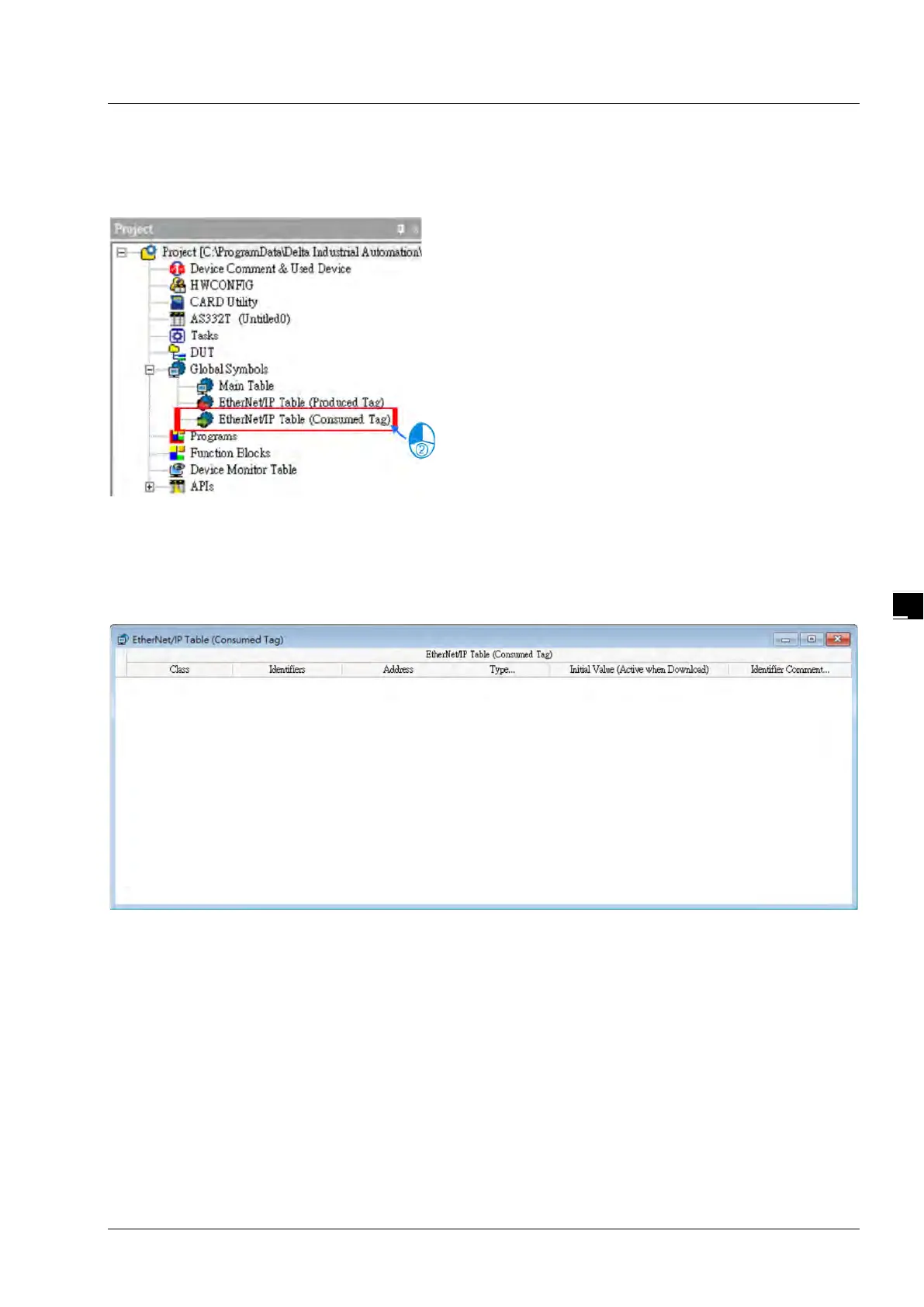
1. Open the ISPSoft software and unfold the Global Symbols item to see the EtherNet/IP Table (Produced
TAG) and EtherNet/IP Table (Consumed TAG). Double click the EtherNet/IP Table (Consumed TAG).
※ It is only available for PLC with the EtherNet/IP TAG function. Refer to chapter 3 for EtherNet/IP
specifications to learn the supported models and number of TAGs suppored.
2. After double clicking the EtherNet/IP (Consumed TAG) option, the EtherNet/IP Table (Produced TAG) will
show up for editing.



 To Next Page
 Loading...