EtherNet/IP Operation Manual
5-10
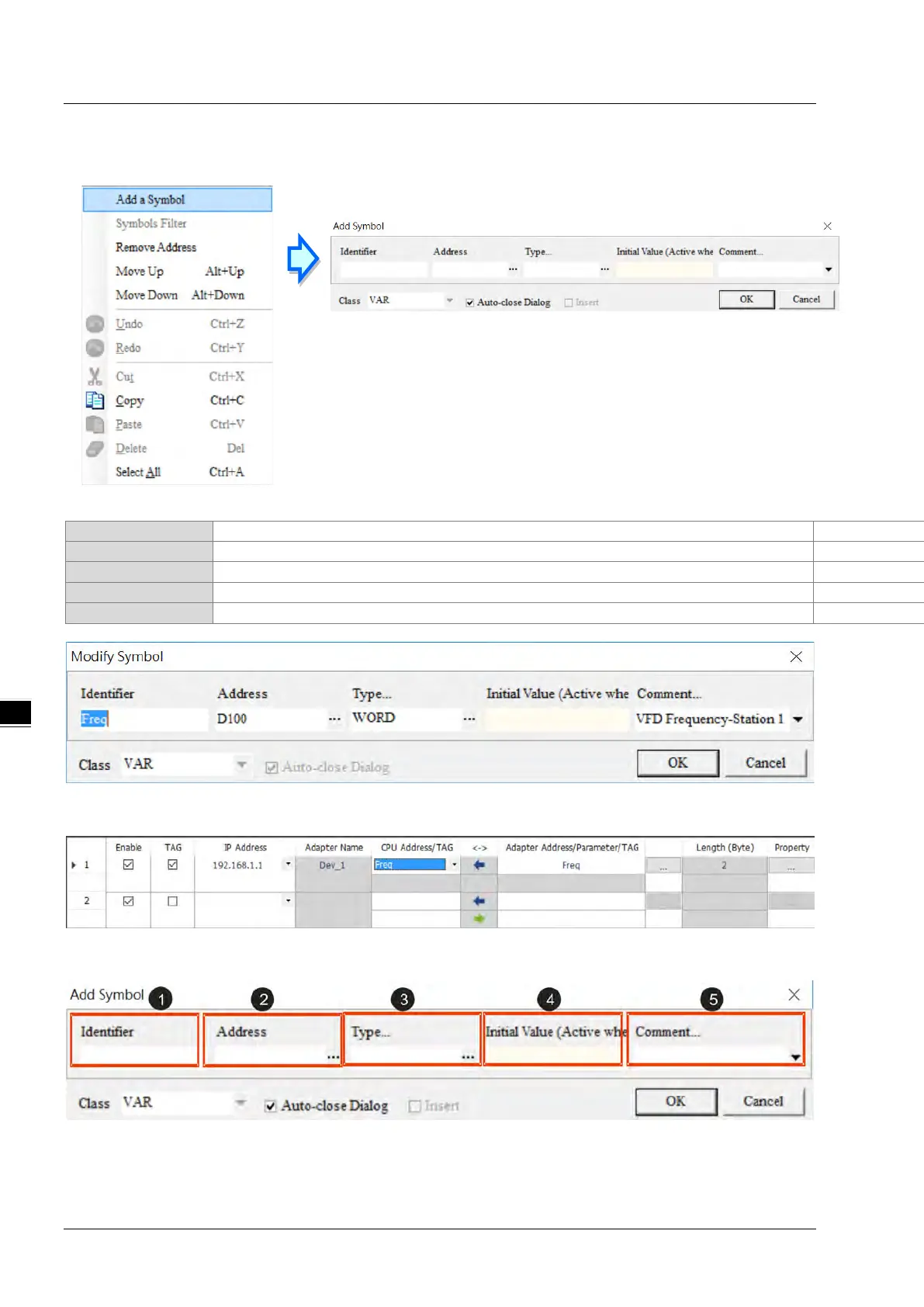
3. Right click on the EtherNet/IP Table (Produced TAG) to see the context menu and select the option “Add
a Symbol”. And then an Add Symbol window will appear.
4. Set up the Consumed TAG: as the example shown below.
VFD Frequency - Station 1
5. TAGs can be used in the data mapping table. Refer to section 4.4 for more information on data mapping.
Add Symbol window



 To Next Page
 Loading...