..
LA-3500
..
..............................................................................
...
22
DISASSEMBLY AND ASSEMBLY
Caution: When move or ship the set, be sure to press the power switch, and confirm the display changes from "
OFF
"
to
"STANDBY"
and then unplug the power cord.
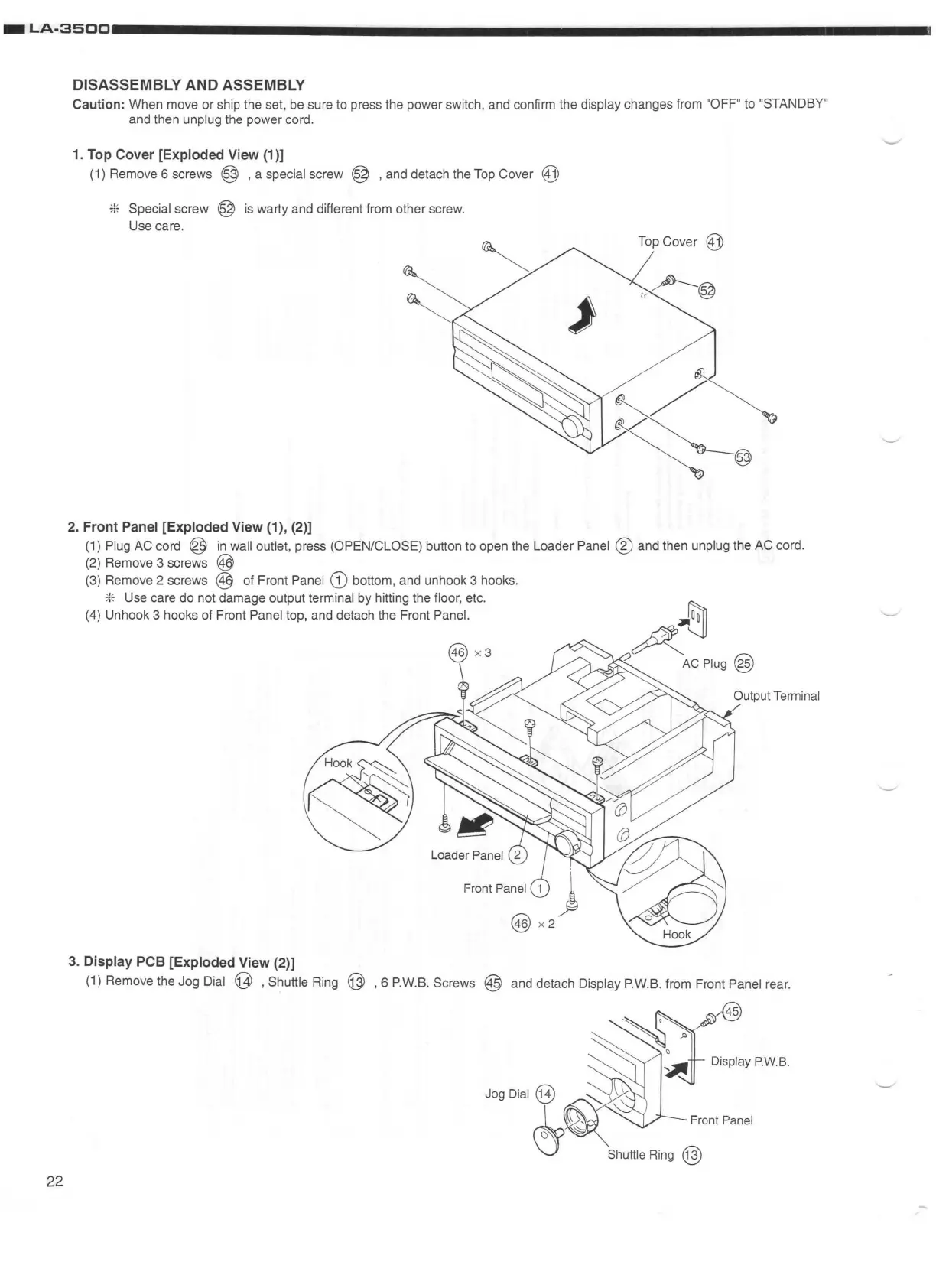
1. Top Cover [Exploded View (1)]
(1) Remove 6 screws @ , a special screw @ , and detach the Top Cover
@])
:::
Special screw @ is warty and different from other screw.
Use care.
Top Cover
@j)
J
2. Front Panel [Exploded View (1), (2)]
(1) Plug AC cord ®
in
wall outlet, press (OPEN/CLOSE) button to open the Loader Panel ® and then unplug the AC cord.
(2) Remove 3 screws
@
(3) Remove 2 screws @ of Front Panel
CD
bottom, and unhook 3 hooks.
?l~
Use care do not damage output terminal
by
hitting the floor, etc.
(4)
Unhook 3 hooks of Front Panel top, and detach the Front Panel.
@ x3
\
3. Display PCB [Exploded View (2)]
~tu
~
AtJ
AC
Plug@
(1) Remove the Jog Dial @ , Shuttle Ring @ , 6 P.W.B. Screws @ and detach Display P.W.B. from Front Panel rear.
Display
P.W
.
B.


 To Next Page