Chapter 4 Configuring the Joint Parameters
81
Note: A program can get the same arm group repeatedly.
Example: PROGRAM PRO1
TAKEARM 1
.
.
TAKEARM 1 'Possible to get Arm Group 1
'even after getting it on the earlier
'line
■ From the teach pendant
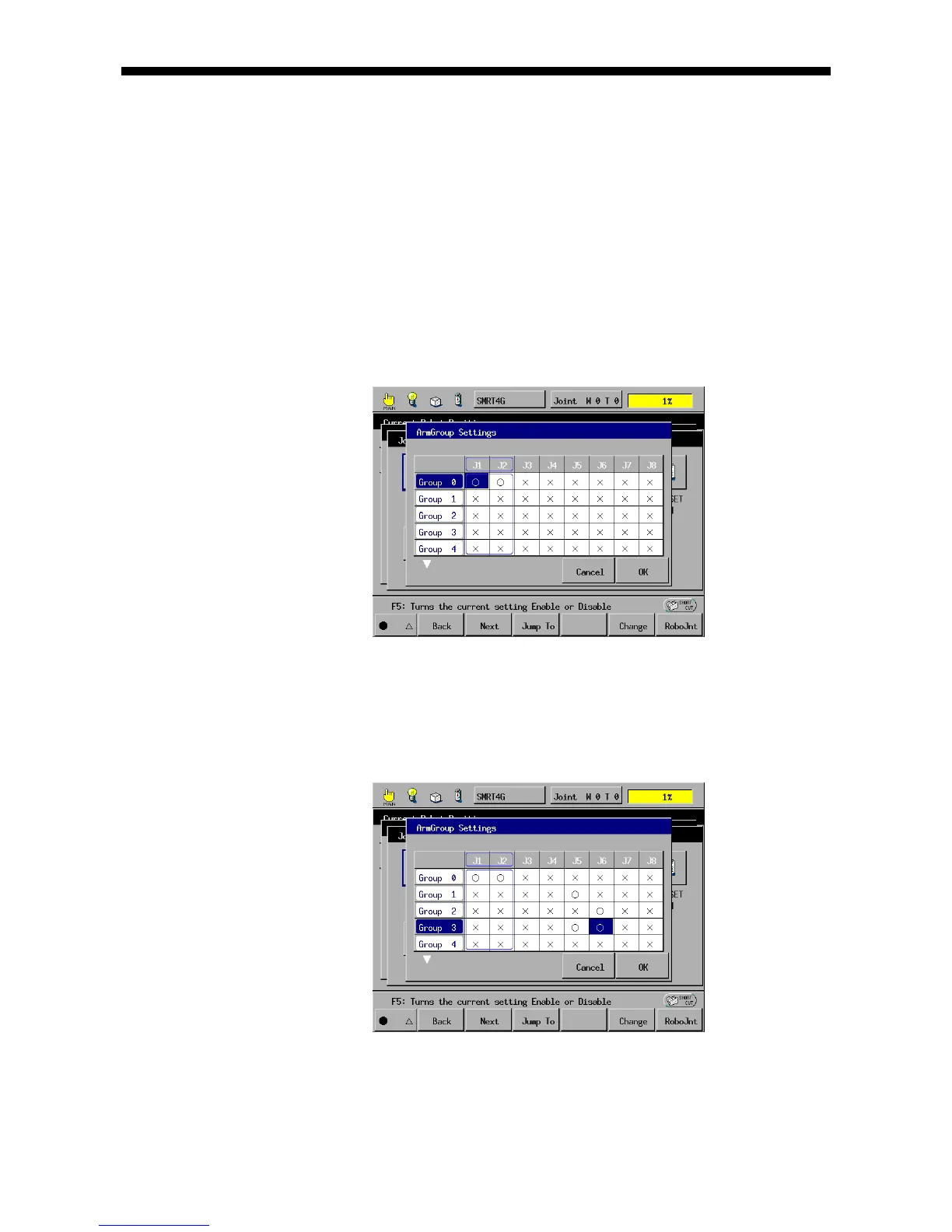
(1) Call up the "ArmGroup Settings" window.
Access: Top Screen—[F2 Arm]—[F12 Maint.]—[F7 Joints]—[F1 ArmGroup]
(2) Choose the arm group to be changed and press [F5 Change].
(3) Select or deselect joints with or , respectively, and then press [OK].
Example: Making Arm Group 3 contain J5 and J6
Note 1: New configuration settings will go into effect when the controller is turned
off and then on after the change.
Note 2: Arm Group 0 cannot be accessed.



 To Next Page