Chapter 4 Configuring the Joint Parameters
82
■ Notes for command execution from the specified line
The specifications about command execution from the specified line are detailed in
the Setting-up Manual, Section 3.3, "Teach Check Mode (TP/MP), [ 4 ]."
(1) Making effective the arm group previously obtained by TAKEARM
If a command on the specified program line is executed, an arm group obtained
by a TAKEARM command on the earlier line will automatically take effect.
Example
PROGRAM PRO1
TAKEARM 1 Get Arm Group 1
I0=3 Step stop at this line
MOVE P,P0
MOVE P,P1 If this line is specified, Arm Group 1 automatically
goes into effect again.
END
(2) Notes when using more than one arm group in a single task
Example
PROGRAM PRO1
TAKEARM 1 Get Arm Group 1
I0=3 Step stop at this line
DRIVE (7,10)
GIVEARM
TAKEARM 2
DRIVE (8,23) If this line is specified, Arm Group 0
obtained by the earlier TAKEARM 1
automatically goes into effect again.
DRIVE command requires Arm Group 2, so an
error will occur.
END
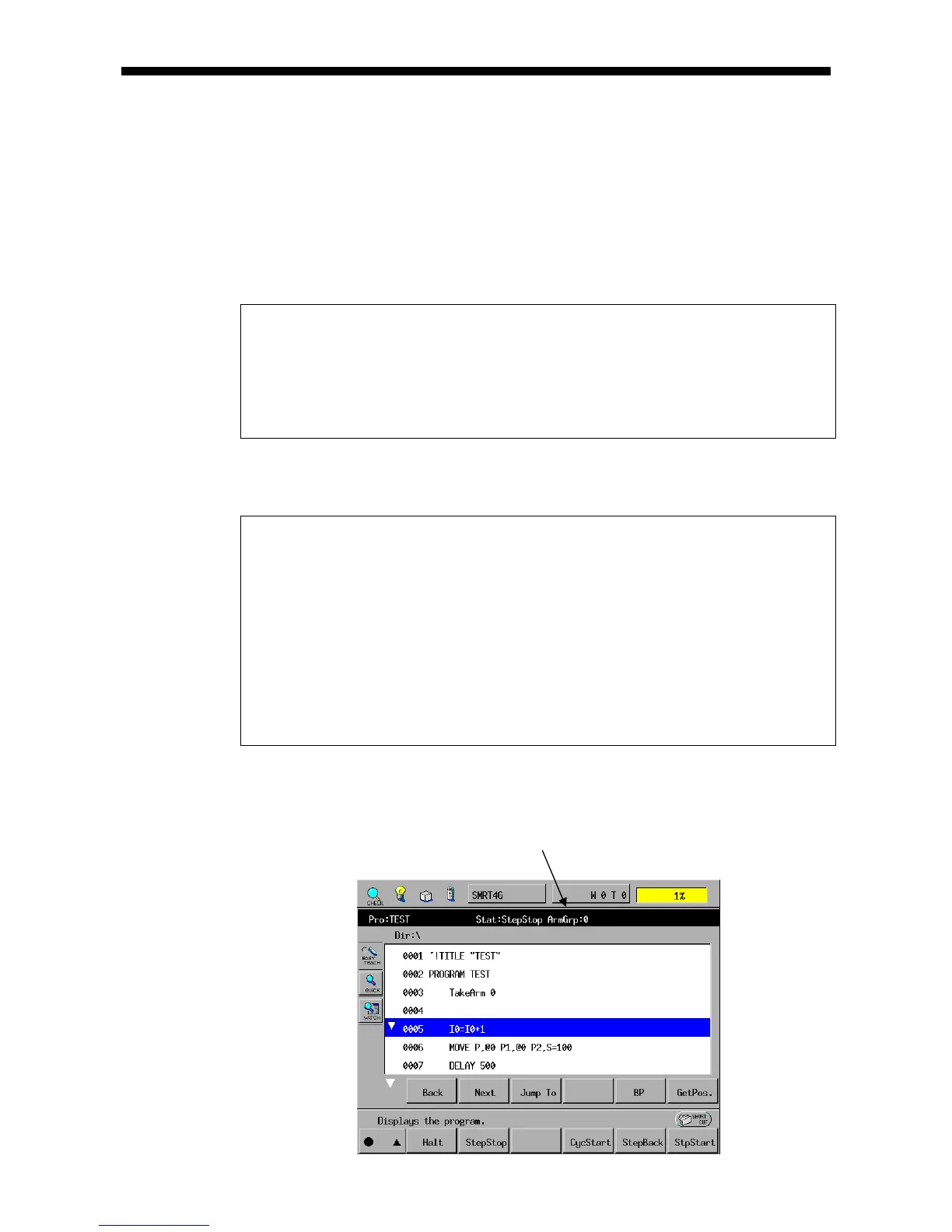
(3) Checking an active arm group currently held by a task
You can check an active arm group by displaying the task.
Example: This program has got Arm Group 0.



 To Next Page