ineo+ 353/253/203 1-94
Setup items by operation
1
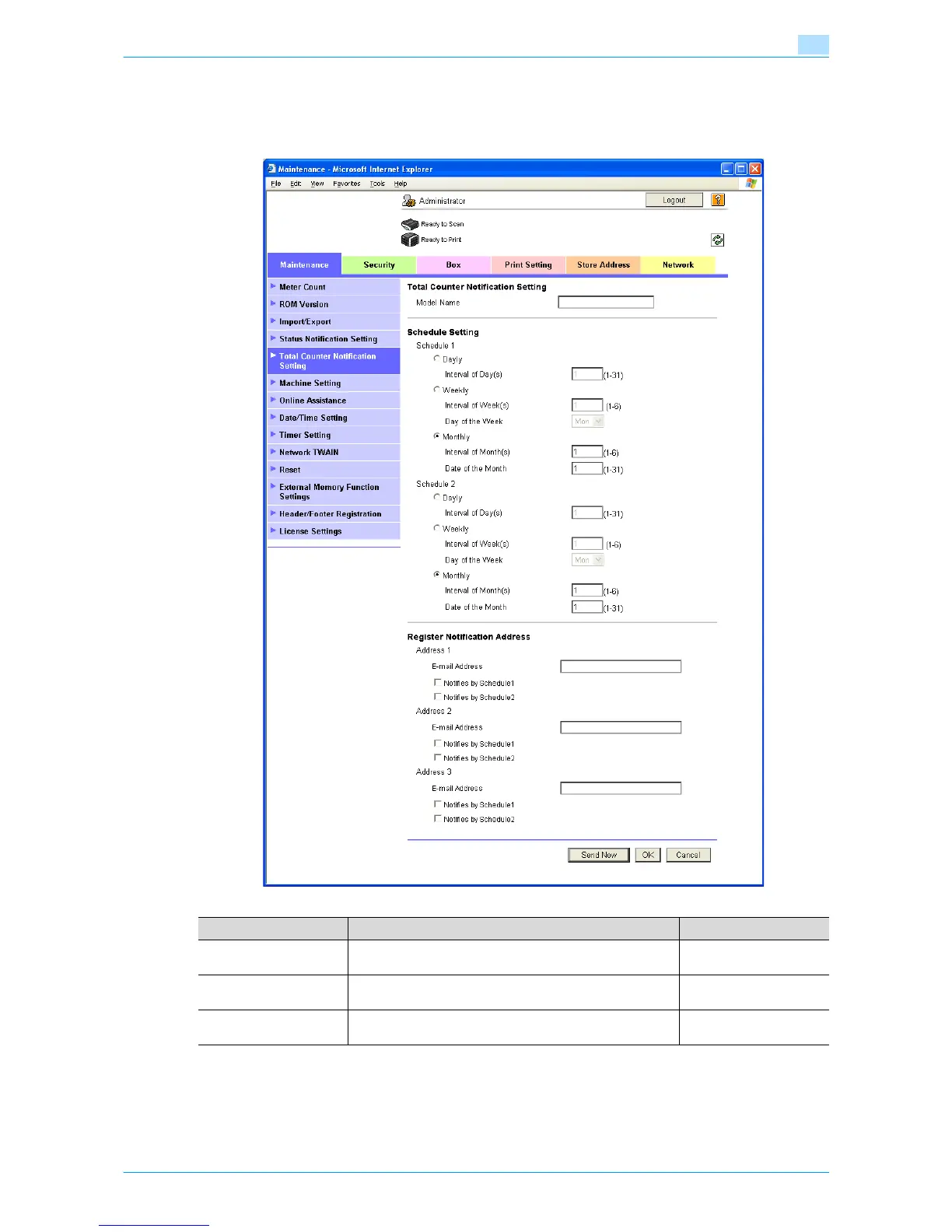
1.33.3 Total Counter Notification Setting
In Administrator mode of Web Connection, select the Maintenance tab - "Total Counter Notification Setting".
Specify the following settings.
1.33.4 SMTP over SSL/Start TLS
Specify the settings for SMTP over SSL/Start TLS.
For details, refer to "SMTP over SSL/Start TLS" on page 1-26.
Item Definition Prior confirmation
Model Name Specify the model name indicated in the notification mes-
sage (up to 20 characters).
Schedule Setting Specify the conditions for the notification schedule. Sched-
ules 1 and 2 can be registered with different settings.
Notification schedule
Register Notification Ad-
dress
Specify the notification addresses (up to 320 characters).
Select the desired notification schedule.
Notification address









 To Next Page