ineo+ 353/253/203 1-126
Setup items by operation
1
1.42.3 TCP Socket Setting
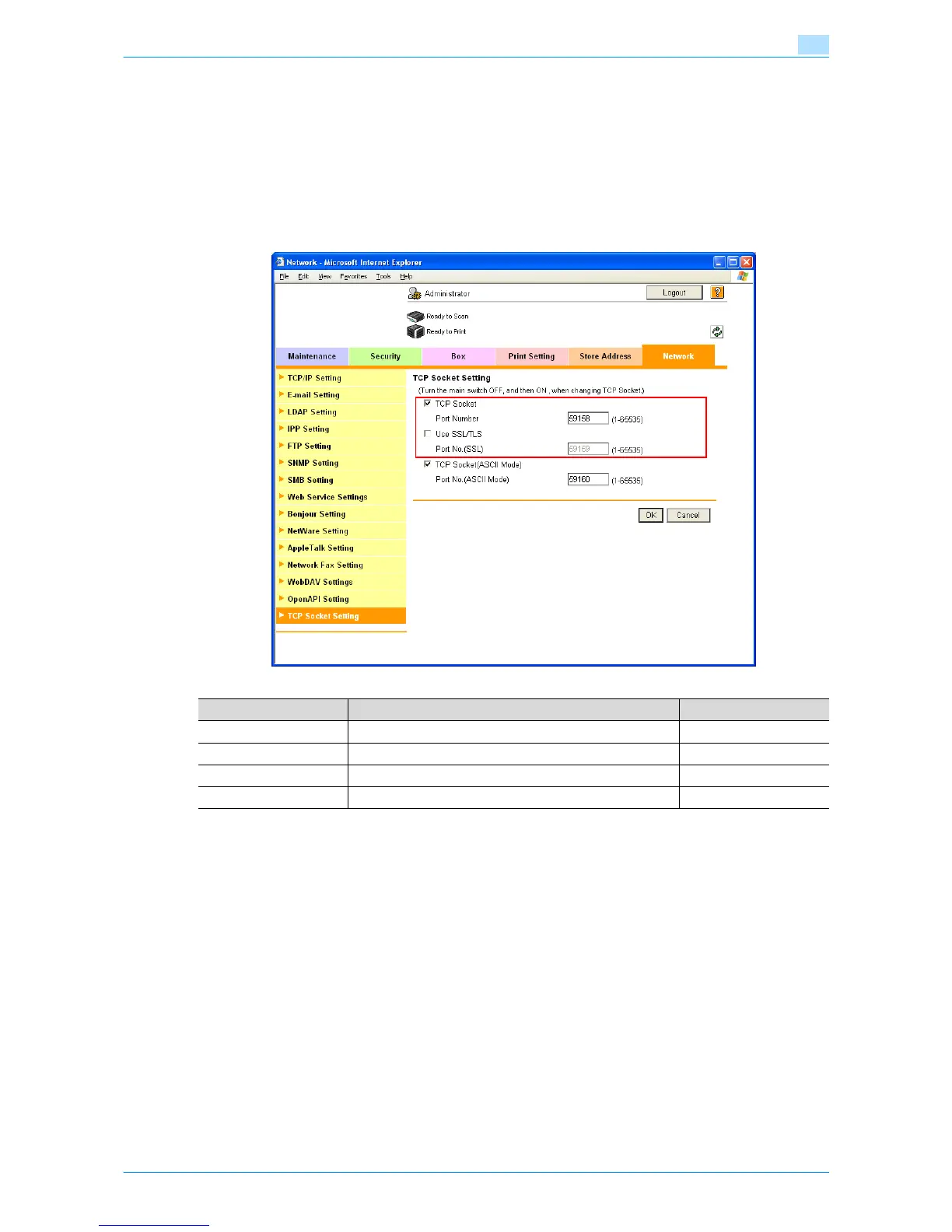
In Administrator mode of Web Connection, select the Network tab - "TCP Socket Setting".
Specify the following settings.
!
Detail
To use SSL/TLS, install the certificate in advance. For details, refer to "Creating a certificate for this
machine for SSL-based communication" on page 1-7.
!
Detail
If Enhanced Security Mode is set to "ON", the "Use SSL/TLS" check box is selected.
Item Definition Prior confirmation
TCP Socket Select the "TCP Socket" check box.
Port Number Specify the port number.
Use SSL/TLS To use SSL/TLS, select the "Use SSL/TLS" check box. Whether to use SSL/TLS
Port No. (SSL) Specify the port number used in SSL communication.









 To Next Page