ineo+ 353/253/203 1-63
Setup items by operation
1
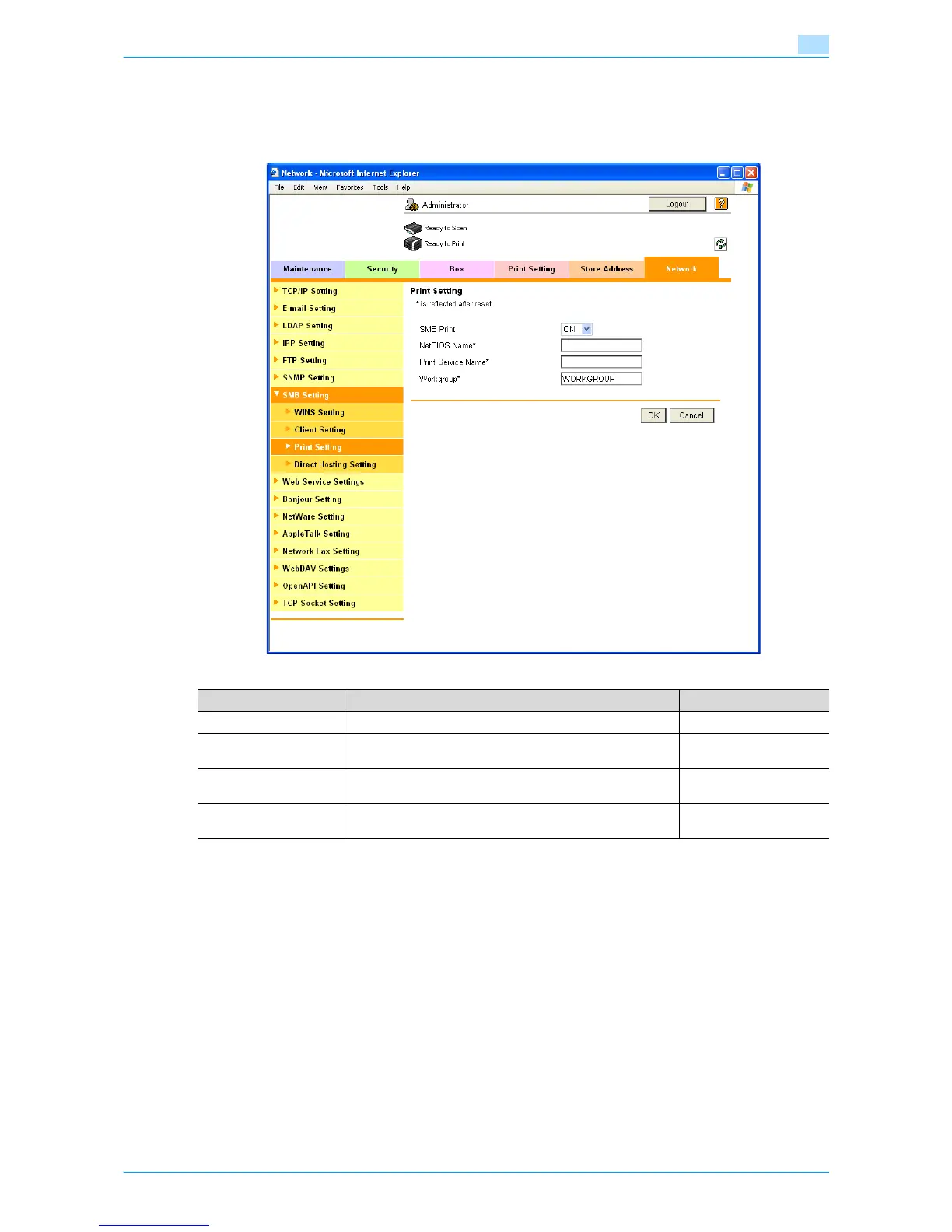
1.20.2 Print Setting
In Administrator mode of Web Connection, select the Network tab - "SMB Setting" - "Print Setting".
Specify the following settings.
1.20.3 WINS Setting
To perform SMB print via the router, specify settings for the WINS server.
For details, refer to "WINS Setting" on page 1-22.
1.20.4 Direct Hosting Setting
To execute SMB print in the IPv6 environment, enable the Direct Hosting setting.
For details, refer to "Direct Hosting Setting" on page 1-21.
Item Definition Prior confirmation
SMB Print Select "ON".
NetBIOS Name Specify the NetBIOS name with uppercase letters (up to 15
characters).
Print Service Name Specify the print service name with uppercase letters (up to
12 characters).
Workgroup Specify the workgroup name with uppercase letters (up to 15
characters).
Workgroup to which you
belong









 To Next Page