ineo+ 353/253/203 1-17
Setup items by operation
1
1.7.2 TCP/IP Settings
Specify settings to use this machine in a TCP/IP network environment.
For details, refer to "Specifying general settings for TCP/IP-based communication" on page 1-2.
1.7.3 Time Zone
On the Manual Setting screen, specify setting for "Time Zone".
For details, refer to "Manual Setting" on page 1-16.
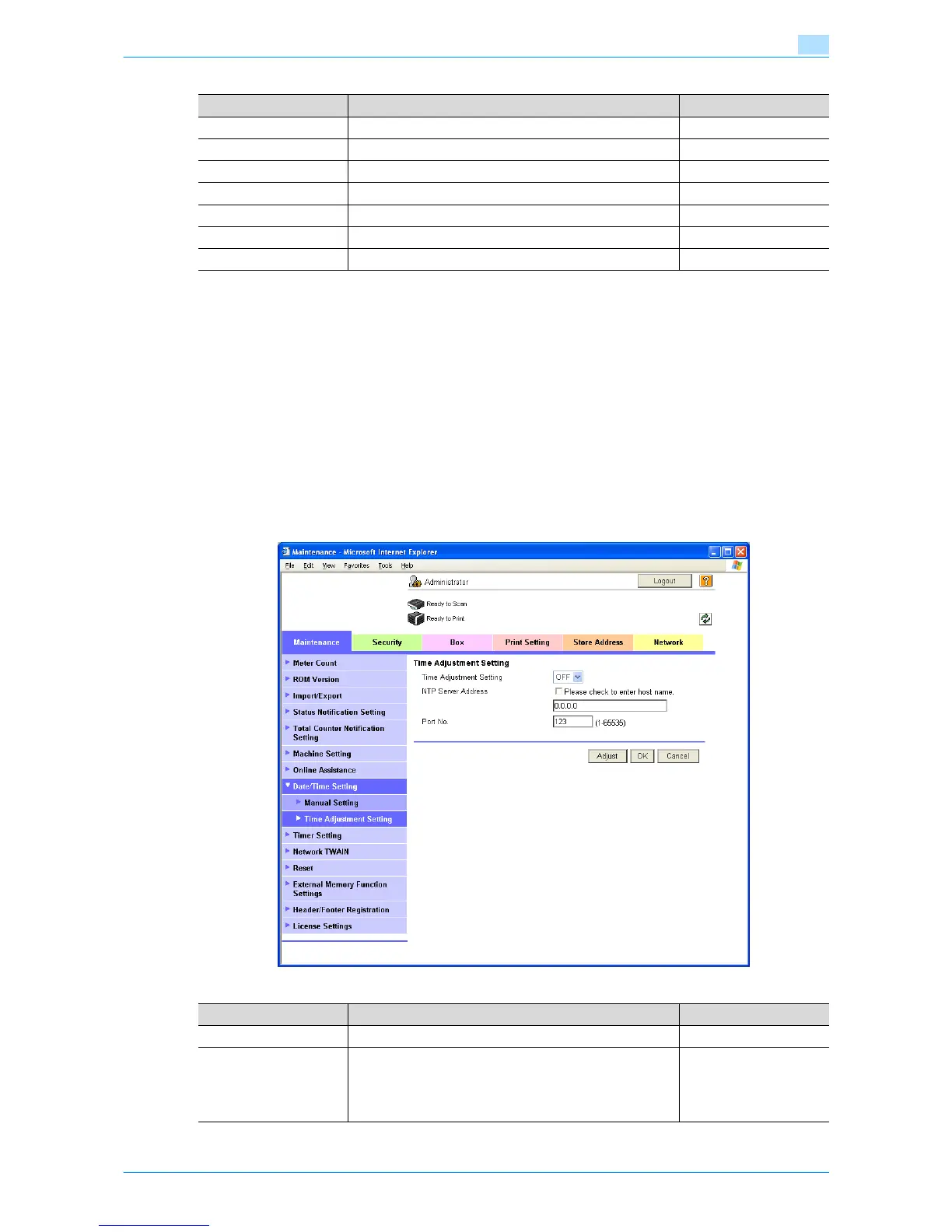
1.7.4 Time Adjustment Setting
In Administrator mode of Web Connection, select the Maintenance tab - "Date/Time Setting" - "Time
Adjustment Setting".
Specify the following settings.
Item Definition Prior confirmation
Year Enter the year.
Month Enter the month.
Day Enter the day.
Hour Enter the hour.
Minute Enter the minutes.
Time Zone Select the time difference from GMT. Time zone
Daylight Saving Time If necessary, specify the daylight saving time setting.
Item Definition Prior confirmation
Time Adjustment Setting Select "ON".
NTP Server Address Specify the NTP server address. (Format: "***.***.***.***",
Range for ***: 0 to 255)
If the DNS server is specified, the address can be specified
using the host name.
This item can also be specified with IPv6.
Address of the server









 To Next Page