ineo+ 353/253/203 1-116
Setup items by operation
1
1.38.5 LDAP over SSL
External Server Registration
In Administrator mode of Web Connection, select the Security tab - "Authentication" - "External Server
Registration" - [Edit].
Specify the following settings.
Action for Invalid Certificate
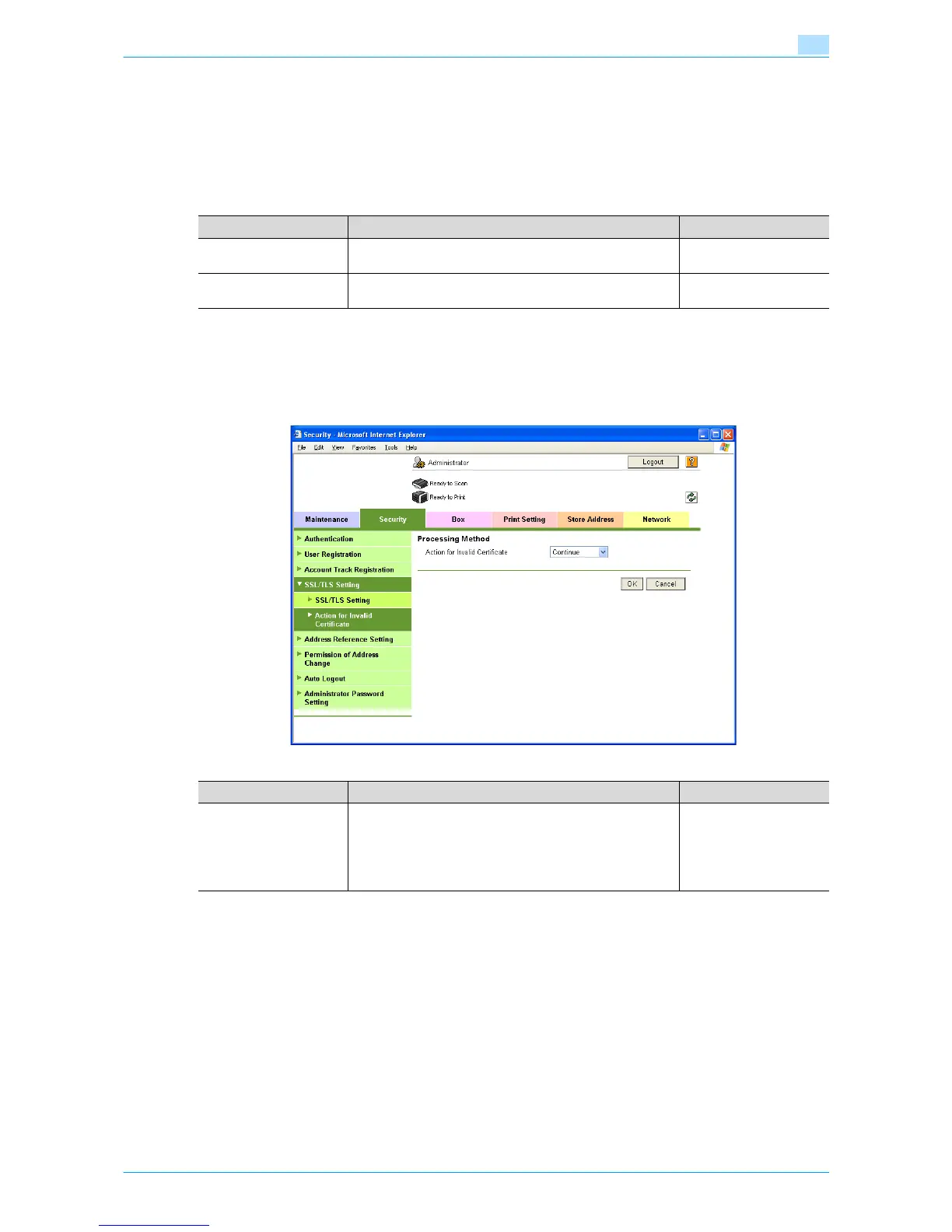
In Administrator mode of Web Connection, select the Security tab - "SSL/TLS Setting" - "Action for Invalid
Certificate".
Specify the following setting.
Item Definition Prior confirmation
Enable SSL To encrypt communication between this machine and the
LDAP server using SSL, select the "Enable SSL" check box.
Whether the sever sup-
ports SSL
Port Number (SSL) Specify the port number used in SSL communication. Port number for the serv-
er
Item Definition Prior confirmation
Action for Invalid Certifi-
cate
Specify the operation when the validity period for the re-
ceived certificate has expired.
If "Continue" is selected, processing continues even if the
date of the certificate is invalid.
If "Delete the Job" is selected, the job is deleted if the date
of the certificate is invalid.









 To Next Page