ineo+ 353/253/203 1-85
Setup items by operation
1
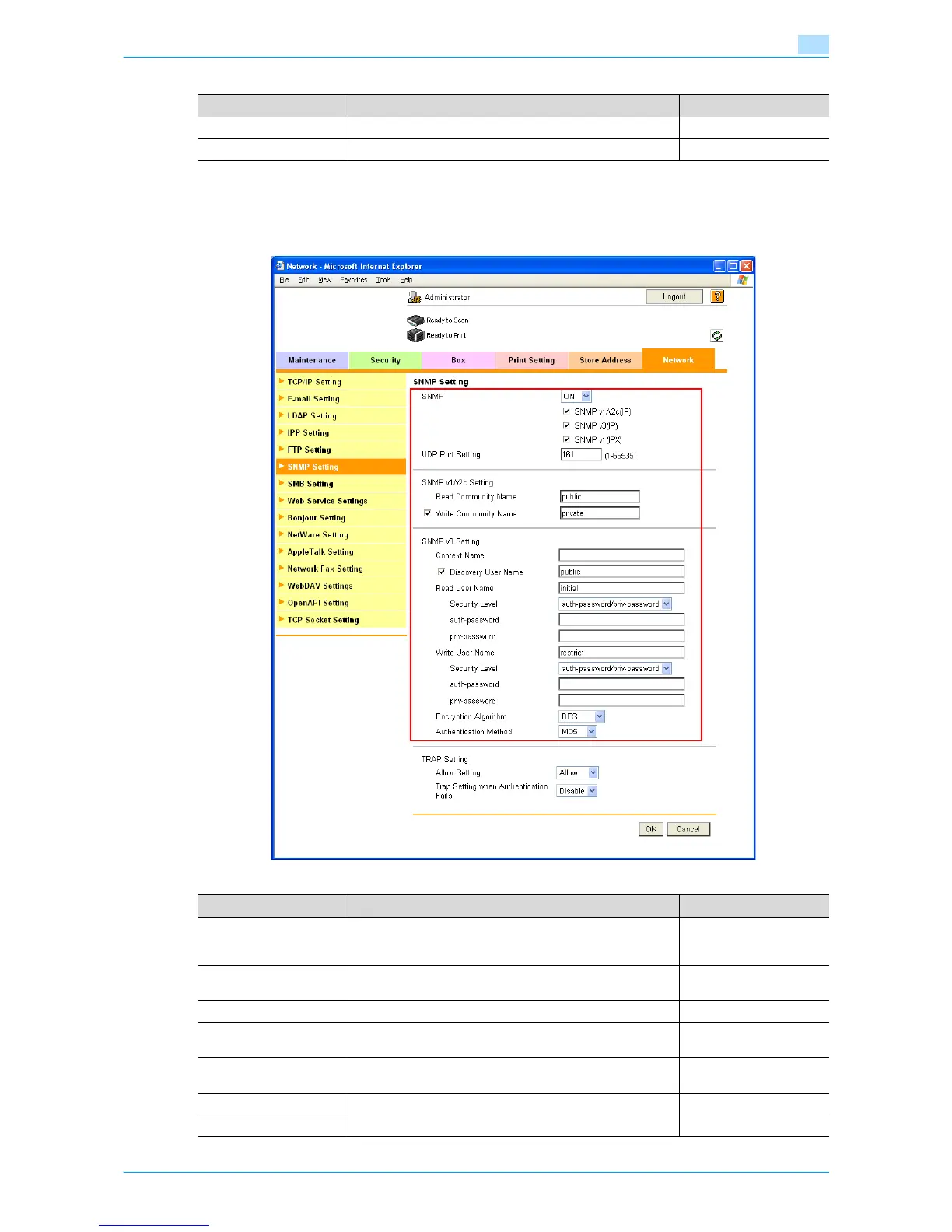
1.30.3 SNMP Setting
In Administrator mode of Web Connection, select the Network tab - "SNMP Setting".
Specify the following settings.
Item Definition Prior confirmation
IPX Setting Select "ON".
Ethernet Frame Type Specify the frame type to be used. Frame type
Item Definition Prior confirmation
SNMP Specifies whether to use the SNMP. If yes, specify whether
to use SNMP v1/v2 (IP), SNMP v3, and SNMP v1 (IPX).
SNMP v1 (IPX) can be specified only when IPX is enabled.
Protocol to be used
(TCP/IP or IPX/SPX)
UDP Port Setting Default setting: 161
Specify the UDP port number.
SNMP v1/v2c Setting Specify settings for using SNMP v1/v2c.
Read Community Name Specify the community name to be used for scanning (up to
15 characters).
Write Community Name Specify the community name to be used for reading and
writing (up to 15 characters).
SNMP v3 Setting Specify settings for SNMP v3.
Context Name Specify the context name (up to 63 characters).









 To Next Page