ineo+ 353/253/203 1-69
Setup items by operation
1
1.23 Printing (Bonjour)
Specify settings for printing by connecting this machine to a Macintosh computer using Bonjour. When
connecting this machine to a Macintosh computer using Bonjour, the Bonjour settings must be specified.
2
Note
For details on installing the printer driver, refer to the User’s Guide [Print Operations].
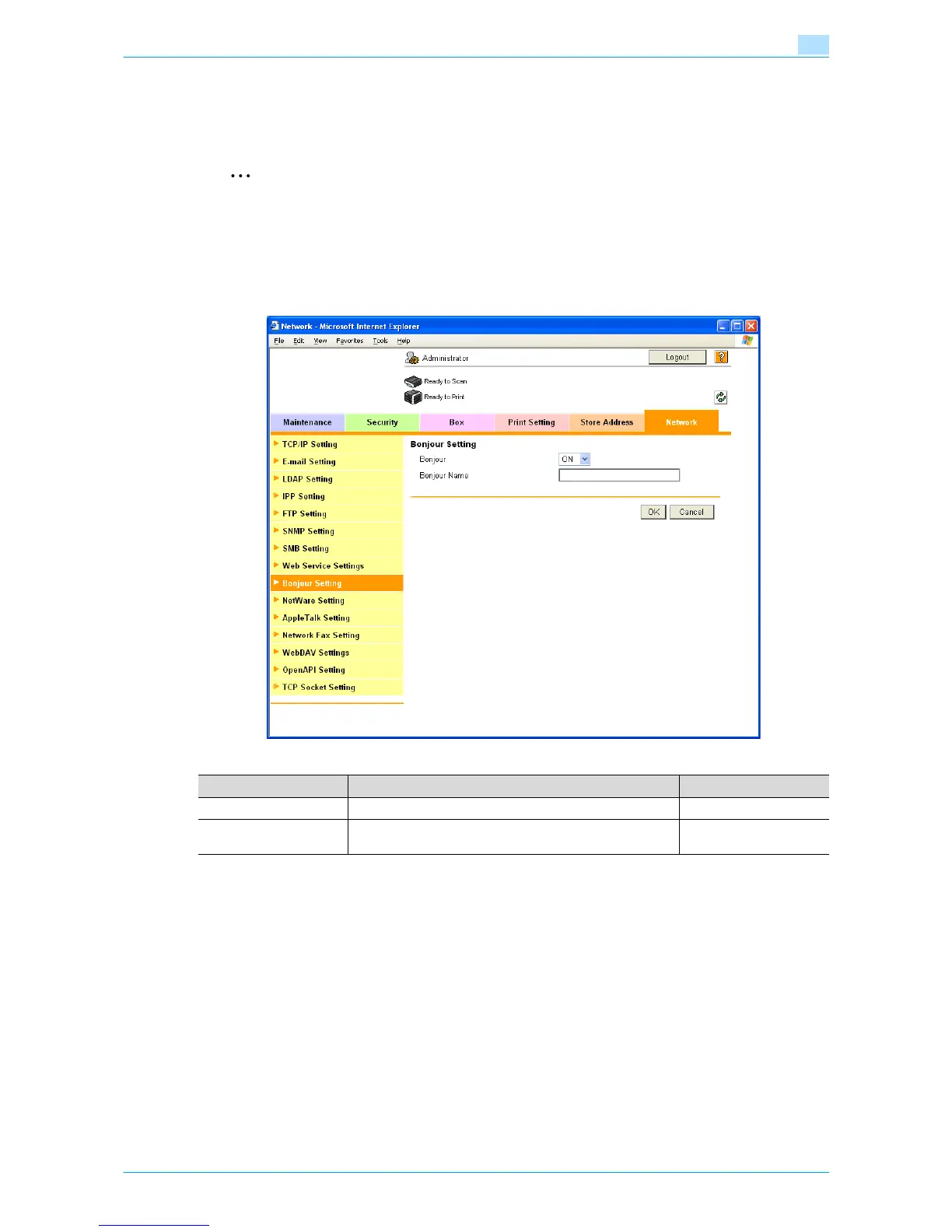
Bonjour Setting
In Administrator mode of Web Connection, select the Network tab - "Bonjour Setting".
Specify the following settings.
Item Definition Prior confirmation
Bonjour Select "ON".
Bonjour Name Specify the Bonjour name that appears as the name of the
connected device (up to 63 characters).









 To Next Page