ineo+ 353/253/203 1-54
Setup items by operation
1
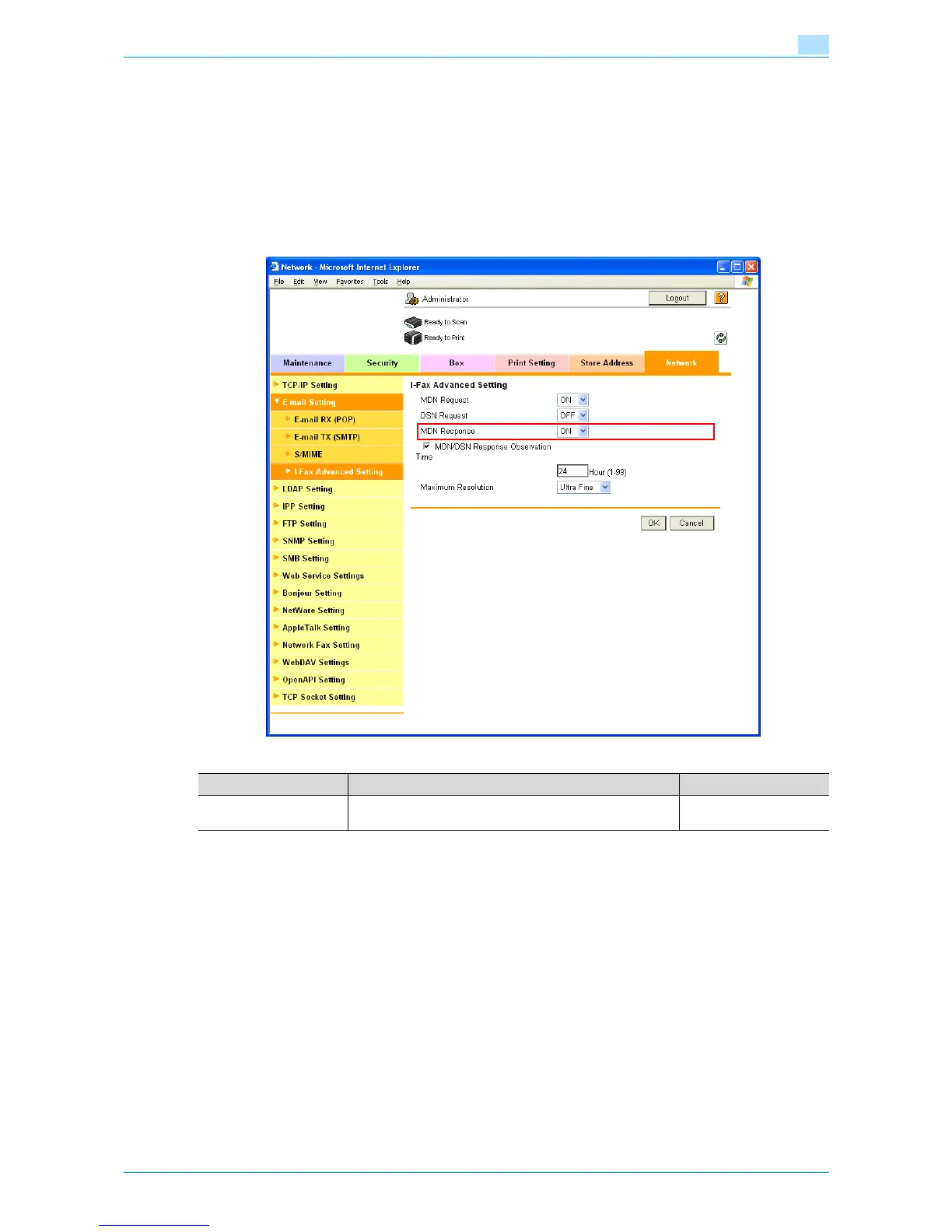
1.16.4 I-Fax Advance Setting
In Administrator mode of Web Connection, select the Network tab - "E-mail Setting" - "I-FAX Advanced
Setting".
Specify the following setting.
!
Detail
If the Internet fax function is disabled, this menu item is not displayed.
1.16.5 POP over SSL
Specify the settings for POP over SSL.
For details, refer to "POP over SSL" on page 1-29.
1.16.6 APOP Authentication
Specify the settings for APOP authentication.
For details, refer to "APOP Authentication" on page 1-30.
Item Definition Prior confirmation
MDN Response To reply to the message disposition notification request from
the sender, select "ON".









 To Next Page