ineo+ 353/253/203 1-158
Setup items by operation
1
When "IP Address Fax" was selected using [New Registration]
When "Internet Fax" was selected using [New Registration]
!
Detail
This window appears if the Internet fax function is available.
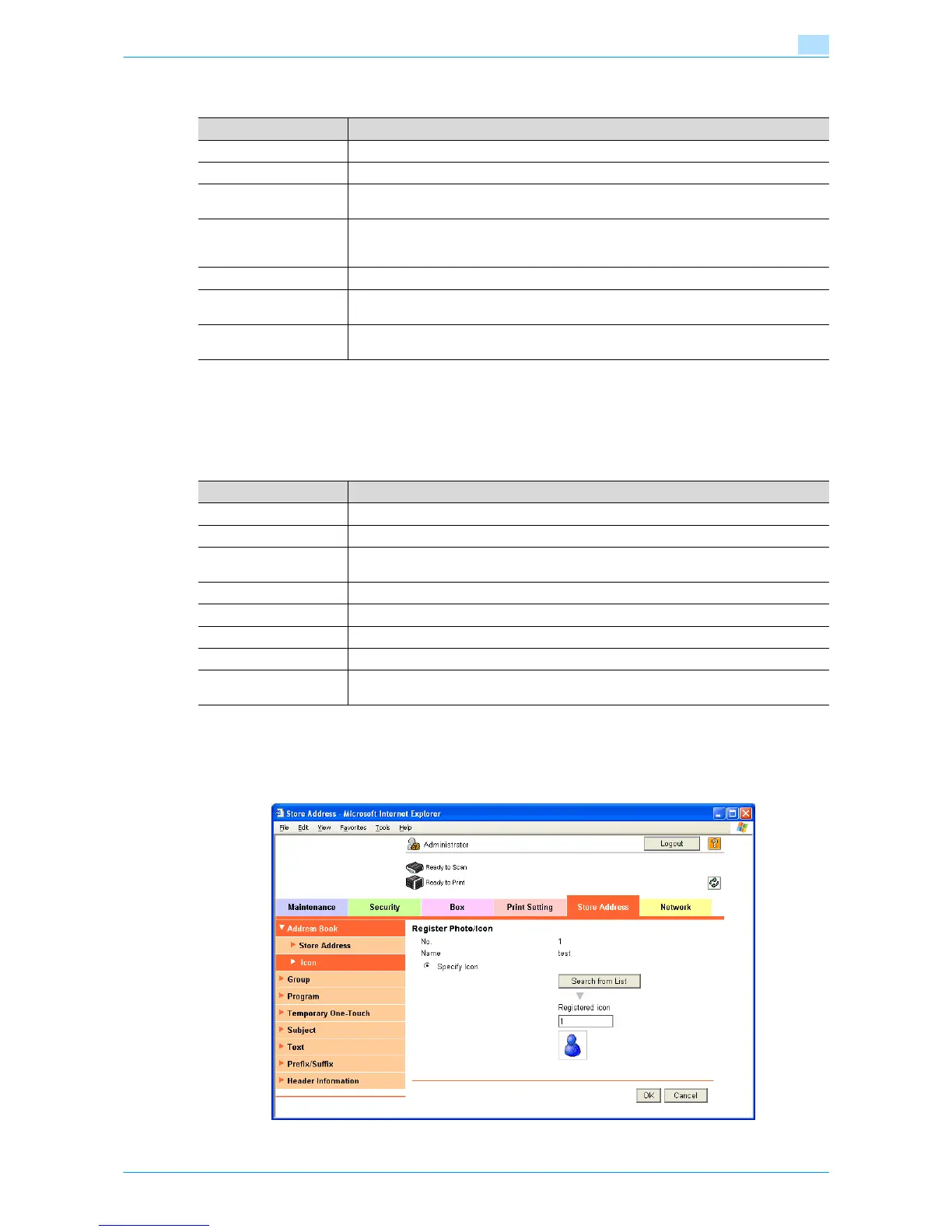
Icon
In Administrator mode of Web Connection, select the Store Address tab - "Address Book" - "Icon" - "Edit".
Specify the following settings.
Item Definition
No. Specify the registration number ("Use opening number" or "Direct Input").
Name Type in the address name (up to 24 characters).
Index Specify the index characters for the destination. To normally display the destination in the
control panel, select the "Main" check box.
Host Address Specify the IP address of the fax of the destination.
If the DNS server is specified, the address can be specified using the host name (up to 63
characters).
Port No. Specify the port number to be used.
Machine Type of Desti-
nation
Specify whether the destination is a color or monochrome machine.
Limiting Access to Desti-
nations
Specify the group that is allowed to access a destination and reference allowed level.
Item Definition
No. Specify the registration number ("Use opening number" or "Direct Input").
Name Type in the address name (up to 24 characters).
Index Specify the index characters for the destination. To normally display the destination in the
control panel, select the "Main" check box.
E-mail Address Enter the address for the destination (up to 320 characters).
Resolution Specifies the resolution.
Paper Size Specifies the paper size.
Compression Type Specify the compression method.
Limiting Access to Desti-
nations
Specify the group that is allowed to access a destination and reference allowed level.









 To Next Page