ineo+ 353/253/203 1-107
Setup items by operation
1
1.36.2 External Server Registration
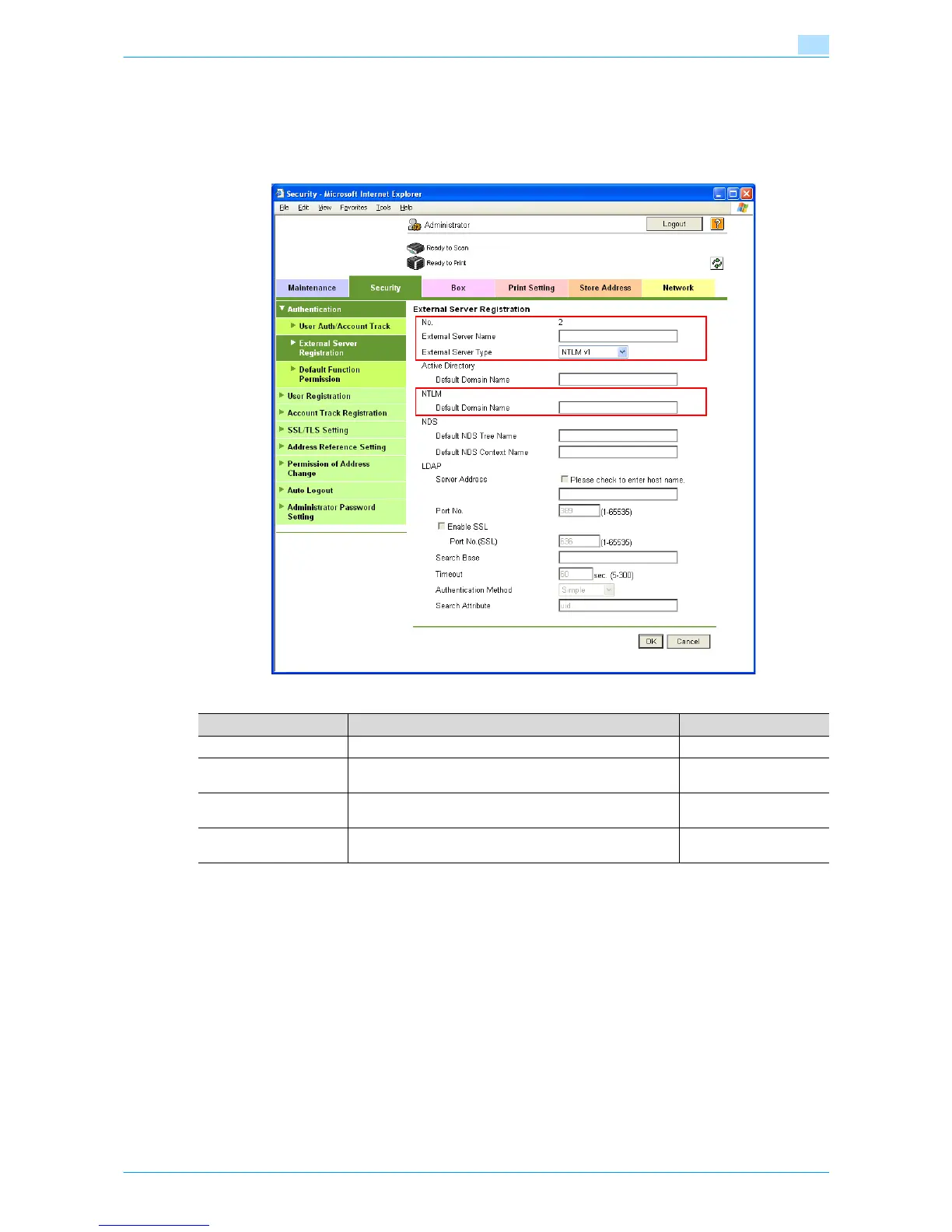
In Administrator mode of Web Connection, select the Security tab - "Authentication" - "External Server
Registration" - [Edit].
Specify the following settings.
Item Definition Prior confirmation
No. Displays the registration number.
External Server Name Enter the name of the external authentication server (up to 32
characters).
External Server Type Select "NTLM v1" or "NTLM v2".
NTLMv2 is applied from Windows NT 4.0 (Service Pack 4).
Default Domain Name Enter the default domain name.
Enter the default domain name in uppercase letters.
Default domain name









 To Next Page