ineo+ 353/253/203 1-71
Setup items by operation
1
1.25 Printing (NetWare)
Specify settings for printing in a NetWare environment. Before printing in the NetWare environment, settings
for using this machine in the NetWare environment must be specified.
2
Note
For details on installing the printer driver, refer to the User’s Guide [Print Operations].
1.25.1 NetWare Setting
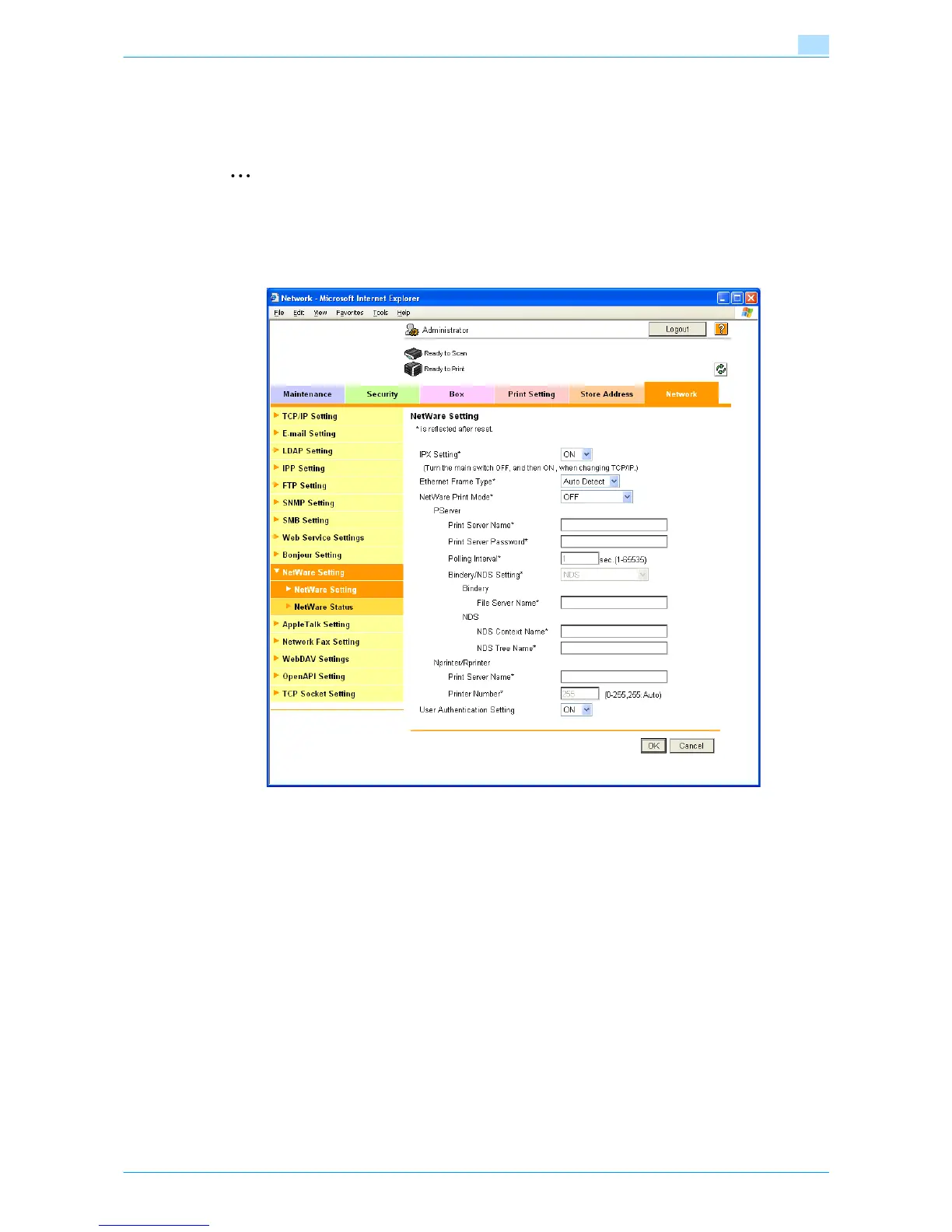
In Administrator mode of Web Connection, select the Network tab - "NetWare Setting" - "NetWare Setting".
Settings are different depending on the environment used. Specify the settings according to the following
procedures.
For Remote Printer mode with NetWare 4.x bindery emulation
0 Before using bindery emulation, check that bindery emulation is compatible with the NetWare server.
1 From a client computer, log in to NetWare with the Administrator permission as Bindery.
2 Start up Pconsole.
3 From the "Available Options" list, select "Quick Setup", and then press the [Enter] key.
4 Enter the appropriate names in the "Print Server Name", "Printer Name", and "Print Queue Name"
fields, select "Other/Unknown" from the "Printer type" field, and then save the specified settings.
5 Press the [Esc] key to quit Pconsole.
6 Use the NetWare server console to load PSERVER.NLM.









 To Next Page