Dexcom G5 Mobile System User Guide
135Ending Your Sensor Session and Transmitter Session
The Dexcom G5 knows when a typical seven-day sensor session is over, automatically
ending the session in each display device. However, if you need to end the session early, you
need to let the system know by manually stopping the sensor session.
While the end result is the same (ending a sensor session), the steps differ between the
app and receiver. If you’re using both, no need to stop the sensor session in each: the other
display device knows the session has stopped.
Before you can begin a new session, you must end the existing session. Let’s first look at
how to end a sensor session in the app, then the receiver.
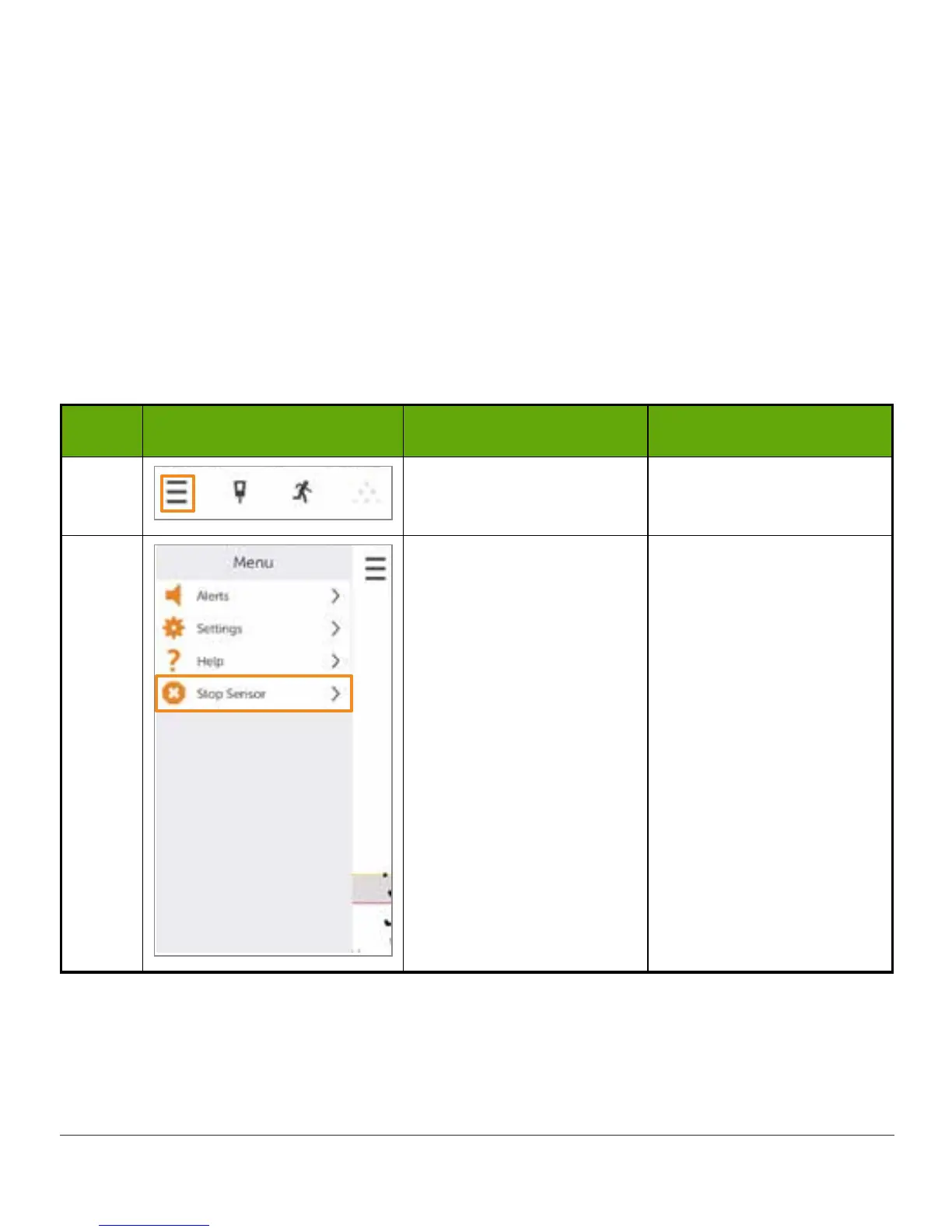
App: Ending a Sensor Session Early
Step What you see What it means What you do
1 Access Main Menu. Tap Main Menu icon.
2
Ends sensor session.
During session:
Stop Sensor option
appears.
Not in active session:
Start Sensor option
appears when session is
not active.
Tap Stop Sensor.
Ends sensor session.
During session:
Stop Sensor option
appears.
Not in active session:
Start Sensor option
appears when session is
not active.
(Continued on next page)



 To Next Page