Dexcom G5 Mobile System User Guide
150Ending Your Sensor Session and Transmitter Session
(Continued from previous page)
Step What you see What you do
3
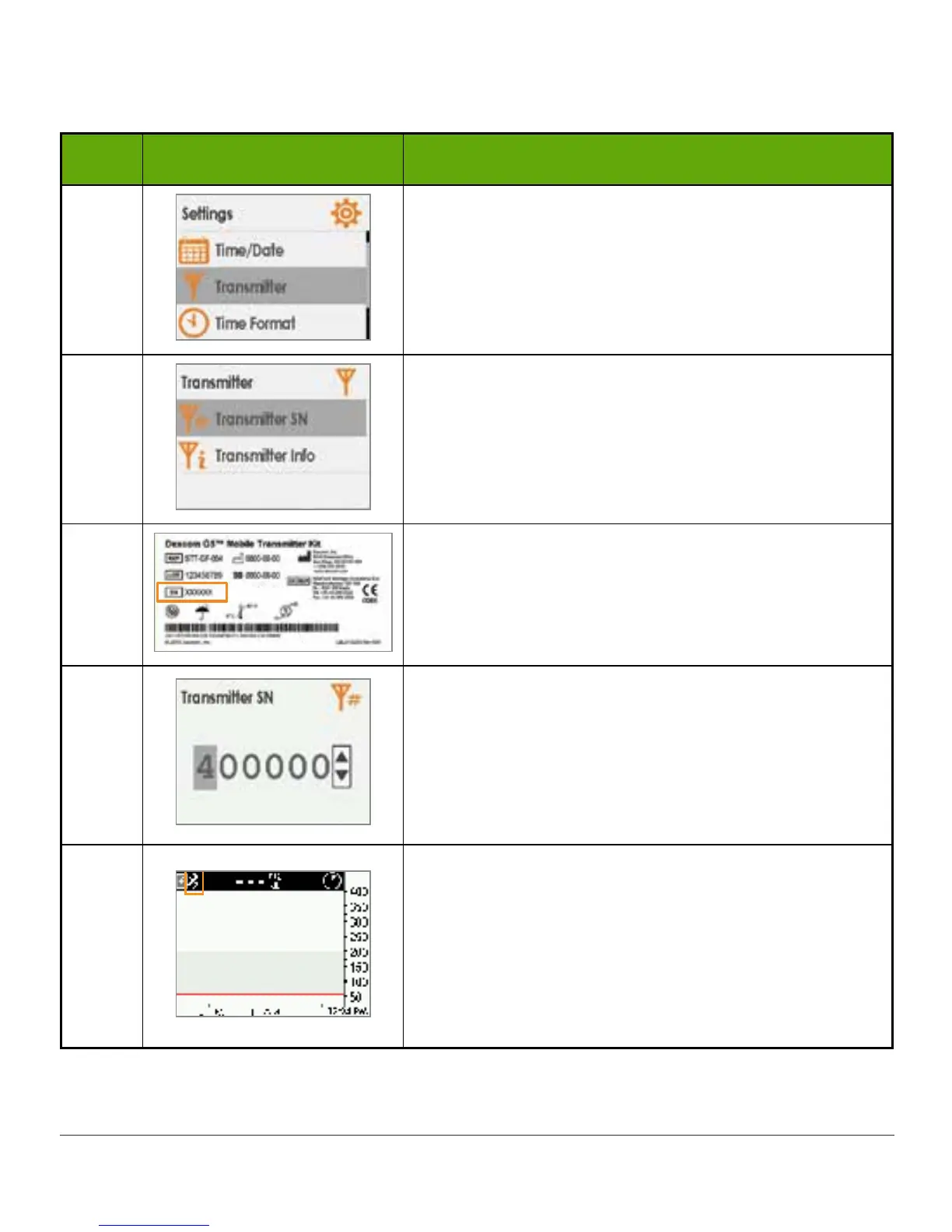
Press down arrow to highlight Transmitter.
Press select button.
4
Highlight Transmitter SN.
Press select button.
5
Turn transmitter box upside down to locate SN
number.
6
Press up/down arrows to select and enter
transmitter SN.
Press right arrow to move to next digit.
Press select button to save and close.
Press left arrow twice to return to Main Menu.
7
Make sure receiver and transmitter are connected/
paired before starting a sensor session.
Check receiver 10 minutes after starting for
Bluetooth icon.
• Solid: Connected/Paired
• Blinking: Searching/Not Paired



 To Next Page