Dexcom G5 Mobile System User Guide
277How to Take Care of Your Dexcom G5
(Continued from previous page)
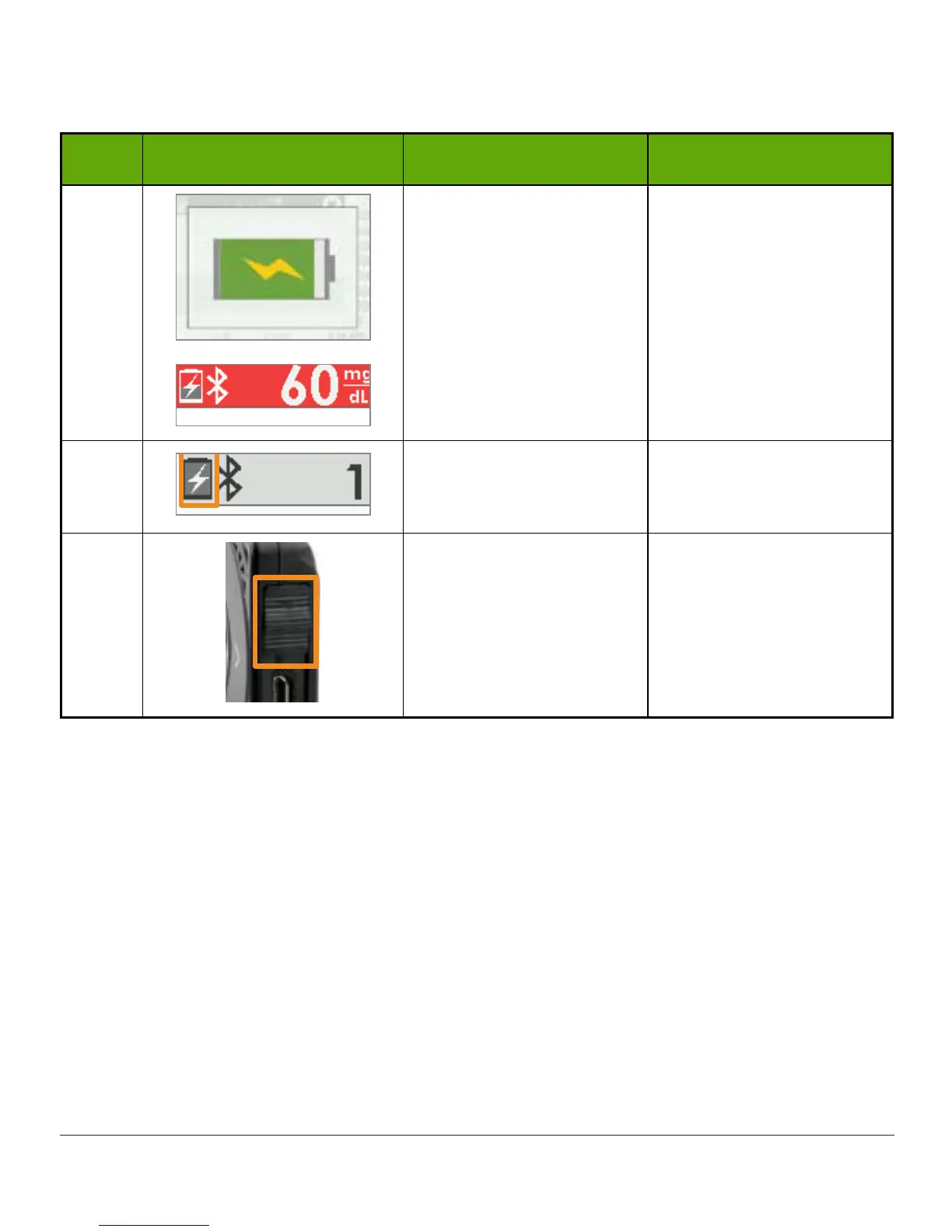
Step What you see What it means What you do
5 Battery Charging
Keep charging until
icons are solid.
6
Battery Charged
Unplug
wall charger
from outlet when fully
charged.
7
USB Port Door
Remove
USB cable
from
receiver.
Close
USB port door
after removing USB
cable to keep receiver
clean and dry.
Accessories
1. Use only Dexcom-supplied parts (including cables and chargers).
a. Use of non–Dexcom-supplied parts may affect safety and performance.
2. Insert cables only as directed.
a. Do not force cables in place.
3. Look at cables for signs of wear and tear. Do not use if worn or damaged.
There is no repair service available for any Dexcom G5 parts.
If you experience problems, call Dexcom Technical Support, available 24 hours, 7 days a
week, toll free at 1.888.738.3646 or toll at 1.858.200.0200 to report the issue.



 To Next Page