89Appendix H: Professional Use Instructions 89
Dexcom G6
®
System • Using Your G6
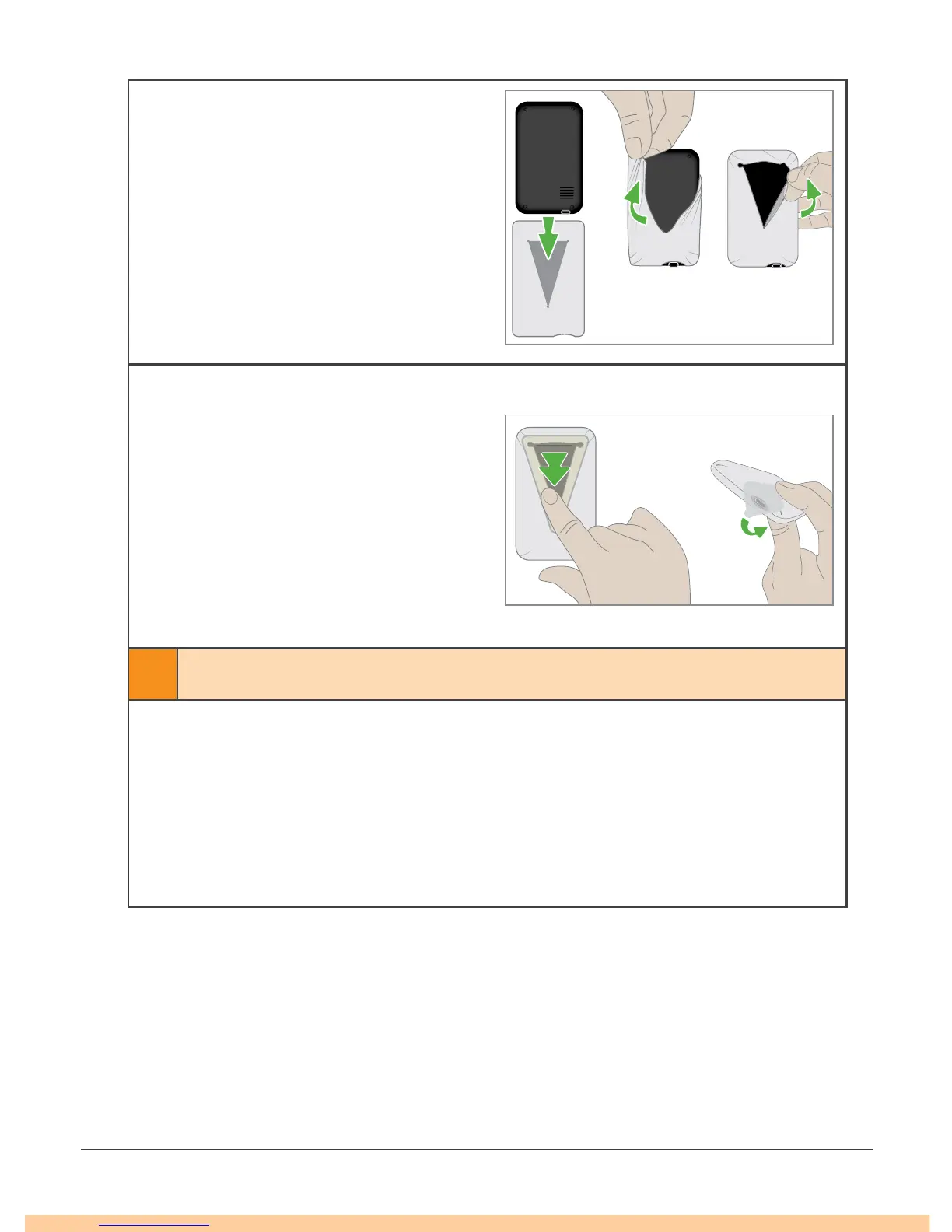
b. Put Receiver in Shield
• Align receiver with shield so
receiver screen faces away
from opening and USB port
aligns with shield USB opening
• Slide receiver into V-shaped
opening
• Stretch shield over receiver
c. Tape shut
• Peel triangle seal from adhesive
backing
• Place seal over shield opening
on back of receiver
• Peel square seal from adhesive
backing
• Place over USB opening to
create a door
3 Clean Transmitter
2
a. Prepare
• Protect:
• Wear clean gloves and goggles
• Prepare Soak:
• Put Clorox Healthcare
®
Bleach Germicidal Cleaner solution (Clorox) in
a container deep enough to submerge the transmitter



 To Next Page