Dexcom G6
®
System User Guide
103Chapter 7: Calibrate
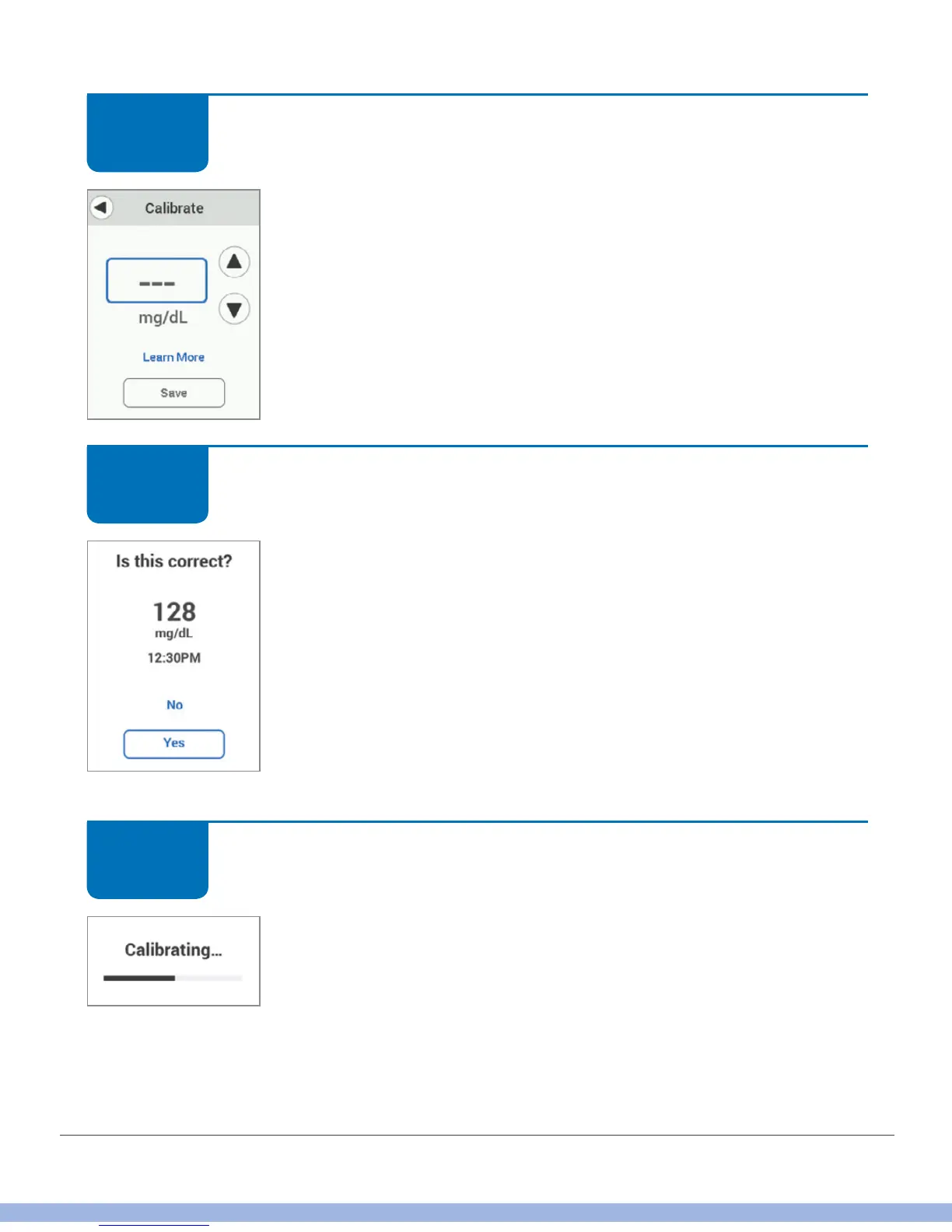
Receiver: Calibration
Tap up/down arrows to enter meter value. This example uses
128 mg/dL.
Tap Save.
Sensor default value for calibration is dashes (– – –) (or the most
recent G6 reading).
Receiver: Calibration
Verify BG value is correct.
If correct, tap Yes. If you don’t tap Yes, the BG level isn’t saved.
If incorrect, tap No and re-enter.
Receiver: Calibration
Wait while BG value is accepted.
STEP
4 of 9
STEP
5 of 9
STEP
6 of 9



 To Next Page