Dexcom G6
®
System User Guide
224Chapter 13: End Sensor and Transmitter Sessions
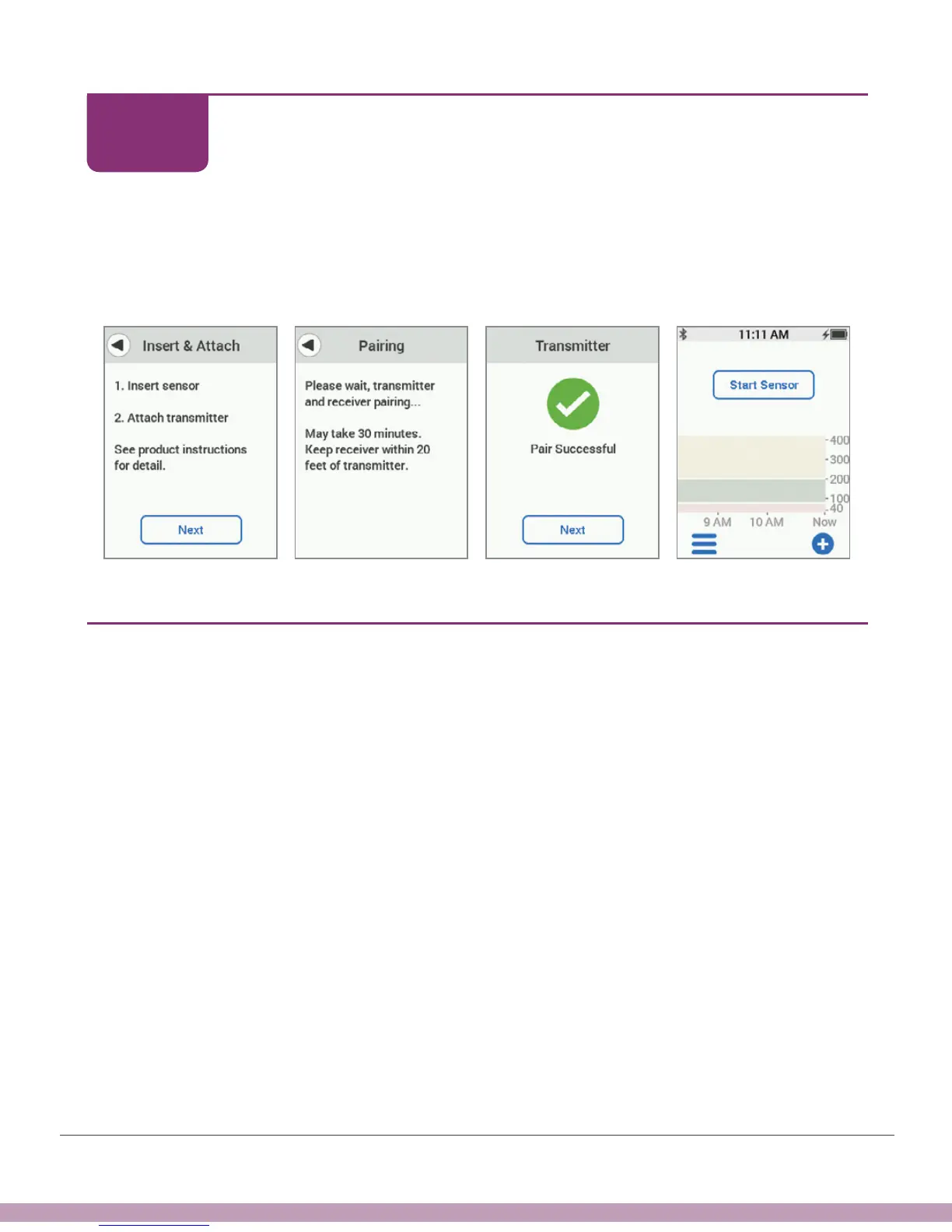
Receiver: Pairing New Transmitter
Insert sensor, attach transmitter, wait for your pairing confirmation, then start your new
sensor session. See Chapter 6 for more information.
If you have already paired your transmitter and started a sensor session in another
device, you will join the current session.
Finished!
13.6 What Was Covered and What’s Coming
Now You Can:
• Identify Replace Sensor and Transmitter notifications at the end of your sensor
session
• Remove your sensor and save your transmitter if needed
• Replace and pair transmitter
What’s Next?
In the next chapter, we’ll talk about solutions to common issues.
STEP
7 of 7



 To Next Page