Dexcom G6
®
System User Guide
112Chapter 8: Home Screen
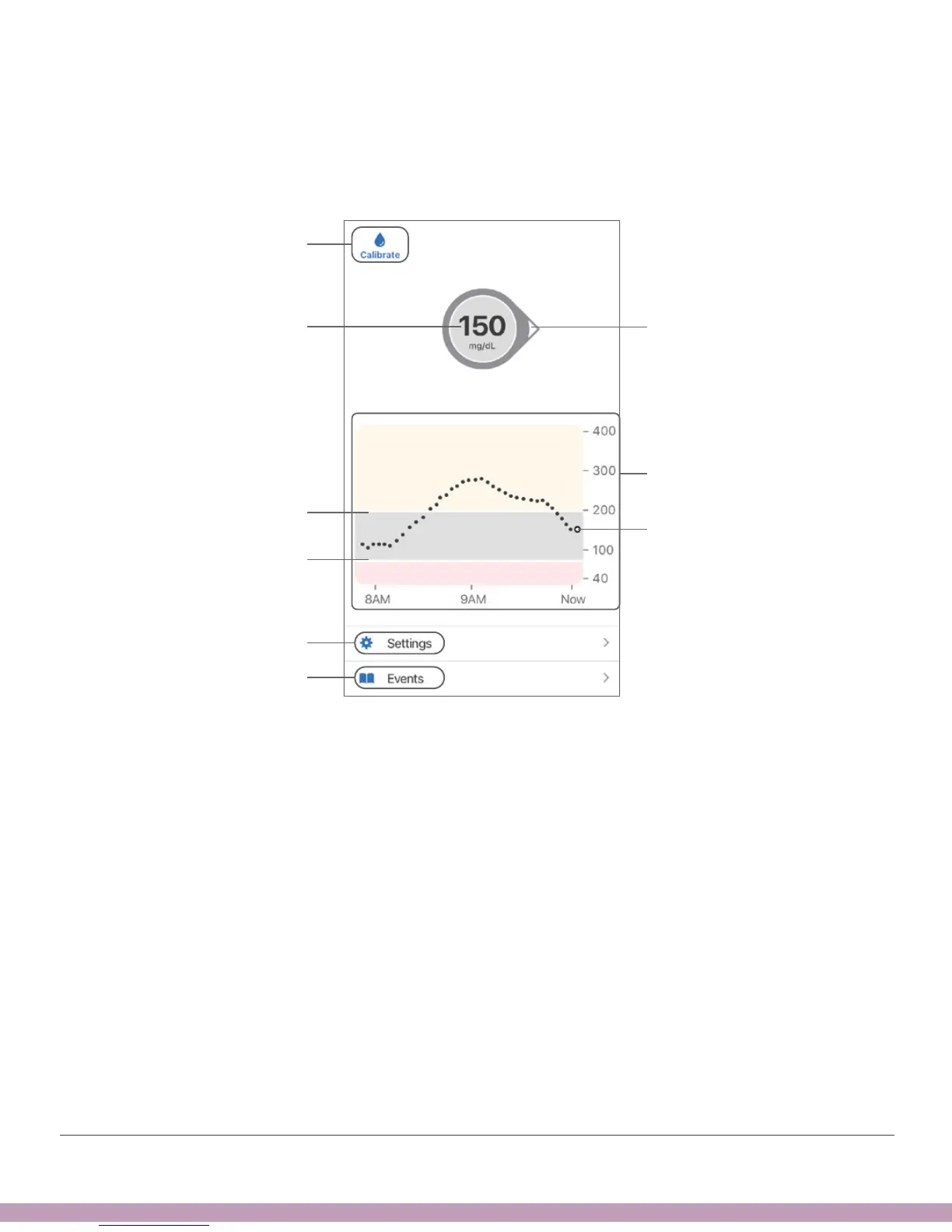
The home screen below is from the Apple app. The Android app and receiver look
similar. The only difference is where the Calibrate Icon, Settings Menu, and Event
History/Add Event are. If you entered a sensor code during setup, you won’t have the
Calibration icon on the home screen..
Settings Menu
Sensor Reading
Trend Graph
Current Reading
Trend Arrow
High Alert Level
Low Alert Level
Event History
Calibrate Icon



 To Next Page