Dexcom G6
®
System User Guide
192Chapter 12: Share Information with Your Support Team
Set Up Share
First, invite someone to become your Follower. Share
then sends an invitation email. After opening the
email on their smart device, your Follower installs the
Dexcom Follow app.
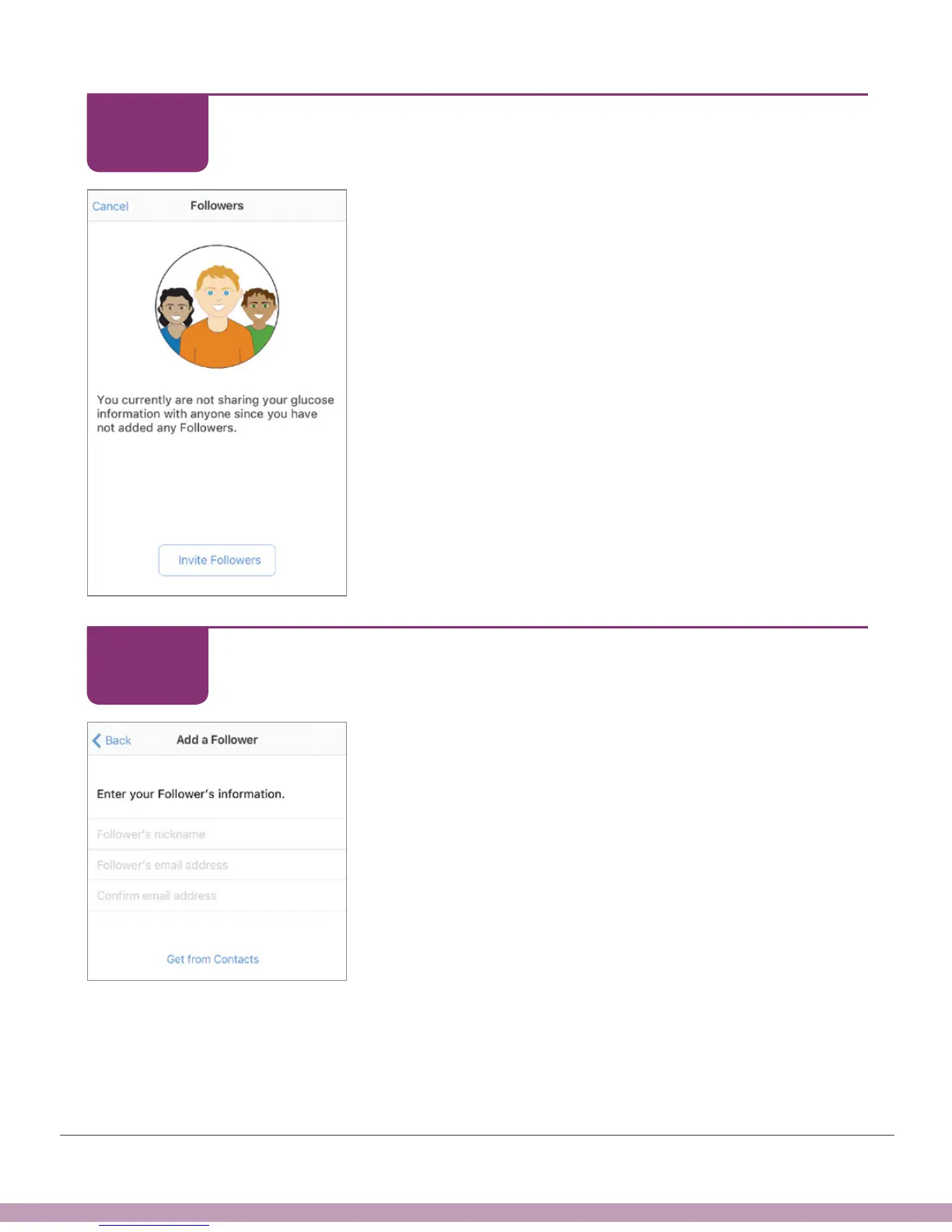
Tap Invite Followers.
Set Up Share
Enter the Follower’s nickname, email address, and
confirm email address. They must open your email and
install the Dexcom Follow app on the device they’ll use
to follow you.
Tap Next.
STEP
7 of 11
STEP
8 of 11



 To Next Page