Dexcom G6
®
System User Guide
82Chapter 6: Start Your Sensor
Attach Transmitter
Attach Transmitter
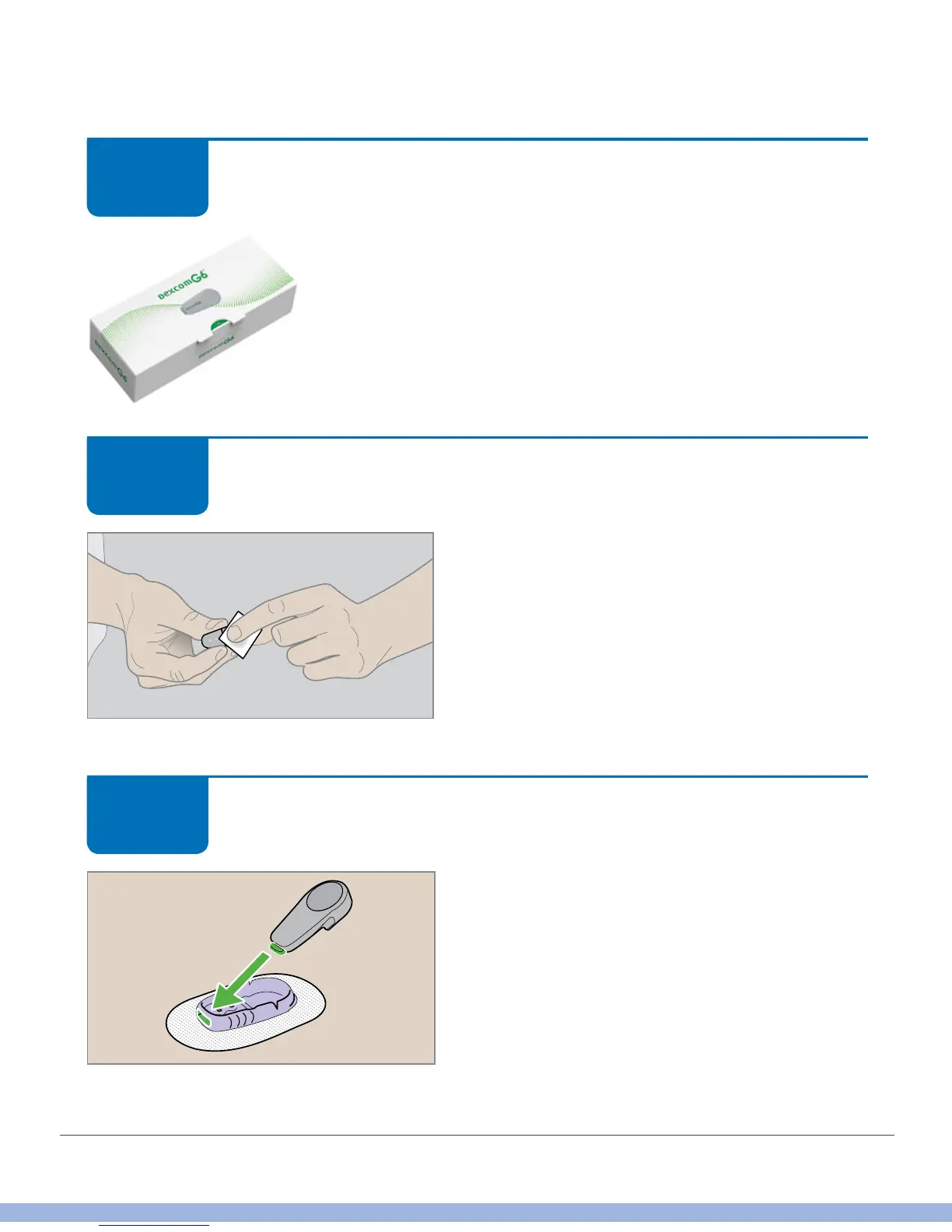
Remove transmitter from box.
Attach Transmitter
Wipe bottom of transmitter with alcohol wipe.
Let dry.
Be careful with the bottom of the transmitter.
Don’t:
• Touch its metal dots
• Scratch it – that may harm the waterproof
seal
Attach Transmitter
Slide transmitter tab into the slot at the
narrow end of the holder.
STEP
1 of 5
STEP
2 of 5
STEP
3 of 5



 To Next Page