OPERATOR’S MANUAL
PM200, 200E and 250 Planter Monitors
11001-1444-200702
MENU SCREEN / 13
MENU SCREEN
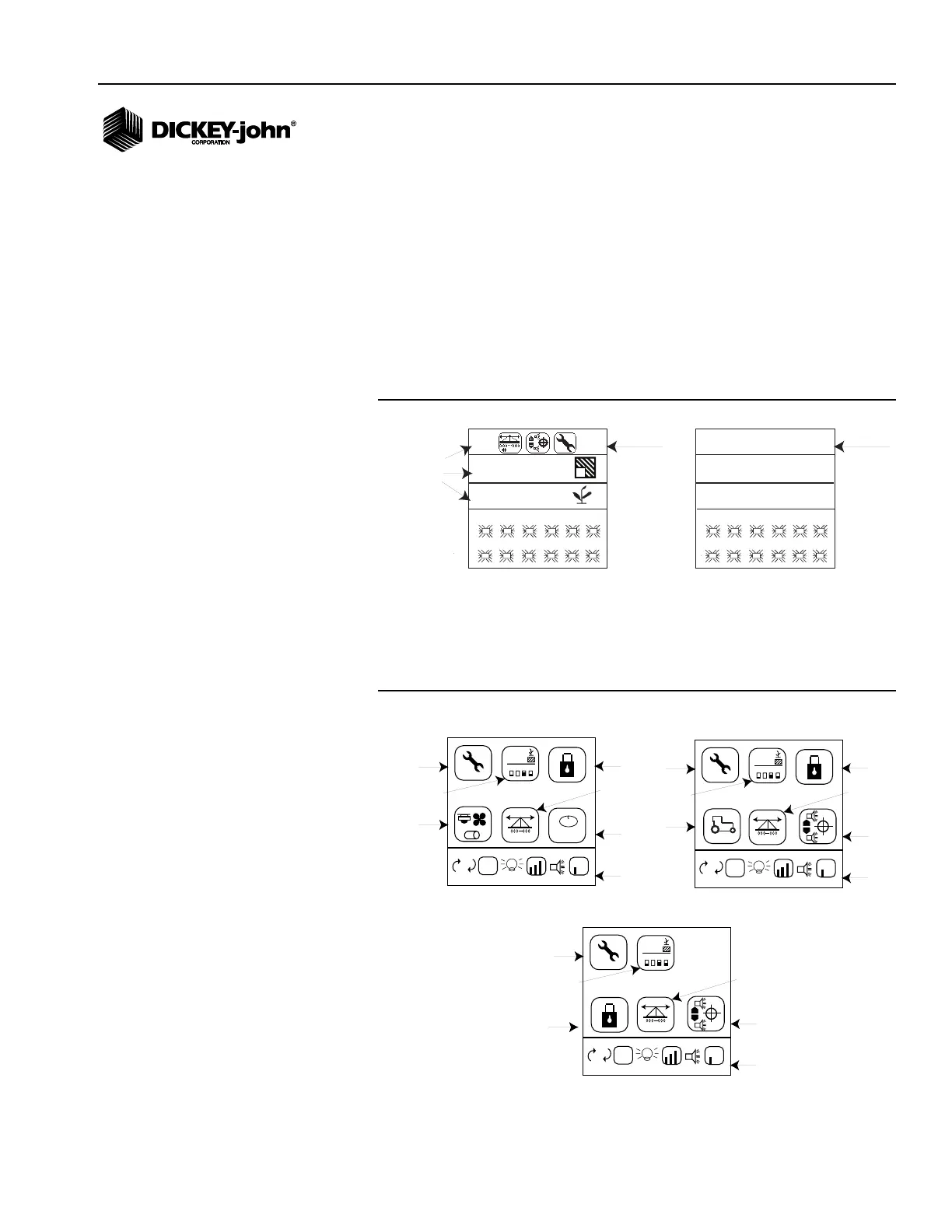
The Menu screen is the main access screen to modify planting and console
settings. The Menu screen can be accessed from the Operate screen and
will display on a function line as graphics or text.
To access the Menu screen:
1. At the Operate screen, press the Up or Down Arrow key to navigate
through the function readouts until the Menu line is highlighted.
Figure 8
Menu Function Line (Graphic and Text Mode)
2. Press Enter to access the Menu Setup screen.
Figure 9
Menu Screen
1
7
2
8
3
9
4
10
5
11
6
12
27.3
1
Menu
Graphic
Mode
1
7
2
8
3
9
4
10
5
11
6
12
27.3
Menu
Text
Mode
MENU
4.5
4.5
ac1
s/ac
Function
Readouts
(PM200 and 200E models display 2 lines of function readouts)
PM250 PM250
M
E
E
123.4
43.8
1234
123.4
43.8
1,2,3...
Security
Seed
Count
Accessories
Service
Display
Settings
Row
Setup
Display
Screen Setup
PM250
+
-
M
E
E
123.4
43.8
1234
123.4
43.8
Security
Population
Limits
Service
Display
Settings
Row
Setup
Display
Screen Setup
PM200E
Ground
Speed
+
-
M
E
E
123.4
43.8
1234
123.4
43.8
Security
Population
Limits
Service
Display
Settings
Row
Setup
Display
Screen Setup
PM200



 To Next Page