OPERATOR’S MANUAL
PM200, 200E and 250 Planter Monitors
11001-1444-200702
26 / ADDITIONAL MONITOR FEATURES
Figure 18
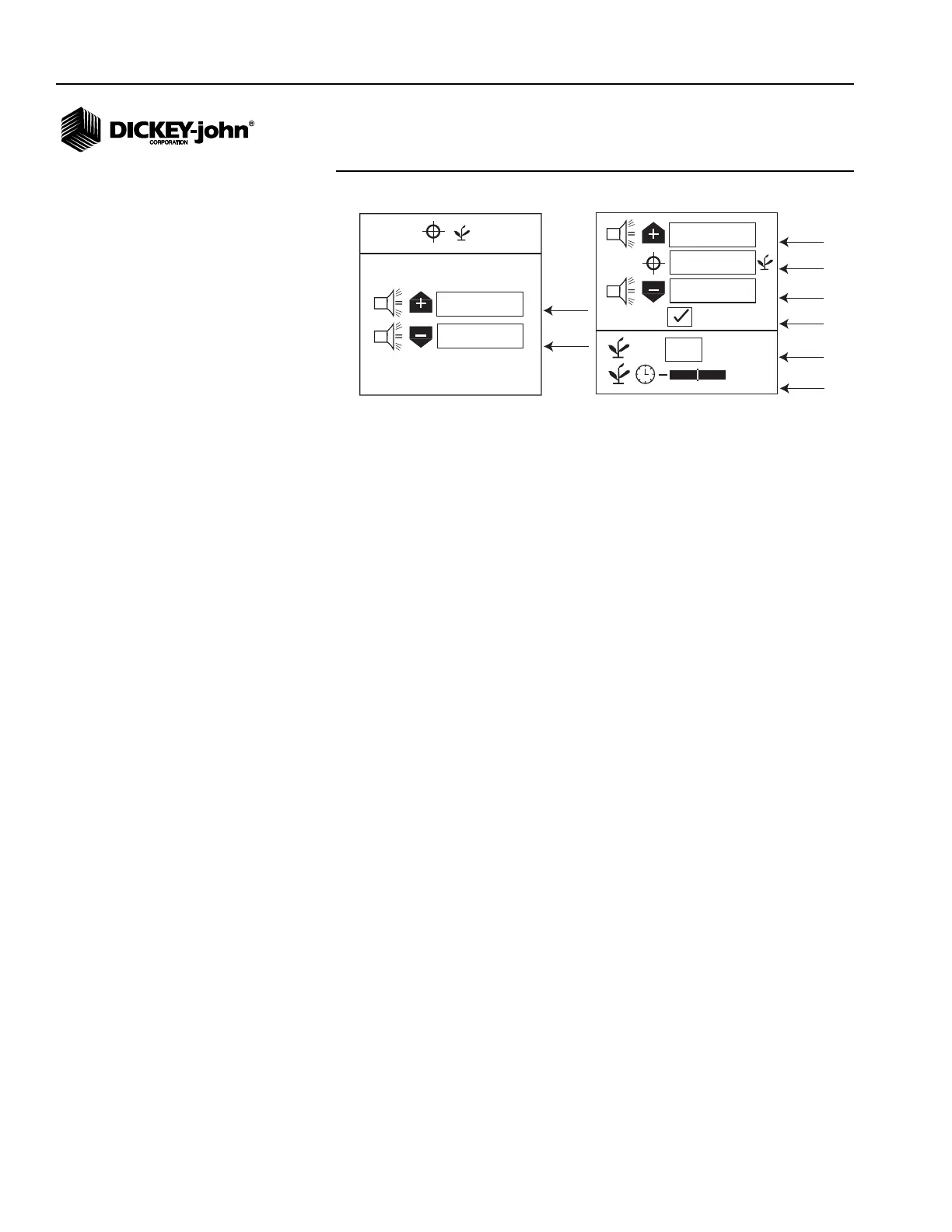
Population Screen
HI POPULATION/LOW POPULATION
Hi and Low population values determine when an alarm or row indicator
displays to warn of a population problem. Over population and under
population values are independent of each other and do not have to be the
same percentage value.
On the PM200 and 200E, the values are specified as percentages that are
over or under the planter average seed rate. The values can be adjusted in
increments of 10% between the maximum and minimum values. A value of
0 disables the alarms.
The PM250 offers additional features to choose high and low limit alarms
specified in terms of actual seeds or as percentages. A population
adjustment and filter value are also available. A value of 0 disables the
alarms.
Example:
– 10% of 30,000 seeds/acre
– over-population setting (33,000 seeds/acre)
– under-population setting (27,000 seeds/acre).
If the percentage (%) box is not checked, the values are population based
and expressed in 1000s of seeds per acre or hectare.
To Change the Actual Population % box (PM250):
1. Highlight the % input box and press Enter.
2. Press the Enter key to toggle the setting from checked to unchecked.
TARGET POPULATION (PM250)
Target population is defined in 1000s of seeds per acre or hectare. If no
value is entered, the monitor uses average population to calculate alarms or
row population indicators.
1. Highlight the Target Population input box and press Enter.
2. Use the Left or Right Arrow keys to highlight a digit to edit.
%
%
%
+
0
%
+
10.0
10.0
30.0
30.0
Hi Pop
Alarm
Target
Population
Low Pop
Alarm
%/Actual
Pop
Population
Adjust
Population
Filter
%
%
20.0
30.0
Hi Pop
Alarm
Low Pop
Alarm
PM200 and 200E
PM250



 To Next Page