OPERATOR’S MANUAL
PM200, 200E and 250 Planter Monitors
11001-1444-200702
16 / SECURITY
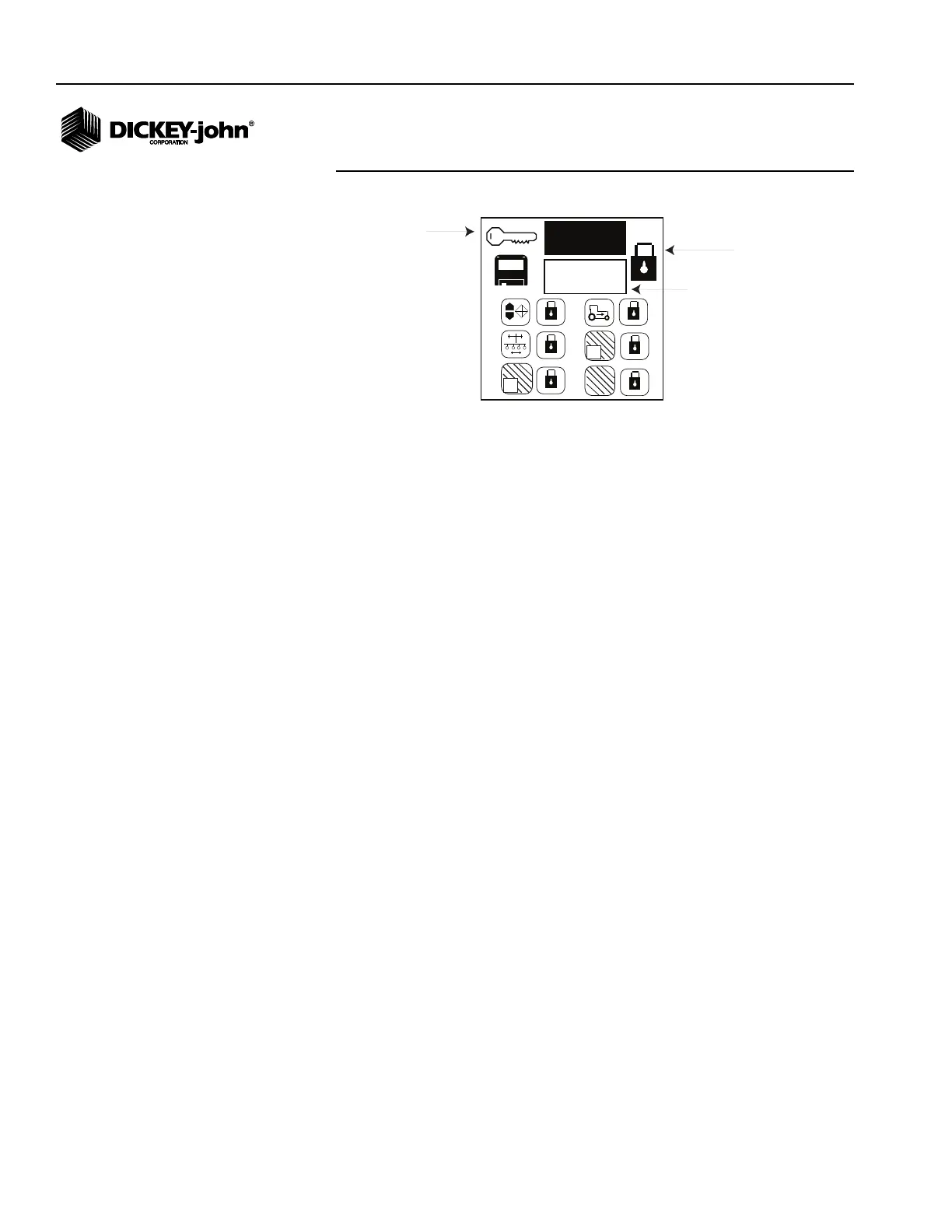
Figure 11
Change Password Screen
LOCK/UNLOCK INDIVIDUAL SCREENS
Individual screens can be locked or unlocked from the Change Password
screen:
• Row Setup
• Population Limits
• Ground Speed
• Field Area 1
• Field Area 2
• Total Area
To Lock or Unlock an Individual Screen:
1. Use the Arrow keys to highlight the individual screen icon to lock or
unlock.
2. Press Enter to select and the Up or Down Arrow keys to toggle
between the lock and unlock state.
3. Press Enter or ESC to confirm the selection.
4. Continue pressing ESC to return to the Operate screen.
TO CREATE A NEW PASSWORD
1. Press Enter at the New Password field to edit. Use the Right and Left
Arrow keys to select the digit to change. Use the Up and Down Arrow
keys to edit the selected digit. The Up Arrow key increases the value;
the Down Arrow key decreases the value.
2. To save the new password, press Enter and then scroll to the Save
icon and press Enter again. The new password will display in the
current password field as confirmation.
3. Continue pressing ESC to return to the Operate screen.
1735
+
-
1
2
0000
Master Lock icon unlocks all
protected screens
Current
Password
New
Password
Individual Screen
Lock/Unlock



 To Next Page