OPERATOR’S MANUAL
PM200, 200E and 250 Planter Monitors
11001-1444-200702
MENU SETUP SCREEN (OPTIONAL) / 35
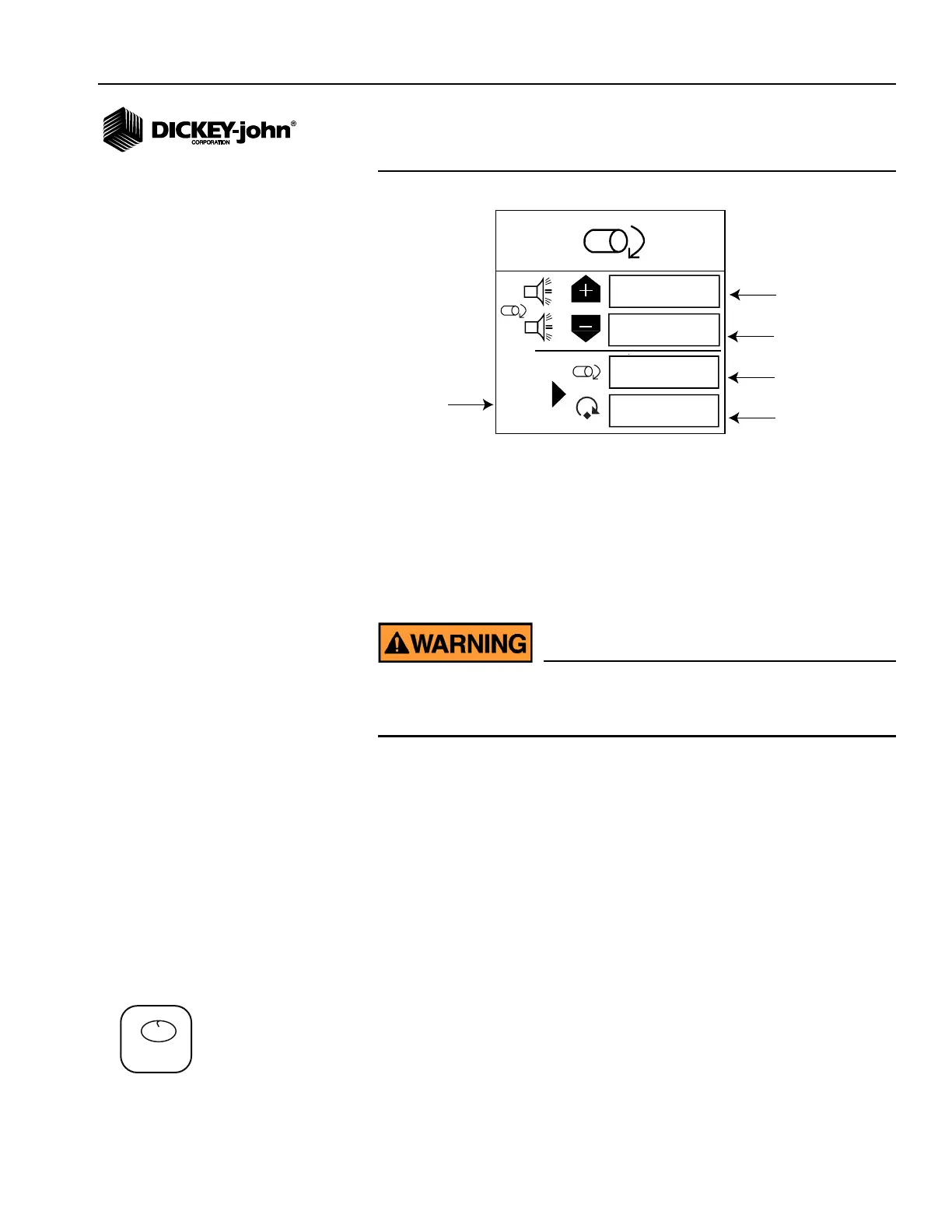
Figure 25
Accessory Screen (Shaft)
To Enter a Calibration Constant:
1. From the Menu screen, scroll to highlight the Accessory Setup icon
and press Enter to display the Accessory screen.
2. Use the Arrow keys to highlight the entry to change. Press Enter
again and use the Arrow keys to add the desired value in the input
box.
3. Press Enter to accept the entry.
Ensure equipment is configured to operate safely. Shaft
calibration requires movement in associated equipment and
revolution counting.
To Perform a Sensor Calibration:
1. Scroll to highlight the Start symbol. Ensure the system is in a safe
state.
2. Start the monitor calibration by pressing the Enter key. The Start
symbol (triangle) will change to a Stop symbol (square).
3. Activate the shaft.
4. Count the revolutions while the monitor measures pulses.
5. Deactivate the shaft.
6. Stop the monitor calibration by pressing the Enter key again.
7. Use the Arrow key to highlight the revolutions input box.
8. Press the Enter key and enter the number of revolutions.
9. Press ESC to return to the Menu screen.
SEED COUNT MODE (PM250)
SEED COUNT mode determines row unit performance when operating in a
stationary manner.
0
0
0
0
High Alarm
Low Alarm
# of Pulses
# of Revolutions
Start/Stop
Calibration
Symbol
PM250
1,2,3...
Seed Count icon



 To Next Page