OPERATOR’S MANUAL
PM200, 200E and 250 Planter Monitors
11001-1444-200702
MENU SETUP SCREEN (OPTIONAL) / 33
MENU SETUP SCREEN (OPTIONAL)
Optional settings are available on the Menu Setup screen that include:
• Units, backlight, and alarm volume
• Display screen setup
• Accessory setup
• Seed count
•Service
UNITS, BACKLIGHT, AND ALARM VOLUME
The monitor’s display can be customized to:
• Change the units of measurement to English or Metric
• Adjust backlight intensity
• Increase or decrease alarm volume
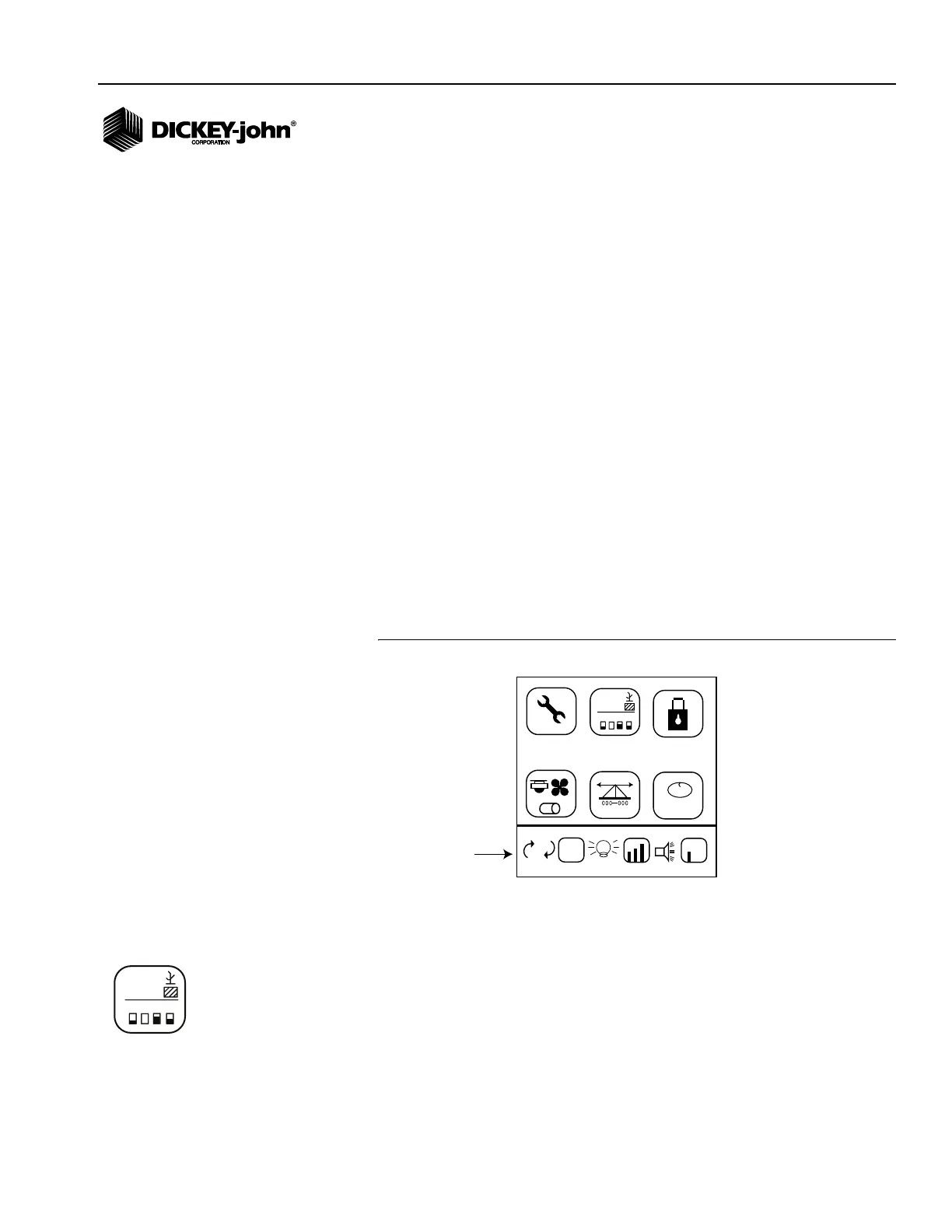
To Change Units, Adjust Backlight, and Alarm Volume:
NOTE: Alarm volume can also be
adjusted from the Operate
screen by pressing and holding
the Alarm key on the keypad.
1. From the Menu screen, press the Down Arrow key to highlight either
the Units, Backlight, or Alarm Volume icon.
2. Press Enter to highlight the setting to change and press the Up and
Down Arrow key to cycle through each selection.
3. Press Enter to accept the desired selection.
Figure 23
Menu Screen
DISPLAY SETUP SCREEN
The Display Setup screen allows customization of the Operate screen by:
• Selecting text or graphic symbols to identify planting parameters in the
upper display
• Selecting the row indicator status as either bar graphs or blinking box
symbols in the lower display
M
E
E
123.4
43.8
1234
123.4
43.8
1,2,3...
Units, Backlight
Alarm Volume
PM250
123.4
43.8
1234
123.4
43.8
Display Setup icon



 To Next Page