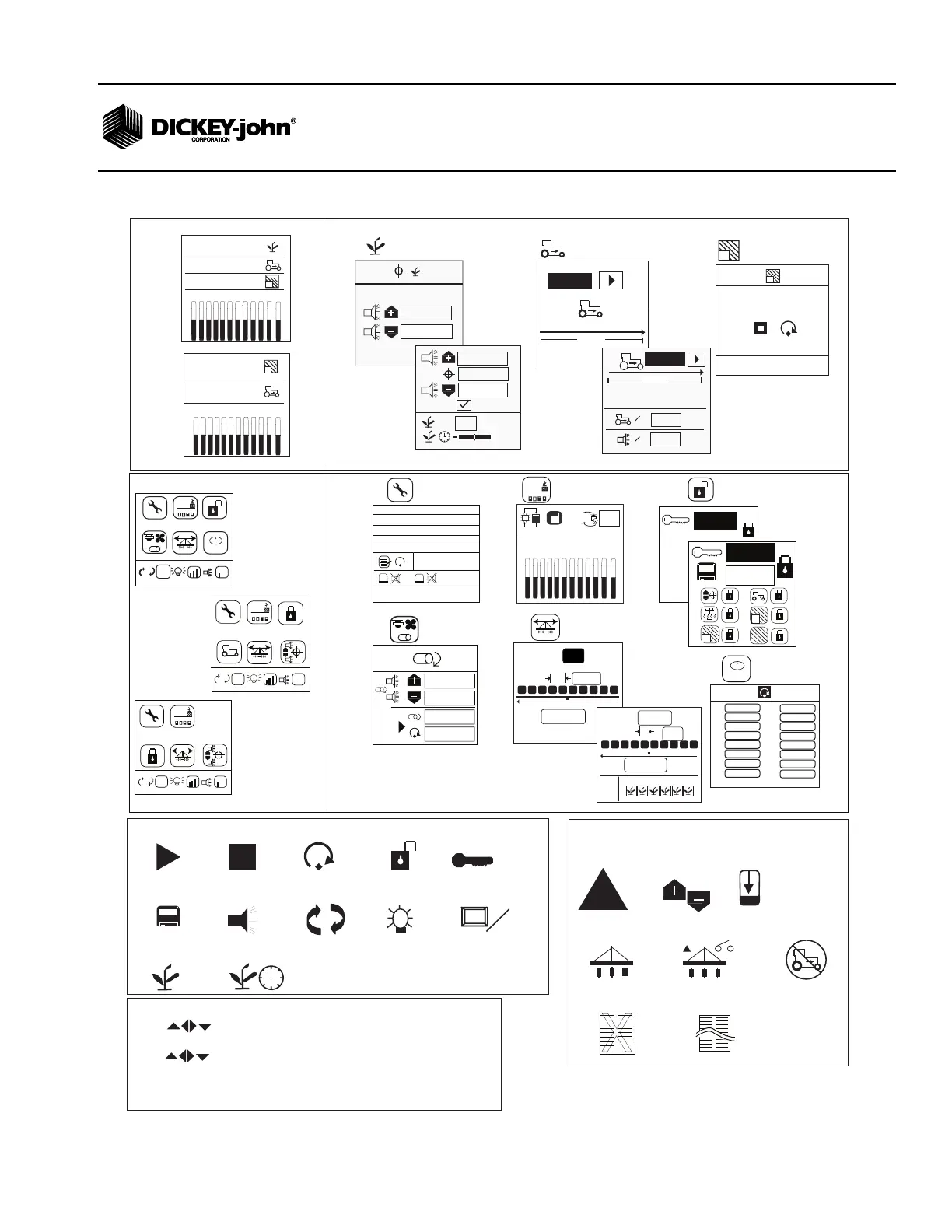
Operate Screen Functions
6096
0.0
mph
400 ft
=
0.0
mph
=
Keypad Functions
- Use (arrow keys) to highlight and select item
- Use ENTER to modify highlighted item
- Use (arrow keys) to change items/digits or to select digits
- Use ENTER to accept data
- Alarm key acknowledges and silences alarm
- ESC/Reset returns to the previous screen
!
Warning Hi/Lo
Hopper
All Rows Failed
No Speed Input
Planter Lifted
Start
Stop
Reset
Security
Password
Save Password
Alarm
English/Metric
M
E
Back light
Graphic/Text Label
aA
Population Adjust
+
Response Rate
Seed Count
1
2
3
4
5
6
7
8
9
10
11
12
13
14
15
16
17
18
9,521
9,521
9,521
9,521
9,521
9,521
9,521
9,521
9,521
9,521
9,521
9,521
9,521
9,521
9,521
9,521
9,521
9,521
Service
Menu Setup Screens
M
E
E
123.4
43.8
1234
1,2,3...
0000
Security
1735
+
-
1
2
0000
Display Setup
0
0
0
0
Accessory
#
20.0
in
20.00
ft
12
PM200 and 200E
#
12
20.0
in
20.00
ft
Planter Setup
1,2,3...
M: 00.05 07022611
B: 00.00 07021614
PM250: 007
25.7
12.8
1
2
H: 1
418.61
11033-0594
123.4
43.8
1234
aA
1 2 3 4 5 6 7 8 9 10 11 12
1
6.8
33.3
16.9
20.0
30.0
PM200 and 200E
%
+
0
%
10.0
10.0
30.0
30.0
PM250
%
Population
Limits (s/ac)
6096
400 ft
PM200 and 200E
PM250
Speed (mph/Km/h)
1
17.2
START/STOP
AREA 1
Area Accumulators
(ac1, ac2, ac3)
1
Alarms
Symbols
X
Model Data Absent
Model Data Conflict
1 2 3 4 5 6 7 8 9 10 11 12
aA
PM250
1 2 3 5 6
4
I/O
+
-
M
E
E
123.4
43.8
1234
123.4
43.8
PM200E
PM250
%
1
6.8
16.9
1 2 3 4 5 6 7 8 9 10 11 12
PM250
PM200 and PM200E
NOTE: PM200 and PM250 models can access Population
Limits, Ground Speed, and Area Accumulator screens
directly from the Main Operate screen.
PM200 and 250
+
-
M
E
E
123.4
43.8
1234
123.4
43.8
PM200



 To Next Page