OPERATOR’S MANUAL
PM200, 200E and 250 Planter Monitors
11001-1444-200702
6 / INTRODUCTION
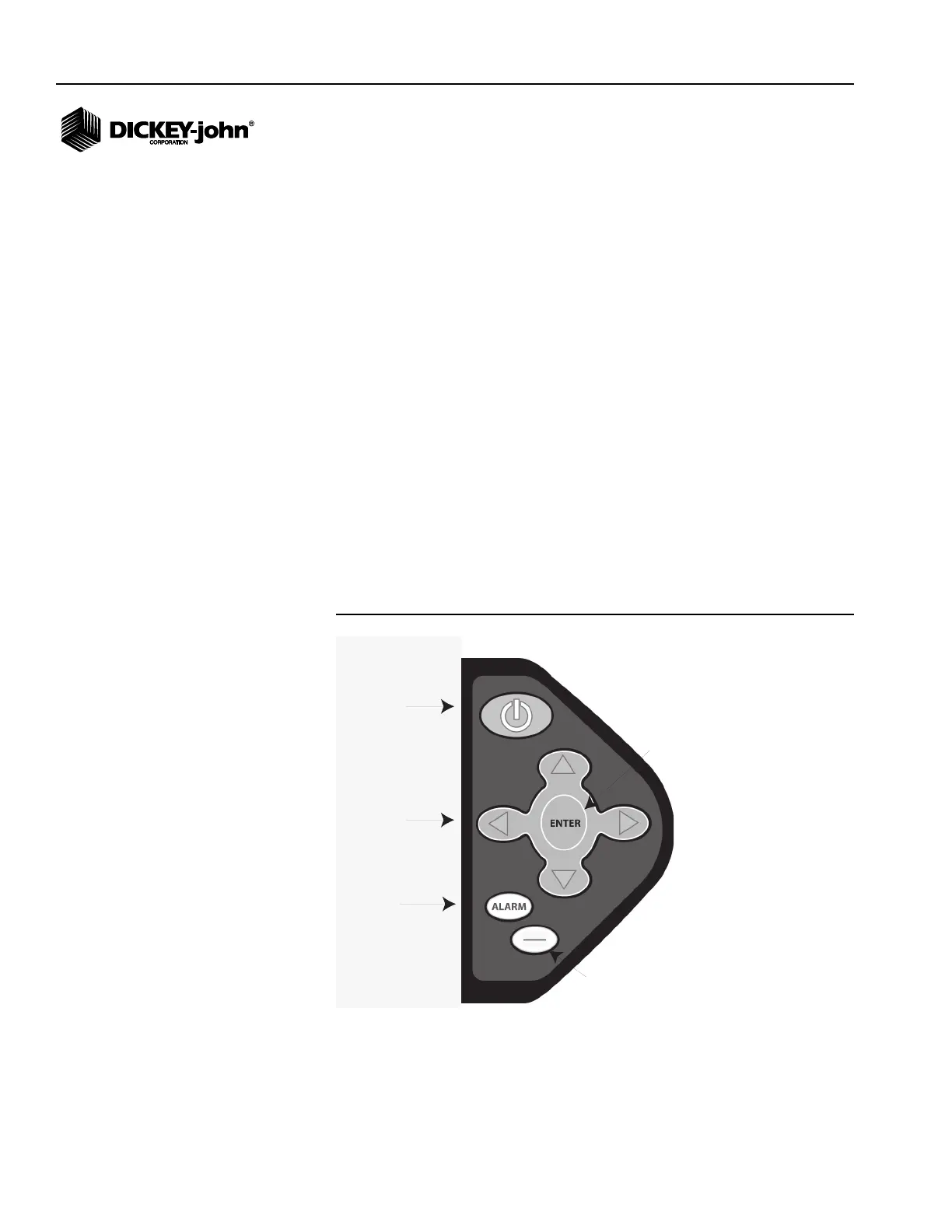
UP/DOWN/LEFT/RIGHT ARROWS
On the Operate (main) screen, the Up and Down Arrow keys are used to
scroll through planting parameters at the top of the display. On Setup
screens, the arrow keys are used to navigate to input boxes to change data
values.
ALARM
During an alarm condition, selecting the Alarm button acknowledges the
alarm condition displayed on the screen. Active row alarms are reset after
an ALL ROWS FAILURE condition or a power down-up sequence occurs. If
the error condition continues, the key must be selected again to cancel the
alarm. When no alarms are active, the volume may be modified by selecting
and holding the Alarm button.
ESC/RESET
On the Operate (main) screen, select and hold the Escape key for four
seconds to clear an area accumulator if it is located on the top line of the
display.
When navigating through sub-menus, the Escape key moves the user back
one selection. After changing parameter values, selecting Escape accepts
the modified data. The Escape key also serves as an alarm cancel key.
Figure 2
Switchpad
On/Off
Acknowledges
alarm
Arrow keys
ESC
Reset
Returns to previous screen
Clears Accumulators on the Operate screen
Acknowledges alarm
Activates data entry
Confirms data entry



 To Next Page