EasyManua.ls Logo

DigiShot plus.4G - Page 156

Default Icon
253 pages
Print Icon
To Next Page IconTo Next Page
To Previous Page IconTo Previous Page
Loading...
UTM-00339 | Rev 19
Page 156 of 253
DetNet South Africa Copyright © 2021
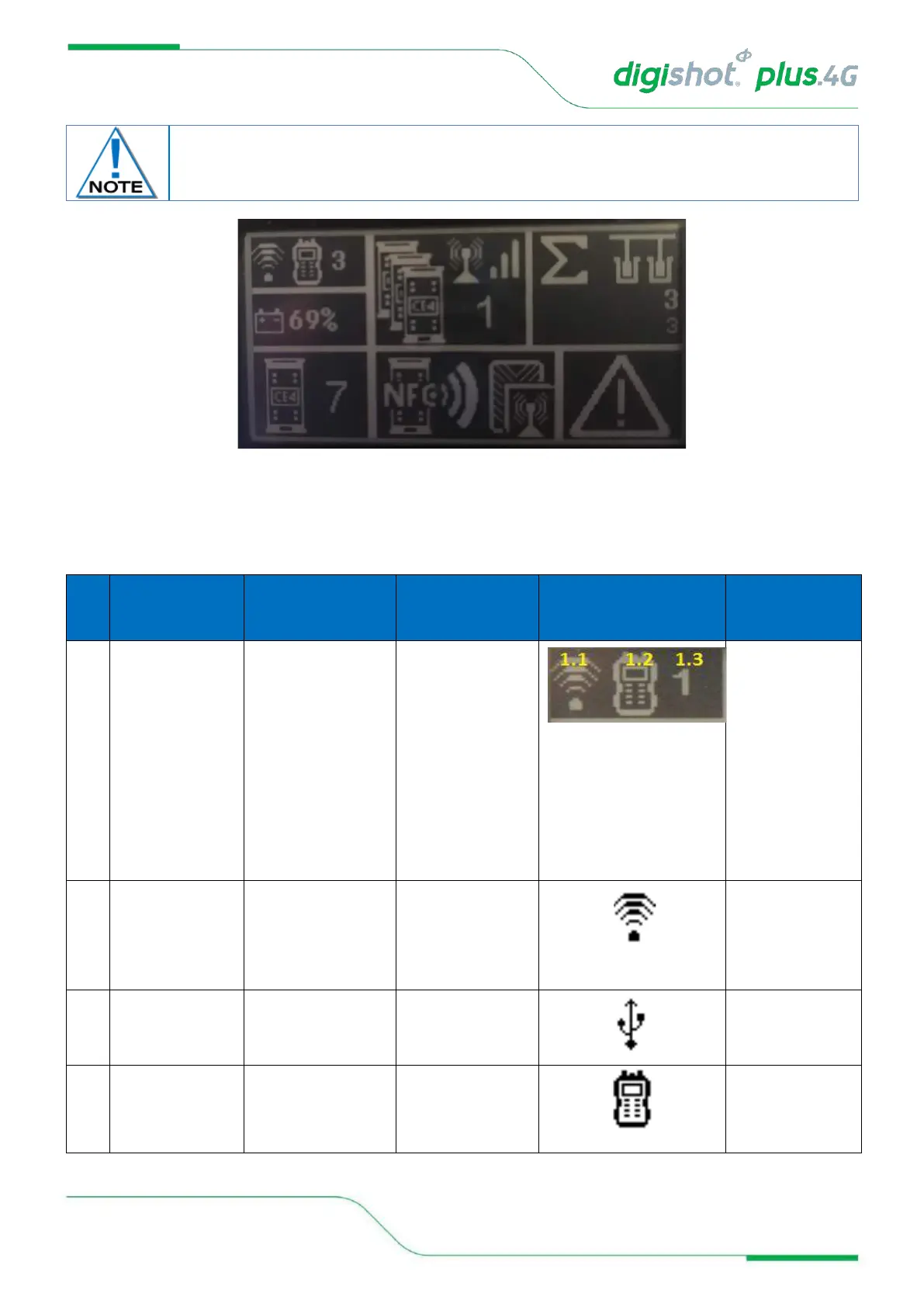
Figure 10: DigiShot
®
Plus 4G Base Commander Mode Detail Screen
Table 9: DigiShot
®
Plus 4G Commander Base Station Screen Icons
Ite
m #
Description
Detail
Indication
Icon
Options /
Variants /
Description
1
Wi-Fi/USB
connectivity
indication area (CE4
Tagger or PC)
Indicates whether
Commander is
connected via Wi-Fi or
USB
Indicates whether
Commander is
connected to CE4
Tagger or PC
Connected to
something
As simultaneous Wi-
Fi and USB
connections are
allowed (one of
each), this section
can indicate a
combination of
connections. Refer to
1.4 below for
possible
combinations.
1.1
Connection type
Indicates the connection
type and will also show
the last active
connection type when
disconnected
Connected via Wi-Fi
Connected via USB
1.2
Type of device
connected to
Indicates the type of
device / driving unit that
Commander is
connected to.
Connected to CE4
Tagger
The Detail screen is displayed as a black layout on a white background. The illustration
below has a black background only to improve the visibility of the icons in this manual.
4
1
2
3
5
6
7