UTM-00339 | Rev 19
Page 169 of 253
DetNet South Africa Copyright © 2021
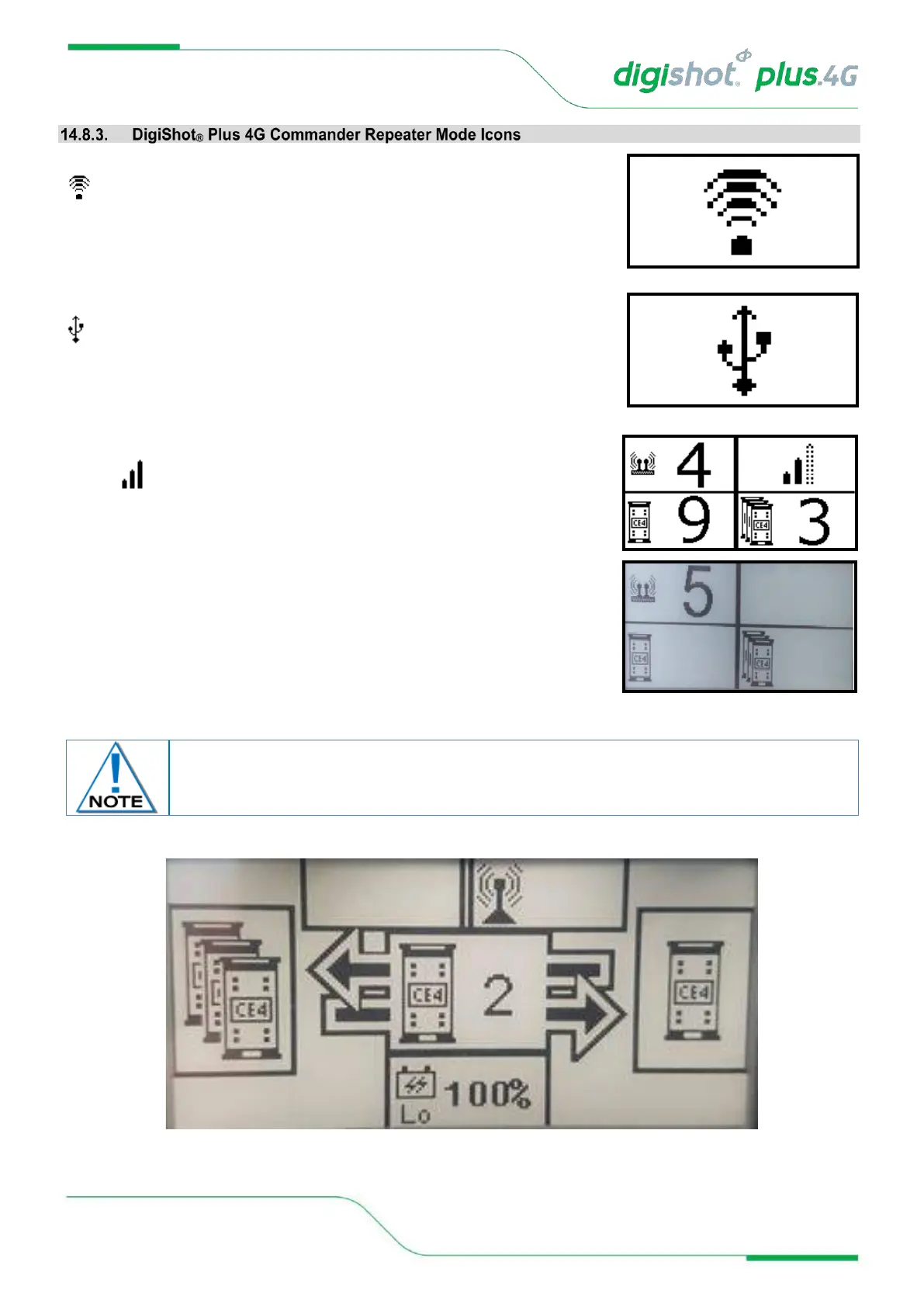
When the Repeater is connected via Wi-Fi, it will display only the Wi-Fi symbol
on the screen. This icon will replace all other screens.
When the Repeater is connected via USB rather than Wi-Fi, the USB symbol
will be displayed
When the Bench Commander is connected via RF, it will display the RF
symbol in the main screen
Repeater will display the following main screen
Press the NEXT button to display a detail screen that will be displayed for 30
seconds before reverting back to the main screen.
Figure 12: Repeater Detail Screen
The Detail screen is displayed as a black layout on a white background. The illustration
below has a black background only to improve the visibility of the icons in this manual.



 To Next Page