UTM-00339 | Rev 19
Page 240 of 253
DetNet South Africa Copyright © 2021
Troubleshooting / Remedial Action
Low Battery / Link
Down / Check RF
Settings
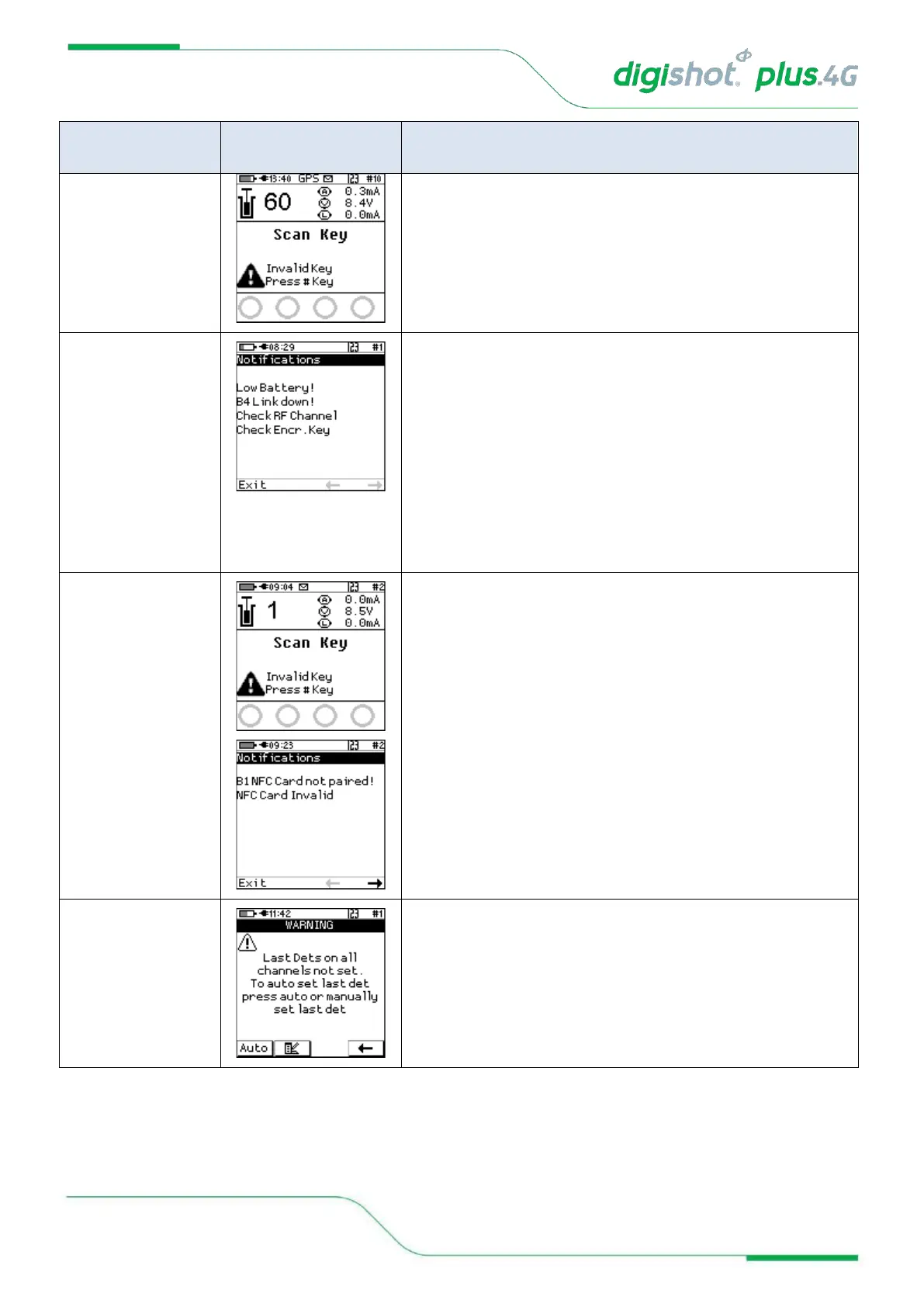
The low battery warning will be displayed when the battery has
depleted to a point where blasting may be jeopardized.
Recharge the battery before continuing with blasting.
When the RF link is down at the Base Commander, the ‘link
down’ error will be displayed. The number (B4 in example)
refers to the Bench Commander with which communication has
been lost.
The RF connection warnings will indicate that either the RF
channel or the Encryption key does not match. Adjust settings
to ensure that these parameters match on the Base
Commander and all the Bench Commanders.
The Invalid Key / Card not paired error will be displayed if the
BlastCard used to arm the Base Commander is from a different
group (set) of BlastCards to the BlastCard used to arm the
Bench Commander/s. Use only the BlastCards from the same
set as shipped together
The last det not set error will occur when arming if the last dets
were not set on the connected channels. The user may select to
select last dets automatically where the system will assume that
the last detonator in the last is the last det or the user may
manually select the last det.



 To Next Page