UTM-00339 | Rev 19
Page 78 of 253
DetNet South Africa Copyright © 2021
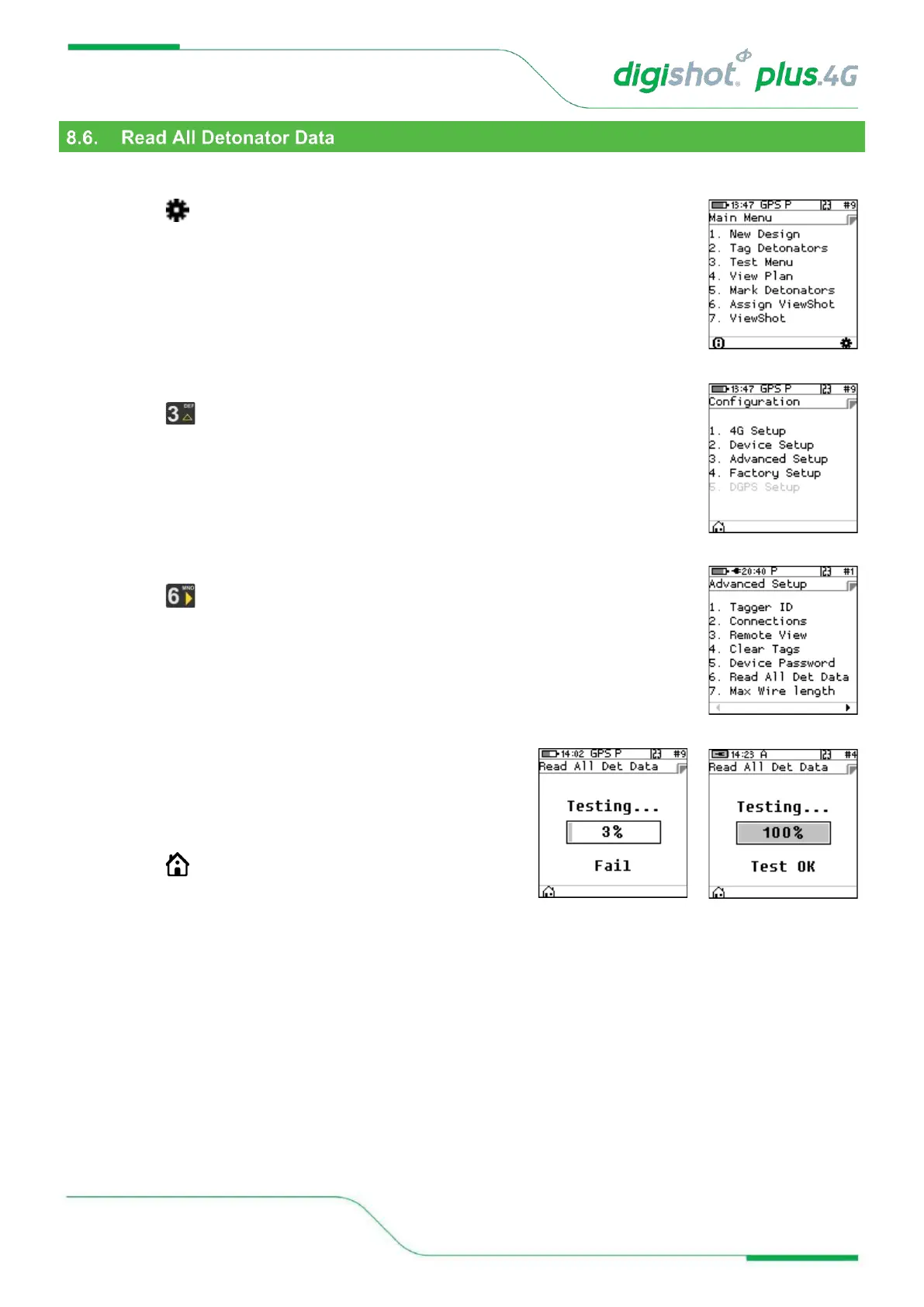
This function was designed for debug purposes and it captures the data from a single detonator in the Tagger logs.
1. Main Menu
• Press SoftKey to select Configuration Settings.
2. Configuration Settings Menu
• Press to select Advanced Setup.
3. Advanced Setup Menu
• Press to select Read All Det Data
4. Read All Det Data
• Connect a single detonator to the pogo pins or spring
terminals
• Tagger will indicate the test progress.
• Detonator information will be recorded in the Tagger logs
• Press SoftKey to return to Main Menu.



 To Next Page