UTM-00339 | Rev 19
Page 91 of 253
DetNet South Africa Copyright © 2021
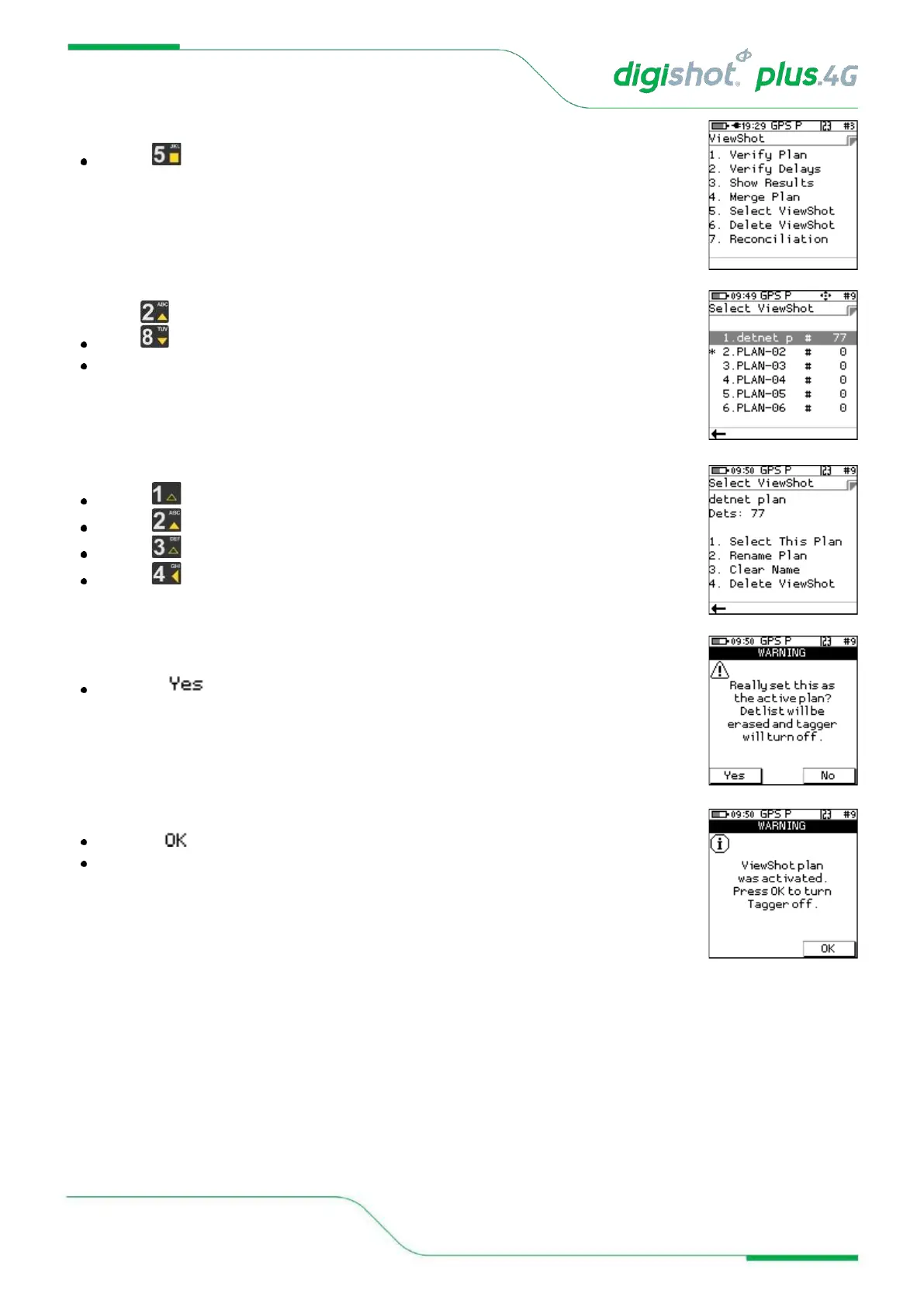
2. ViewShot Menu
Press to select Select ViewShot
3. Select ViewShot
Use navigational keys to move to the desired PLAN and press Enter to select
The selected PLAN will be indicated by the asterisk
4. Selected Plan in “Select ViewShot” menu
Press to Select This Plan
Press to Rename Plan
Press to Clear Name
Press to Delete ViewShot
5. Acknowledge Warning
Press soft key to the selected plan as active plan
6. Acknowledge Warning
Press soft key to allow changes to take effect
The Tagger will turn off



 To Next Page